Manual · Cisco
Deployment Guide: Cisco Aironet 1000 Series Lightweight Access Points
Manual40 pagesPDF 2.7 MB
Deployment guide for Cisco Aironet 1000 Series lightweight access points: planning coverage, how many access points and where to place them.
Covers · 1 model
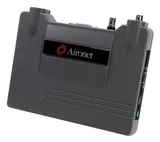
The models it covers
Summary
What is in it
A planning guide for IT managers deploying Cisco Aironet 1000 Series lightweight access points in the Cisco WLAN Solution. It explains how to set deployment requirements (protocols and bands, coverage area, building type, client throughput and voice over IP), choose a deployment strategy from a professional site survey to basic guidelines, work out how many access points are needed, verify coverage with an optional minimal site survey and follow placement guidelines.
Its parts
- Preface
- Deployment
From the manual
Key facts from this manual
Each line names its page in the PDF.
Cisco deployment guide for the Aironet 1000 Series lightweight access points as a family; it does not name the AP1000-E itself. It helps IT managers work out how many access points a building needs and where to place them, from building type, target throughput and an optional minimal site survey.
- Device
- Lightweight access point of the Cisco WLAN Solution; Radio Resource Management sets its transmit power and channel p. 19
- Antennas
- Internal dual-band antennas; no external antennas or RF cables needed p. 19
- Power
- Standards-based 802.3af Power over Ethernet on unused cable pairs; external power supply option p. 19
- Interference handling
- Detects microwave ovens, Bluetooth devices and other access points, then changes channel p. 19
- Dynamic transmit power
- Lowers power to limit overlap; raises it to fill a hole if a nearby access point fails p. 19
- Channels
- Three 802.11b/g channels and thirteen 802.11a channels in an 802.11a/b/g deployment; 54 Mbps on 802.11g and 802.11a p. 21
- Clients per access point
- Guide assumes up to 15 data clients or up to 14 VoIP clients p. 20
- Handover times
- Guide assumes 37 ms or less on one Cisco 4100 Series controller (Layer 2), 48 ms or less between controllers or subnets (Layer 3) p. 20
- Average user throughput
- 802.11b up to 6 Mbps; 802.11a and 802.11g typically up to 20 Mbps p. 22
What this manual walks you through
- Choosing which 802.11 protocols and bands to support p. 21
- Setting a coverage hole target for launch p. 21
- Classifying the building type p. 22
- Finding the coverage radius and Z factor for a building type and throughput p. 28, 29, 30
- Calculating how many access points are needed p. 31
- Planning coverage for VoIP telephones p. 28
- Running a minimal site survey p. 32
- Placing access points on the floor plan p. 32, 36, 37
Good to know
- Access point coverage areas should overlap about 10% to 15% to keep coverage holes few. p. 37
- Voice deployments need full coverage at an average of 5 Mbps or more; stairways, bathrooms, cafeterias and outdoor areas may need extra access points. p. 28
- 802.11g performance is limited when 802.11b users are present. p. 21
- Buildings outside the usual types, such as sports arenas and stock exchanges, may need professional service. p. 22
- Average user throughputs of 12 and 18 Mbps in the coverage table require 802.11a. p. 30
Questions this manual answers
How many clients can one Cisco 1000 series access point handle?
The guide's planning assumes up to 15 data clients or up to 14 VoIP clients per access point. p. 20
How many Cisco 1000 series access points does an office need?
Split each floor into rectangles and divide each area by the Z factor squared. For a typical office at 5 Mbps (Z = 77 ft), 150 x 150 ft needs 4 and 450 x 150 ft needs 12. p. 31
How are Cisco 1000 series lightweight access points powered?
By standards-based 802.3af Power over Ethernet on unused pairs of the Ethernet cable, or by an optional external power supply. p. 19
Do Cisco 1000 series access points need external antennas?
No. They have internal dual-band antennas, so no external antennas or RF cables are needed. p. 19
Can a Cisco 1000 series network be deployed without a site survey?
The guide says Radio Resource Management allows deployment without a site survey when the building's RF characteristics are well known. p. 19
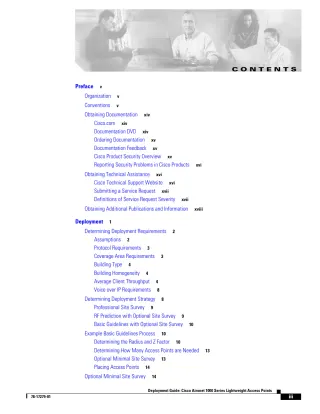
Contents
Chapters and sections
Each line opens the PDF at its page.
The whole text · 4 parts
Read the manual here as text
Its text as extracted from the PDF, unedited, in parts; each page opens the PDF at that page.
The file