Manual · CipherLab
8400 Series Mobile Computer Reference Manual (8400/8470)
Manual114 pagesPDF 8.4 MB
Reference manual for the CipherLab 8400 Series (8400/8470) mobile computer: hardware, system menu, cradles, wireless setup and specs.
Names · 1 model
The models it names
Filed with · 1 model
Also filed with these models on the old site
Summary
What is in it
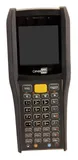
The reference manual for the CipherLab 8400 Series mobile computer (8400 and 8470), a rugged handheld for enterprise logistics with built-in Bluetooth and an optional 802.11b/g module. It covers getting started, batteries, memory and SD card, the 29-key and 39-key keypads, data capture, charging and communication cables and cradles, the software architecture, the System Menu (settings, tests, Bluetooth, Ethernet cradle, Wi-Fi), the Program Manager and kernel, specifications, the download utility and troubleshooting.
Its parts
- Important Notices
- Release Notes
- Introduction
- Using 8400 Mobile Computer
- Learning Software Architecture
- System Menu
- Program Manager & Kernel
- Specifications
- Download Utility
- Troubleshooting
From the manual
Key facts from this manual
Each line names its page in the PDF.
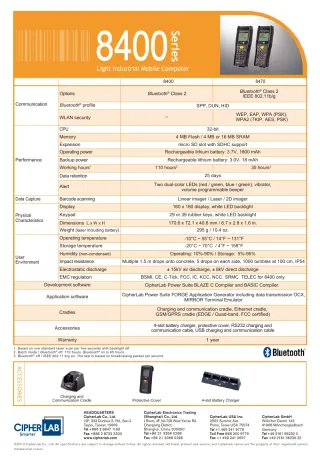
Reference manual (version 1.13) for the CipherLab 8400 Series mobile computer, covering the 8400 and 8470 models. It explains the batteries, memory, keypad, display, barcode scanning, charging and cradles, and gives the specifications and a troubleshooting guide.
- Device
- Rugged, programmable handheld mobile computer for enterprise logistics p. 11
- Wireless
- Bluetooth built in; optional 802.11b/g module p. 11
- Scan engine options
- CCD (linear imager), standard laser or 2D imager p. 103
- Interfaces
- USB or RS-232 cable; cradles for RS-232, USB, modem, Ethernet or GPRS/GSM p. 33, 35
- Main battery
- Rechargeable Li-ion pack, 3.7 V, 1800 mAh p. 17, 103
- Backup battery
- 3.0 V, 18 mAh rechargeable lithium button cell; keeps SRAM and clock at least 25 days p. 18
- Memory
- 4 MB flash for programs; 4 or 16 MB SRAM for data p. 19
- Memory card
- microSD or microSDHC, up to 8 GB p. 14, 19
- Display
- FSTN graphic LCD, 160 x 160 pixels, programmable LED backlight p. 103
- Keypad
- 29 or 39 rubber keys with programmable LED backlight p. 103
- Power adaptor
- Input AC 100~240 V, 50/60 Hz; output DC 5 V, 3 A p. 103
- Accessories
- 4-slot battery charger, RS-232 cable, 308 USB Virtual COM Interface Cable, charging, modem, Ethernet and GPRS/GSM cradles p. 104
- Size and weight
- 171 x 72 x 41 mm; approx. 295 g with laser and battery p. 103
- CPU
- 32-bit Toshiba CMOS, 60 MHz p. 103
What this manual walks you through
- Inserting the battery pack and a microSD card p. 14
- First charge of the main and backup batteries p. 16
- Saving battery power p. 16
- Adjusting the screen backlight and contrast p. 28
- Barcode symbologies supported by each scan engine and their defaults p. 31, 32
- Charging and communicating over the USB or RS-232 cable p. 33, 34
- Setting up a charging and communication cradle p. 35
- Troubleshooting power, charging, scanning and data transfer p. 107, 108, 109, 110
Good to know
- Battery charging stops below 0°C or above 40°C; room temperature (18°C to 25°C) is recommended. p. 16
- The unit will not run on USB power alone without a battery; it shows "Battery Missing". p. 34
- Data in SRAM is lost when both the main and backup batteries run down completely, so upload data before storing the unit. p. 19
- USB Virtual COM needs its driver, version 5.3 or later, installed from the CD. p. 33
- Use only CipherLab batteries and charging devices. p. 107
Questions this manual answers
What battery does the CipherLab 8400 use?
A rechargeable 3.7 V, 1800 mAh Li-ion pack, with a 3.0 V, 18 mAh rechargeable lithium button cell inside as backup. p. 17, 18
How long does the 8400 take to charge?
With the unit on, about 4 hours from the power adaptor or about 5 hours from the USB cable at 500 mA. The backup battery needs at least 72 hours. p. 17, 18
What memory card does the 8400 take?
A microSD or microSDHC card of up to 8 GB, fitted in the holder under the battery cover. p. 14, 19
Why does my 8400 not charge well from a USB hub?
A hub may not supply enough current; the manual says to change the USB charge current to 100 mA, which takes longer to charge. p. 34
What cradles are there for the 8400?
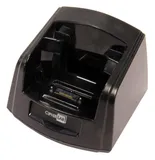
A charging and communication cradle, a modem cradle, an Ethernet cradle (10/100 BASE-T) and a GPRS/GSM cradle (EDGE/Quad-band). p. 13
Contents
Chapters and sections
Each line opens the PDF at its page.
- IMPORTANT NOTICES3
- RELEASE NOTES5
- INTRODUCTION11
- USING 8400 MOBILE COMPUTER17
- LEARNING SOFTWARE ARCHITECTURE43
- SYSTEM MENU49
- PROGRAM MANAGER & KERNEL91
20 more lines, from page 96 on
- 4.2 KERNEL96
- SPECIFICATIONS103
- DOWNLOAD UTILITY105
- TROUBLESHOOTING107
- CANNOT TURN ON WHEN PRESSING POWER KEY107
- CHARGING ERROR107
- BUZZER SEEMS NOT WORKING107
- LED INDICATORS SEEM NOT WORKING107
- LCD SEEMS NOT WORKING107
- KEYPAD SEEMS NOT WORKING108
- VIBRATOR SEEMS NOT WORKING108
- MOBILE COMPUTER SEEMS NOT WORKING108
- CANNOT SCAN BARCODES108
- CANNOT DECODE DATA AFTER SCANNING108
- CANNOT TRANSMIT/RECEIVE DATA109
- KEY REFERENCE TABLES111
The whole text · 16 parts
Read the manual here as text
Its text as extracted from the PDF, unedited, in parts; each page opens the PDF at that page.
- IMPORTANT NOTICES1-4
- RELEASE NOTES5-10
- INTRODUCTION11-16
- USING 8400 MOBILE COMPUTER, pages 17 to 2517-25
- USING 8400 MOBILE COMPUTER, pages 26 to 3426-34
- USING 8400 MOBILE COMPUTER, pages 35 to 4235-42
- LEARNING SOFTWARE ARCHITECTURE43-48
- SYSTEM MENU, pages 49 to 5749-57
- SYSTEM MENU, pages 58 to 6658-66
- SYSTEM MENU, pages 67 to 7567-75
- SYSTEM MENU, pages 76 to 8476-84
- SYSTEM MENU, pages 85 to 9085-90
- PROGRAM MANAGER & KERNEL91-102
- Pages 103 to 106103-106
- TROUBLESHOOTING107-110
- KEY REFERENCE TABLES111-114
The file