Manual · Casio
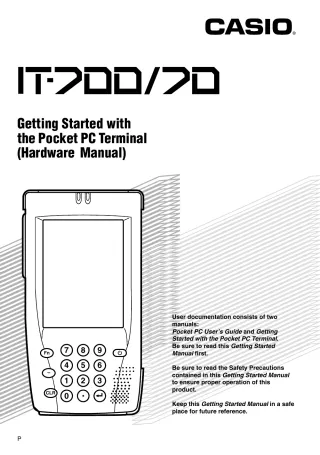
Getting Started with the Pocket PC Terminal (Hardware Manual)
Manual63 pagesPDF 895 KB
Hardware getting-started manual for the Casio IT-700/IT-70 Pocket PC Terminal and its chargers, optical unit and laser scanner card.
Covers · 1 model
The models it covers
Summary
What is in it
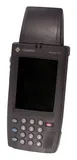
Casio's hardware manual for the IT-700/70 Pocket PC Terminal, a handheld with a touch screen, numeric keypad, IR port and CompactFlash slots. It covers safety precautions, PC system requirements, the system diagram and options, the parts of the terminal, screen setup, IR communication, batteries, resetting and full reset, and specifications, plus the Optical Communication Unit (IT-760IOE), the terminal charger, the dual charger, CompactFlash cards, the laser scanner card and the battery packs. It does not cover programming.
Its parts
- Safety Precautions
- Operating Precautions
- Computer System Requirements
- System Diagram
- General Guide
- Setting Up the Pocket PC Terminal
- Using IR Data Communication
- Power Requirements
- Resetting the Pocket PC Terminal
- Full Reset (Memory Initialization)
- Installing the Hand Strap
- IT-700/70 Specifications
- Using the Optical Communication Unit (IT-760IOE)
- Using the Pocket PC Terminal Charger
- Using the Dual Charger
From the manual
Key facts from this manual
Each line names its page in the PDF.
Hardware manual (Getting Started with the Pocket PC Terminal) for the Casio IT-700/70 series: IT-700M30E, IT-700M30RC, IT-70M30E and IT-70M30RC. It shows the keys and ports, battery replacement, resets and the options with part numbers, and explains the optical communication unit, chargers, CompactFlash cards and laser scanner card, with specifications for each.
- What it is
- Pocket PC terminal with numeric keypad, VR4122 CPU and Microsoft Windows CE Version 3.0 p. 20, 33
- Memory
- RAM 32MB; Flash ROM 16MB (FlashFX built in) p. 33
- Display
- IT-70: 240 × 320 dots FSTN monochrome with 4 grayscales; IT-700: 240 × 320 dots TFT color (65,536 colors) p. 33
- Batteries
- Main: DT-5023BAT standard (1550mAh, 3.7V) or DT-5024LBAT large-capacity (3100mAh, 3.7V); backup: CR2032 lithium p. 33, 62
- Battery life
- IT-70M30E: 10 hours (DT-5023BAT), 20 hours (DT-5024LBAT); IT-70M30RC: 5 hours and 10 hours p. 34
- Ports
- Serial port (CMOS level) 300 to 115,200bps; IrDA Ver.1.1 up to 4Mbps; CompactFlash Type I/Type II × 2 (1 slot on IT-70M30RC/IT-700M30RC); 3.5mm headphones jack p. 33
- Wireless LAN
- IT-700M30RC/IT-70M30RC only: IEEE 802.11b, 2400 to 2483.5MHz, 11Mbps maximum, range 50m indoors and 150m outdoors p. 33
- Laser scanner card
- DT-5057CBCR, CompactFlash Type II; reads JAN, EAN, UPC, NW-7, CODE39, ITF, CODE93, CODE128, MSI, IATA, Industrial 2 of 5 at 60 to 420mm p. 56, 61
- Chargers
- IT-769CHGE terminal charger; DT-5022CHG dual charger (MPC-577ADP adaptor); IT-760IOE optical communication unit also charges p. 19, 25, 52
- Cables
- JK-580CA PC connection cable; DT-881RSC, DT-882RSC, DT-883RSC, DT-887AX RS-232C cables for the optical communication unit; DT-888RSC daisy chain cable p. 19, 37
- CompactFlash cards
- CF-16SC-S (16MB), CF-64SC-S (64MB), CF-256SC-S (256MB) p. 19
- Dimensions
- 85(W) × 165(D) × 27.7(H) mm p. 34
- Weight
- IT-70M30E approximately 320g; IT-70M30RC 330g; IT-700M30E 330g; IT-700M30RC 350g p. 34
- Operating temperature
- –5 to 50°C (23 to 122°F) p. 34
What this manual walks you through
- PC requirements for installing ActiveSync 3.1 p. 16
- Options for U.S. and non-U.S. market models p. 18, 19
- Parts, keys, indicators and ports of the terminal p. 20, 21
- Replacing the main battery pack and the CR2032 backup battery p. 25, 26, 27, 28
- Resetting the terminal and performing a full reset p. 29, 30
- Charging and communicating through the IT-760IOE optical communication unit p. 37, 43
- Using the IT-769CHGE charger and the DT-5022CHG dual charger p. 46, 48, 52
- Installing the laser scanner card p. 56, 57, 58
- Standard and large-capacity battery pack specifications p. 62
Good to know
- Removing the main and backup batteries at the same time can corrupt or erase the data in memory. p. 25
- A full reset clears all data in RAM and returns all settings to factory defaults. p. 30
- The large-capacity battery pack needs the special large-capacity battery pack cover. p. 27, 62
- The battery pack is for use only with the IT-700/70. p. 2
- Charge the battery pack fully before first use. p. 25
Questions this manual answers
What battery does the Casio IT-70 use?
A 3.7V rechargeable pack, the standard DT-5023BAT (1550mAh) or the large-capacity DT-5024LBAT (3100mAh), plus a CR2032 lithium backup battery. p. 25, 62
How long does the IT-70 battery last?
About 10 hours on the IT-70M30E with the standard pack and 20 hours with the large-capacity pack; 5 and 10 hours on the IT-70M30RC. p. 34
How do I do a full reset on the Casio IT-70?
With power on, hold the Power key and press the Reset button with the stylus for about one second, then press Action. All RAM data is cleared. p. 30
What bar codes can the IT-70 laser scanner card read?
The DT-5057CBCR reads JAN, EAN, UPC, NW-7, CODE39, ITF, CODE93, CODE128, MSI, IATA and Industrial 2 of 5. p. 61
How long does the IT-769CHGE take to charge a battery?
About 4 hours for the standard pack and 8 hours for the large-capacity pack. p. 48
Contents
Chapters and sections
Each line opens the PDF at its page.
- Safety Precautions3
- Operating Precautions10
- Computer System Requirements16
- System Diagram18
- General Guide20
- Setting Up the Pocket PC Terminal22
- Using IR Data Communication24
- Power Requirements25
- Resetting the Pocket PC Terminal29
- Full Reset (Memory Initialization)30
- Installing the Hand Strap32
- IT-700/70 Specifications33
- Using the Optical Communication Unit (IT-760IOE)35
The whole text · 13 parts
Read the manual here as text
Its text as extracted from the PDF, unedited, in parts; each page opens the PDF at that page.
- Safety Precautions1-9
- Operating Precautions10-13
- Pages 14 to 1714-17
- Pages 18 to 2118-21
- Pages 22 to 2422-24
- Power Requirements25-28
- Pages 29 to 3129-31
- Pages 32 to 3432-34
- Using the Optical Communication Unit (IT-760IOE)35-43
- Using the Pocket PC Terminal Charger44-48
- Using the Dual Charger49-52
- Using a CompactFlash Card53-55
- Pages 56 to 6356-63
The file