Manual · Bosch
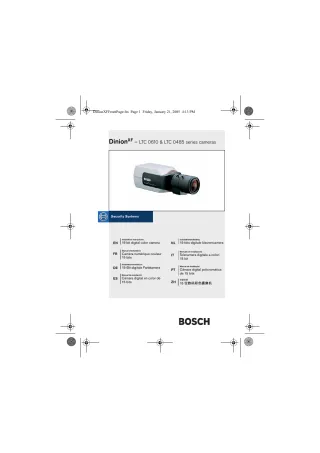
DinionXF: LTC 0610 & LTC 0485 Series Cameras Installation Instructions
Manual31 pagesPDF 302 KB
Multilingual installation manual for the Bosch DinionXF LTC 0610 and LTC 0485 series 15-bit digital color surveillance cameras.
Covers · 1 model
The models it covers
Summary
What is in it
Bosch's installation instructions for the DinionXF surveillance color cameras, the LTC 0610 series (1/2 inch CCD) and LTC 0485 series (1/3 inch CCD), in PAL and NTSC and in low and high voltage versions. It covers safety precautions, the type numbers, unpacking, power, video, Y/C, sync and alarm connections, lens mounting and back focus adjustment, in English and several other languages.
From the manual · read page by page
Key facts from this manual
Each line names its page in the PDF.
Bosch installation instructions (2003-10, V0.5) for the DinionXF 15-bit digital color cameras, covering the LTC 0610 series (1/2" CCD) and the LTC 0485 series (1/3" CCD). It explains connections, lens mounting, back focus, camera mounting, the Mode and Installer menus, remote control over the coax, and gives specifications and accessories.
- Device
- DinionXF surveillance color camera with 15-bit digital signal processing p. 6
- Imager
- LTC 0485: 1/3" interline CCD p. 27
- Versions
- LTC 0485/11, LTC 0485/21, LTC 0485/51, LTC 0485/61, in PAL and NTSC p. 6, 27
- Power
- 24 VAC or 12 VDC (12-28 VAC, 12-36 VDC) or mains versions at 230 VAC 50Hz or 110 VAC 60Hz; under 5W p. 27, 28
- Minimum illumination
- LTC 0485: < 0.24 lux; < 0.1 lux with Nightsense p. 27
- Video
- 540 TVL; SNR > 50 dB; composite 1 Vpp, 75 Ohm; Y/C output p. 27
- Lens
- C and CS mount; video or DC iris lens detected automatically p. 28
- Alarm I/O
- TTL alarm input, active low or high; relay output max 30VAC or +40VDC, 0.5 A continuous, 10VA p. 10
- Synchronization
- Internal, HV-lock, genlock or line lock p. 27
- Coax control
- Bilinx coaxial communication; VP-CFGSFT interface box and software for remote set-up p. 26, 29
- Cable compensation
- For coax runs up to 1000m (3000ft) without amplifiers; RG59, COAX12, COAX6 settings p. 24
- Size and weight
- 58 x 66 x 122 mm (HxWxL), 450g, without lens p. 28
- Operating temperature
- -20° to 50° C p. 28
- Power transformers
- TC1334, TC120PS, TC220PSX-24, TC220PS p. 29
What this manual walks you through
- Wiring power, video, Y/C, sync and alarm connections p. 8, 9, 10
- Mounting a C or CS lens and wiring the lens connector p. 10, 11
- Adjusting back focus with the Lens Wizard p. 12, 23, 24
- Mounting the camera from the top or bottom p. 13
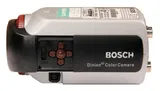
- Opening and navigating the menus with the five side keys p. 14, 17
- Setting shutter, gain, Sens Up and NightSense p. 19, 20
- Setting up back light compensation and motion detection areas p. 21, 22
- Choosing alarm input action, alarm output and sync mode p. 25
- Controlling the camera remotely over the coax p. 26
Good to know
- Lenses heavier than 0.5 kg (1.1lbs) need separate support. p. 10
- Before fitting a C-mount lens, turn the red back focus ring counterclockwise until it stops, to protect the CCD. p. 10
- A short on the lens connector shows LENS SHORT CIRCUIT on screen and disables the lens circuit. p. 11
- No more than 42V is allowed between camera ground and each relay pin. p. 10
- Do not point the camera or lens into direct sunlight. p. 13
Questions this manual answers
How sensitive is the Bosch LTC 0485 in low light?
Minimum illumination is under 0.24 lux, or under 0.1 lux with Nightsense. p. 27
What lenses fit the DinionXF LTC 0485?
C and CS mount lenses; the camera detects video iris or DC iris lenses automatically, and DC-iris lenses are recommended. p. 10, 28
How do I open the DinionXF Installer menu?
Press the menu/select key behind the side panel for about 1.5 seconds. p. 17
What does LENS SHORT CIRCUIT mean on the DinionXF?
A short was found on the lens connector and the lens circuit was disabled; remove the connector and check the pins. p. 11
How long a coax cable can the DinionXF drive?
With cable compensation, coax runs up to 1000m (3000ft) without amplifiers. p. 24
The whole text · 4 parts
Read the manual here as text
Its text as extracted from the PDF, unedited, in parts; each page opens the PDF at that page.
The file