Spec sheet · Beijer
Beijer QTerm N15 and QSI Corp QTerm N15 Spec Sheet
Spec sheet4 pagesPDF 3.5 MB
All 4 pages are below, each with its text.
Covers · 2 models
The models it covers
From the sheet · read page by page
Key facts from this sheet
Each line names its page in the PDF.
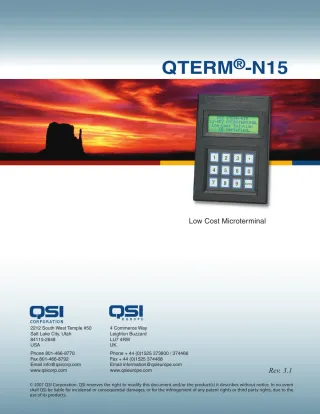
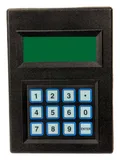
A QSI Corporation specification sheet for the QTERM-N15, a low cost panel-mount microterminal with a 20x4 display and 12-key keypad. It lists the display, keypad, interfaces, power, size and environmental ratings, how the terminal is set up, and an order worksheet for custom key legends.
- Device type
- Panel-mount microterminal with display and keypad p. 2
- Display
- Supertwist LCD, 20x4 characters; lighted or vacuum-fluorescent optional p. 3
- Keypad
- 12 keys, membrane with steel snap domes, customizable legend p. 2, 3
- Interface
- EIA-232 standard; EIA-422 or 5-volt Buffered optional p. 2
- Baud rates
- 1200, 2400, 4800, 9600 and 19,200 p. 3
- Power
- 4.8 to 5.3 VDC; 7.5 to 24 VDC with optional regulator p. 3
- Current draw
- 28 mA @ 5 VDC typical (lighting off); 88 mA (lighting on) p. 3
- Connector
- DB9f exiting the back shell p. 2
- Size and mass
- 109x151.1x35 mm; 180 g p. 3
- Data formats
- 8n1, 8e1, 8o1, 8n2, 7e1, 7o1, 7n2, 7e2 and 7o2 p. 3
- Housing
- Black ABS, UL 94V-0 flame rating p. 3
- Options
- Buzzer, voltage regulator, Manufacturer's ID code p. 2
What this sheet walks you through
- Using power-on setup to set baud rate, contrast and data format p. 2
- Host software commands, user data area and Manufacturer's ID p. 2
- Choosing between EIA-232, EIA-422 and 5-volt Buffered interfaces p. 3
- Panel mounting with the gasket and back shell p. 2, 3
- Ordering a custom key legend p. 4
Good to know
- The EIA-232 interface does not use modem-control lines; handshaking is by XON/XOFF. p. 3
- EIA-232 reaches up to 15 meters at 19,200 baud; 5-volt Buffered up to 5 meters. p. 3
- For a vacuum-fluorescent display with a regulator, the sheet says to call QSI for specifications. p. 2
Questions this sheet answers
What power supply does the QTERM-N15 need?
The standard unit needs 5 VDC (4.8 to 5.3 VDC); with the optional regulator it runs from 7.5 to 24 VDC. p. 3
How do I change the baud rate on a QTERM-N15?
Hold down any key while applying power to enter power-on setup, then set the values with the keypad. p. 2
What connector does the QTERM-N15 use?
A DB9f connector that exits the back shell. p. 2
How far can the QTERM-N15 be from the host?
Up to 15 meters with EIA-232 at 19,200 baud, up to 1000 meters with EIA-422, and up to 5 meters with 5-volt Buffered. p. 3
The file
Size and text
Every page · 4
Read it here
Each page as it is printed, and its words beside it, so a phone can search and copy them.
Page1of 4
Open in the PDF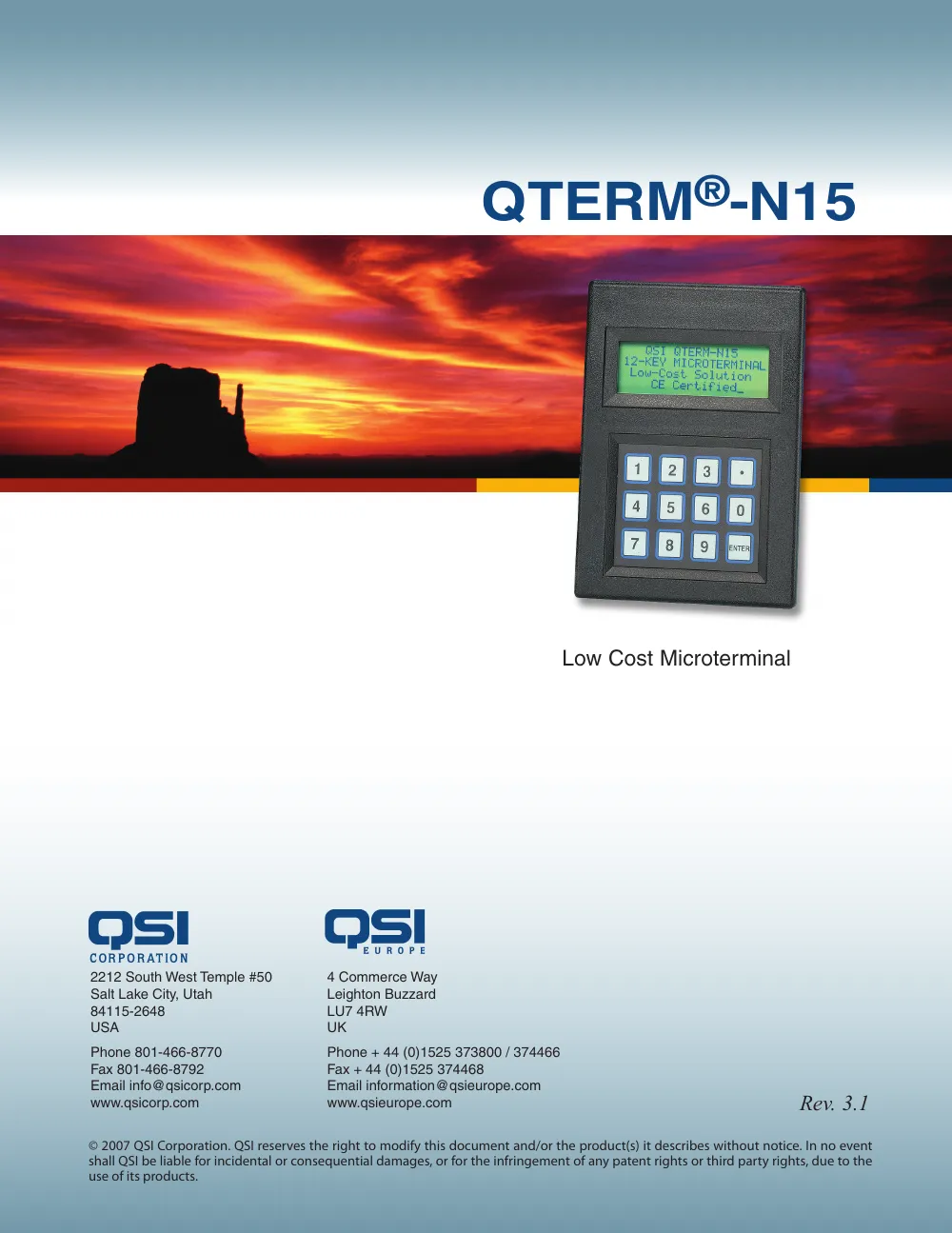
The text of page 1, from the PDF itself
QTERM®-N15
Low Cost Microterminal
2212 South West Temple #50 Salt Lake City, Utah 84115-2648 USA
4 Commerce Way Leighton Buzzard LU7 4RW UK
Phone 801-466-8770 Fax 801-466-8792 Email info@qsicorp.com www.qsicorp.com
Phone + 44 (0)1525 373800 / 374466 Fax + 44 (0)1525 374468 Email information@qsieurope.com www.qsieurope.com
Rev. 3.1
© 2007 QSI Corporation. QSI reserves the right to modify this document and/or the product(s) it describes without notice. In no event shall QSI be liable for incidental or consequential damages, or for the infringement of any patent rights or third party rights, due to the use of its products.
Page2of 4
Open in the PDF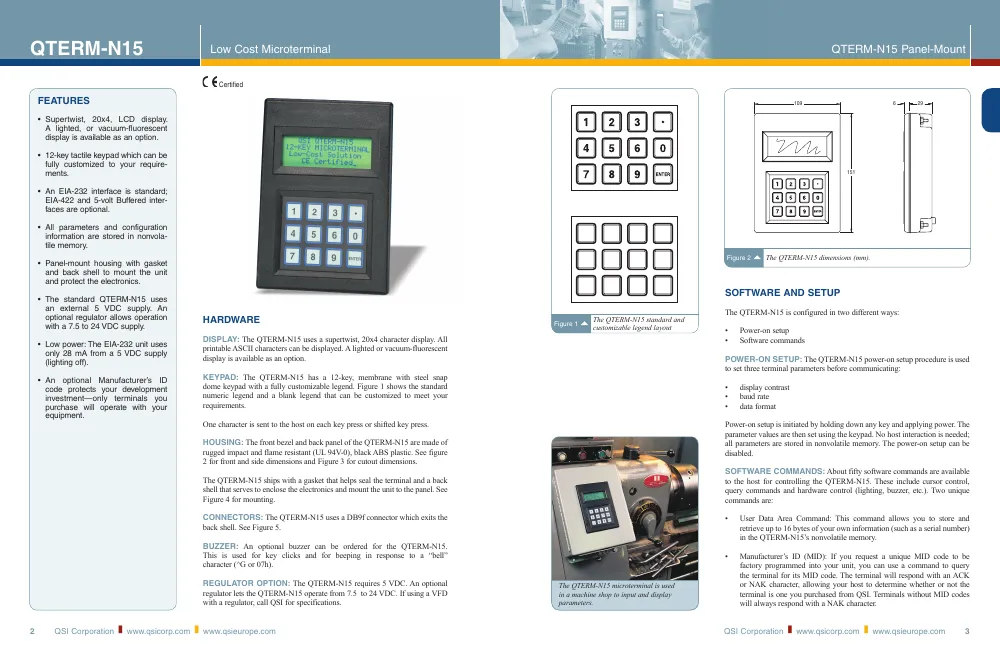
The text of page 2, from the PDF itself
QTERM-N15
QTERM-N15 Panel-Mount
Low Cost Microterminal Certified
FEATURES109629
- 20x4, LCD display. A lighted, or vacuum-fluorescent display is available as an option.
- tactile keypad which can be fully customized to your requirements.
151
- EIA-232 interface is standard; EIA-422 and 5-volt Buffered interfaces are optional.
- parameters and configuration information are stored in nonvolatile memory. Figure 2
- housing with gasket and back shell to mount the unit and protect the electronics.
- standard QTERM-N15 uses an external 5 VDC supply. An optional regulator allows operation with a 7.5 to 24 VDC supply.
- power: The EIA-232 unit uses only 28 mA from a 5 VDC supply (lighting off).
- optional Manufacturer’s ID code protects your development investment - only terminals you purchase will operate with your equipment.
SOFTWARE AND SETUP HARDWARE
Figure 1
The QTERM-N15 standard and customizable legend layout
Display: The QTERM-N15 uses a supertwist, 20x4 character display. All printable ASCII characters can be displayed. A lighted or vacuum-fluorescent display is available as an option. Keypad: The QTERM-N15 has a 12-key, membrane with steel snap dome keypad with a fully customizable legend. Figure 1 shows the standard numeric legend and a blank legend that can be customized to meet your requirements.
Power-on setup Software commands
display contrast baud rate data format
Power-on setup is initiated by holding down any key and applying power. The parameter values are then set using the keypad. No host interaction is needed; all parameters are stored in nonvolatile memory. The power-on setup can be disabled. Software Commands: About fifty software commands are available to the host for controlling the QTERM-N15. These include cursor control, query commands and hardware control (lighting, buzzer, etc.). Two unique commands are:
The QTERM-N15 ships with a gasket that helps seal the terminal and a back shell that serves to enclose the electronics and mount the unit to the panel. See Figure 4 for mounting. Connectors: The QTERM-N15 uses a DB9f connector which exits the back shell. See Figure 5.
- Data Area Command: This command allows you to store and retrieve up to 16 bytes of your own information (such as a serial number) in the QTERM-N15’s nonvolatile memory.
Buzzer: An optional buzzer can be ordered for the QTERM-N15. This is used for key clicks and for beeping in response to a “bell” character (^G or 07h).
QSI Corporation|www.qsicorp.com|www.qsieurope.com
One character is sent to the host on each key press or shifted key press.
Regulator Option: The QTERM-N15 requires 5 VDC. An optional regulator lets the QTERM-N15 operate from 7.5 to 24 VDC. If using a VFD with a regulator, call QSI for specifications.
The QTERM-N15 is configured in two different ways:
Power-On Setup: The QTERM-N15 power-on setup procedure is used to set three terminal parameters before communicating:
Housing: The front bezel and back panel of the QTERM-N15 are made of rugged impact and flame resistant (UL 94V-0), black ABS plastic. See figure 2 for front and side dimensions and Figure 3 for cutout dimensions.
The QTERM-N15 dimensions (mm).
The QTERM-N15 microterminal is used in a machine shop to input and display parameters.
- ID (MID): If you request a unique MID code to be factory programmed into your unit, you can use a command to query the terminal for its MID code. The terminal will respond with an ACK or NAK character, allowing your host to determine whether or not the terminal is one you purchased from QSI. Terminals without MID codes will always respond with a NAK character. QSI Corporation|www.qsicorp.com|www.qsieurope.com
Page3of 4
Open in the PDF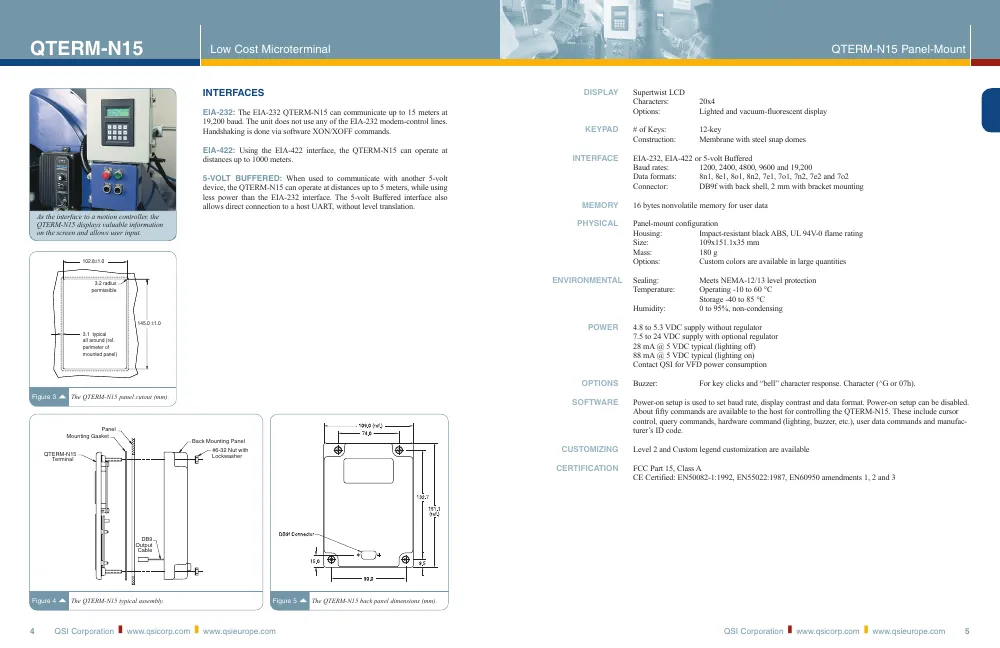
The text of page 3, from the PDF itself
QTERM-N15QTERM-N15 Panel-MountLow Cost Microterminal
INTERFACES EIA-232: The EIA-232 QTERM-N15 can communicate up to 15 meters at 19,200 baud. The unit does not use any of the EIA-232 modem-control lines. Handshaking is done via software XON/XOFF commands. EIA-422: Using the EIA-422 interface, the QTERM-N15 can operate at distances up to 1000 meters. 5-volt Buffered: When used to communicate with another 5-volt device, the QTERM-N15 can operate at distances up to 5 meters, while using less power than the EIA-232 interface. The 5-volt Buffered interface also allows direct connection to a host UART, without level translation. As the interface to a motion controller, the QTERM-N15 displays valuable information on the screen and allows user input.
102.8±1.0
DISPLAY
Supertwist LCD Characters: Options:
20x4 Lighted and vacuum-fluorescent display
Keypad # of Keys: 12-key
Construction: Membrane with steel snap domes
Interface EIA-232, EIA-422 or 5-volt Buffered
Baud rates: 1200, 2400, 4800, 9600 and 19,200
Data formats: 8n1, 8e1, 8o1, 8n2, 7e1, 7o1, 7n2, 7e2 and 7o2
Connector: DB9f with back shell, 2 mm with bracket mounting Memory 16 bytes nonvolatile memory for user data
Physical configuration
Housing: Impact-resistant black ABS, UL 94V-0 flame rating
Size: 109x151.1x35 mm
Mass: 180 g
Options: Custom colors are available in large quantities Environmental Sealing: NEMA-12/13 level protection
Temperature: -10 to 60 °C
Storage -40 to 85 °C
Humidity: 0 to 95%, non-condensing
3.2 radius permissible145.0 ±1.0Power
3.1 typical all around (ref. perimeter of mounted panel)
4.8 to 5.3 VDC supply without regulator 7.5 to 24 VDC supply with optional regulator 28 mA @ 5 VDC typical (lighting off) 88 mA @ 5 VDC typical (lighting on) Contact QSI for VFD power consumption
Options key clicks and “bell” character response. Character (^G or 07h). Figure 3
The QTERM-N15 panel cutout (mm).
Panel Mounting Gasket
Software setup is used to set baud rate, display contrast and data format. Power-on setup can be disabled. About fifty commands are available to the host for controlling the QTERM-N15. These include cursor control, query commands, hardware command (lighting, buzzer, etc.), user data commands and manufacturer’s ID code. Back Mounting Panel
Customizing
#6-32 Nut with Lockwasher
QTERM-N15 Terminal
Certification
Level 2 and Custom legend customization are available FCC Part 15, Class A CE Certified: EN50082-1:1992, EN55022:1987, EN60950 amendments 1, 2 and 3
DB9 Output Cable
Figure 4
The QTERM-N15 typical assembly.
Figure 5
QSI Corporation|www.qsicorp.com|www.qsieurope.com
The QTERM-N15 back panel dimensions (mm).
QSI Corporation|www.qsicorp.com|www.qsieurope.com
Page4of 4
Open in the PDF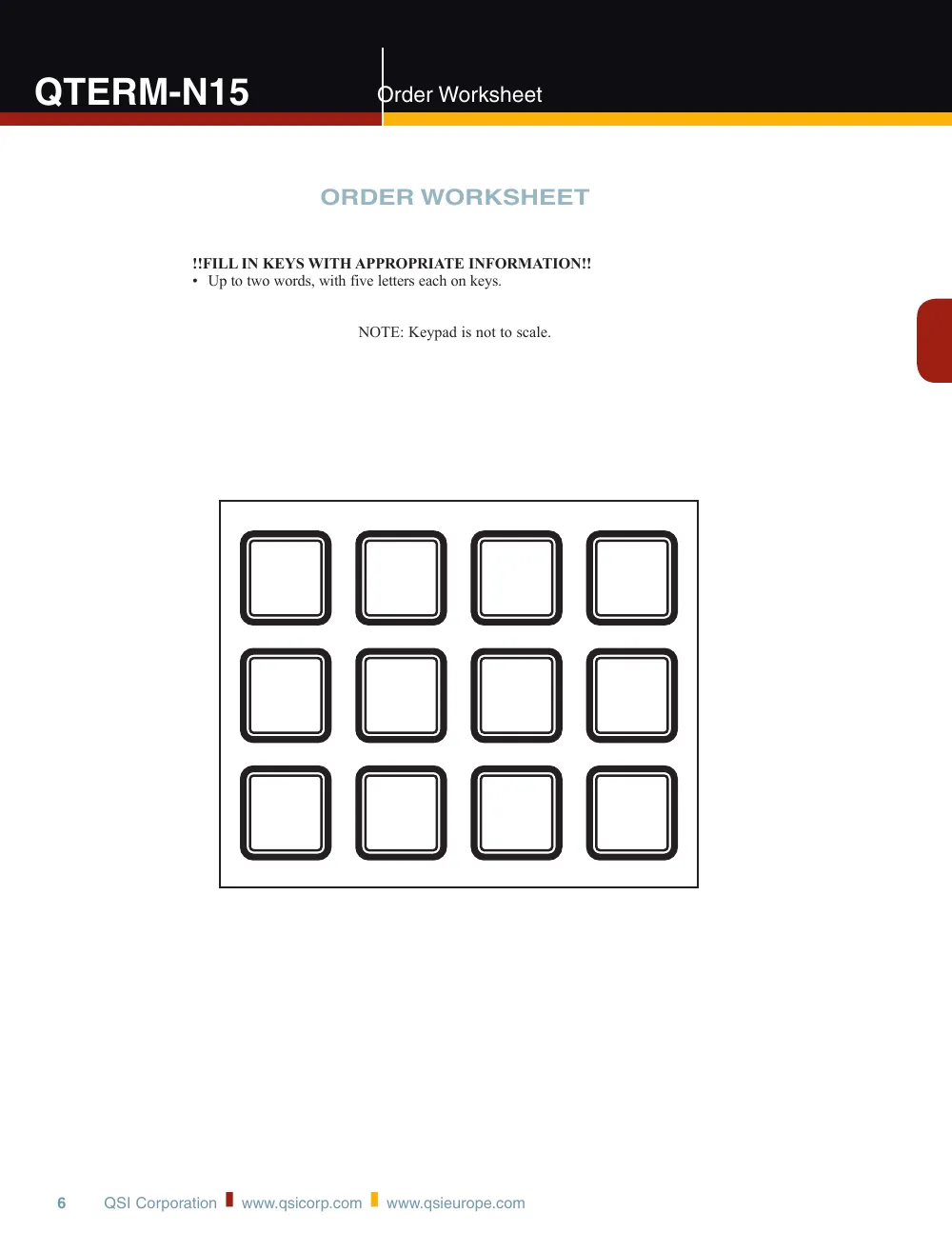
The text of page 4, from the PDF itself
QTERM-N15
Order Worksheet
ORDER WORKSHEET !!FILL IN KEYS WITH APPROPRIATE INFORMATION!!
- Up to two words, with five letters each on keys. NOTE: Keypad is not to scale.
QSI Corporation|www.qsicorp.com|www.qsieurope.com