


Manual · Allen-Bradley
2-D Hand-Held Bar Code Scanners (Cat. No. 2755-HTG-4) Bar Code Programming Guide
Manual165 pagesPDF 1.0 MB
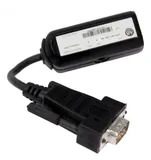
Bar code programming guide for the Allen-Bradley 2755-HTG-4 2-D hand-held scanners and their 2755 Synapse cables, including the 2755-HFC-SA1 and -SP2.
Covers · 2 models
The models it covers
Summary
What is in it
Allen-Bradley's bar code programming guide with the configuration bar codes for the 2-D Hand-Held Bar Code Scanners (2755-HTG-4) and the Synapse cables that connect them: RS-232, IBM and DEC keyboard wedge, and scanner emulation (2755-HFC-SA1-01). Chapters set scanner defaults, symbologies and data options, then the communication settings for each cable. Appendices cover advanced data formatting and setups for Allen-Bradley hosts such as SLC 5/03, 5/04, PLC-5 and DTAM Plus DeviceNet.
Its parts
- Preface
- Scanner Configuration
- RS-232 Synapse Cable (Communication Setup)
- IBM Keyboard Wedge Synapse Cable (Communication Setup)
- DEC VT520 Keyboard Wedge Synapse Cable (Communication Setup)
- DEC VT220/320/420 Keyboard Wedge Synapse Cable (Communication Setup)
- Scanner Emulation Synapse Cable (Communication Setup)
From the manual
Key facts from this manual
Each line names its page in the PDF.
Bar code programming guide (Publication 2755-6.7) for the Allen-Bradley 2-D Hand-Held Bar Code Scanners 2755-HTG-4 and their Synapse cables, including the 2755-HFC-SA1-01 scanner emulation cable and the 2755-HFC-SP2-01 IBM keyboard wedge cable. Scanning its bar codes sets scanner options, cable communication settings and setups for Allen-Bradley decoders and controllers.
- Guide covers
- Configuration bar codes for the 2755-HTG-4 2-D hand-held scanners and their Synapse cables p. 8
- 2755-HFC-SA1-01
- 2755-HFC-SA1-01: scanner emulation Synapse cable; emulates Standard (default), MSI, Telxon or Norand wands p. 59, 60
- 2755-HFC-SP2-01
- 2755-HFC-SP2-01: IBM keyboard wedge Synapse cable for IBM PC / AT (default), PS/2-50, 55SX, 60, 70, 80, PC / XT, PS/2-30 or NCR 7052 hosts p. 44, 45
- Configuration codes
- All Code 128; the scanner always reads Code 128 configuration codes; defaults marked with an asterisk p. 8
- SA1 timing and polarity
- 2755-HFC-SA1-01: leading margin 80 (default), 140 or 200 ms; timeout 3 (default), 4, 5, 10 or 30 seconds; polarity Margin Low / Bar High (default) or Margin High / Bar Low p. 61, 62, 63
- SP2 keyboard settings
- 2755-HFC-SP2-01: North American (default), German, French, French International, Spanish, Italian, Swedish or British keyboards; intercharacter delay 5 (default), 50 or 99 ms p. 46, 47
- Enhanced Decoder hookup
- 2755-HFC-SA1-01: connects the scanner to an Allen-Bradley Enhanced Decoder input port with a Gun Adapter (2755-NC16) p. 127
- Parameter sets
- Both cables hold two parameter sets; Parameter Set 1 is the default p. 48, 65
- SA1 Code 39 options
- 2755-HFC-SA1-01: can convert all symbols to Code 39, or Code 39 to Code 39 Full ASCII; both off by default p. 64
- Other Synapse cables
- RS-232: 2755-HFC-SR2-01, 2755-HFC-SR3-01; IBM keyboard wedge: 2755-HFC-SP1-01 p. 8
- Allen-Bradley hosts
- Enhanced Decoder, Flexible Interface (RB) Module, SLC 5/03 and 5/04, PLC-5 and DTAM Plus DeviceNet p. 7, 9
- Scanner symbologies
- Code 39, UPC-A, UPC-E, Codabar, EAN 8, EAN 13, Interleaved 2 of 5, UCC/EAN-128 and Code 128, each enabled or disabled by bar code p. 12, 13, 14
- Setting descriptions
- In the scanner user manual, Publication 2755-6.4 p. 8
- Data formatting
- Advanced Data Format codes modify decoded data before it goes to the host p. 9
What this manual walks you through
- Choosing the setup steps for a given cable or Allen-Bradley host p. 9
- Setting scanner defaults and enabling or disabling symbologies p. 10, 11, 12, 13, 14
- Setting up the IBM keyboard wedge Synapse cables p. 44, 45, 46, 47, 48
- Setting up the scanner emulation Synapse cable p. 59, 60, 61, 62, 63, 64, 65
- Connecting the scanner to an Allen-Bradley Enhanced Decoder p. 126, 127, 128
- Setting up the RS-232 Synapse cable p. 4
- Setting up the DEC keyboard wedge Synapse cables p. 4, 5
- Building advanced data formatting rules p. 6
- Using the scanner with SLC 5/03, 5/04 and PLC-5 controllers p. 7
Good to know
- Do not install the scanner emulation Synapse cable while power is applied to the cable or the enhanced decoder. p. 126
- When hooking up to the Enhanced Decoder, connect the power supply last. p. 127
Questions this manual answers
What is the Allen-Bradley 2755-HFC-SA1-01?
The scanner emulation Synapse cable for the 2755-HTG-4 2-D hand-held scanners; Chapter 6 of this guide has its configuration bar codes. p. 59
Which wands can the 2755-HFC-SA1 cable emulate?
Standard (the default), MSI, Telxon and Norand wands. p. 60
Which computers does the 2755-HFC-SP2 keyboard wedge cable support?
IBM PC / AT (default) and PS/2-50, 55SX, 60, 70, 80, plus IBM PC / XT, IBM PS/2-30 and NCR 7052. p. 45
How do I reset the scanner emulation cable to its defaults?
Scan the Set Scanner Emulation Cable Defaults bar code in Chapter 6. p. 59
What symbology are the 2755-HTG-4 configuration bar codes?
All of them are Code 128, which the scanner is always enabled to read. p. 8
The whole text · 17 parts
Read the manual here as text
Its text as extracted from the PDF, unedited, in parts; each page opens the PDF at that page.
- Pages 1 to 101-10
- Pages 11 to 2011-20
- Pages 21 to 3021-30
- Pages 31 to 4031-40
- Pages 41 to 5041-50
- Pages 51 to 6051-60
- Pages 61 to 7061-70
- Pages 71 to 8071-80
- Pages 81 to 9081-90
- Pages 91 to 10091-100
- Pages 101 to 110101-110
- Pages 111 to 120111-120
- Pages 121 to 130121-130
- Pages 131 to 140131-140
- Pages 141 to 150141-150
- Pages 151 to 160151-160
- Pages 161 to 165161-165
The file