Manual · Adtran
NT1 ACE User Manual
Manual32 pagesPDF 84 KB
User manual for the ADTRAN NT1 ACE ISDN network termination unit: overview, option switches, installation, troubleshooting and specs.
Covers · 1 model
The models it covers
Summary
What is in it
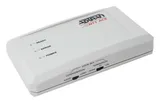
User manual for the ADTRAN NT1 ACE, which connects customer ISDN terminal equipment to the basic rate ISDN network. It covers the NT1 ACE with power supply, the NT1 ACE, the NT1 ACE International and the separate power supply. Inside are the LED indicators, setting the termination and configuration switches, powering the unit and attached equipment, connecting terminal equipment, troubleshooting and full specifications, plus FCC and Canadian notices.
Its parts
- NT1 ACE Overview
- Installation
From the manual
Key facts from this manual
Each line names its page in the PDF.
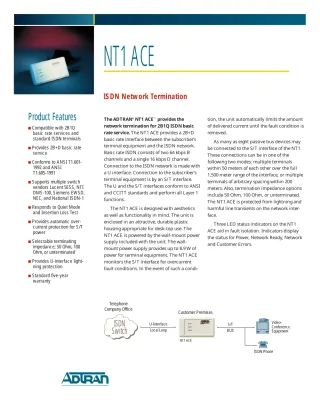
This is the user manual for the ADTRAN NT1 ACE, a stand-alone unit that links customer ISDN terminal equipment to the basic rate ISDN network. It explains the LEDs, the termination and configuration switches, powering, connecting terminal equipment, troubleshooting and the specifications. It also gives the specifications of the separate NT1 power supply.
- Device
- Stand-alone interface between customer ISDN terminal equipment (S/T) and the basic rate ISDN network (U) p. 17, 18
- Connectors
- One RJ-49C NETWORK U jack and two S/T data jacks on the rear panel p. 17
- U interface
- 2-wire, full-duplex, 2B1Q, 160 kbps total, 144 kbps to customer p. 28
- S/T interface
- 4-wire, full-duplex, Alternate Mark Inversion, 192 kbps total, 144 kbps to customer p. 28
- Power
- -48 VDC from an external supply; the unit uses 1.1 W and can source up to 8.9 W of S/T power p. 29
- Power supply
- NT1 Power Supply, part number 336048VUR2: up to 10 watts at -48 VDC from 110 VAC, 60 Hz p. 22
- Part numbers
- 1203019L1 with power supply included; 1203019L3 is the NT1 ACE SP, which adds power source 1 (PS1) p. 18, 24
- Size and weight
- 6.25 in wide, 3.75 in long, 1.35 in high; 9.5 ounces; wall or desktop mounting p. 29
- Operating temperature
- 0 to 50 °C (32 to 104 °F); storage -20 to 70 °C; humidity up to 95%, non-condensing p. 29
- S/T bus distance
- Up to 600 feet with the switch at SHORT, 3000 feet at LONG p. 20
- Termination switch
- Settings 50, 100 or NONE for the S/T bus termination p. 19, 20
- Indicators
- POWER, ERROR and READY LEDs on the front panel p. 18
- Standards
- U interface ANSI T1.601; S/T interface ANSI T1.605 and ETSI ETS 300012 p. 29
- Network jack
- ISDN service, interface code 02IS5, service order code 6.0N, RJ-49C p. 10
What this manual walks you through
- Reading the POWER, ERROR and READY indicators p. 18
- Setting the termination switch for the S/T bus p. 19, 20
- Setting the configuration switch for short or long buses p. 20, 21
- Connecting the NT1 power supply p. 22
- Connecting terminal equipment to the S/T jacks p. 23
- Powering terminal equipment from the NT1 ACE p. 24
- Network and local bus connector pin assignments p. 25
- Troubleshooting by indicator symptoms p. 26, 27
Good to know
- Before powering terminal equipment from the NT1, check that its total power need is under 8.9 watts. p. 22
- Check that terminal equipment can accept power from a PS1 or PS2 source before powering it from the unit. p. 24
- When the terminal equipment provides no termination resistor, an external one is needed and the switch goes to NONE. p. 20
- The unit contains no user-serviceable parts. p. 9
Questions this manual answers
What does a fast flashing READY light mean on the NT1 ACE?
With ERROR lit, READY flashing at the faster 8 Hz rate means a network activation failure: check the wall jack wiring or contact the telephone company about the ISDN line. p. 26
What does a slow flashing READY light mean on the NT1 ACE?
With ERROR lit, READY flashing at 1 Hz means a local bus failure, such as terminal equipment not connected, not powered or not terminated properly. p. 26
What power supply does the NT1 ACE use?
The ADTRAN NT1 Power Supply, part number 336048VUR2, which gives up to 10 watts at -48 VDC and plugs into a 110 VAC, 60 Hz outlet. p. 22
How many ISDN devices can connect to the NT1 ACE?
Two terminal devices plug into the two Local Bus jacks; more can be added in parallel on the S/T bus with RJ-45 connectors. p. 23
How far can ISDN terminals be from the NT1 ACE?
Up to 600 feet with the configuration switch at SHORT and up to 3000 feet with it at LONG. p. 20
The whole text · 4 parts
Read the manual here as text
Its text as extracted from the PDF, unedited, in parts; each page opens the PDF at that page.
The file