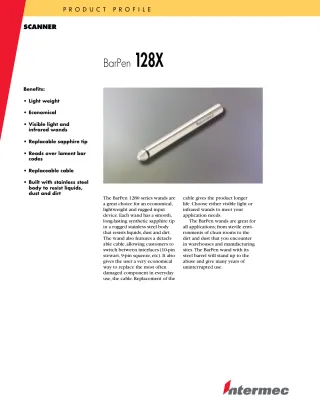
Manual · Intermec
Tarjeta de referencia rápida del lápiz de contacto Intermec serie 1280
Manual2 páginasPDF 35 KB
Las dos páginas están más abajo, cada una con su texto.
Menciona · 1 modelo
Los modelos que menciona
Archivado con · 8 modelos
También archivado con estos modelos en el sitio anterior
 Intermec 1260Lápiz de contacto para códigos de barras desde$125.0024 en existencia Intermec 1261Lápiz de contacto para códigos de barras desde$125.0036 en existencia Intermec 1266Lápiz de contacto para códigos de barras desde$125.0019 en existencia
 Intermec 1272Lápiz de contacto para códigos de barras desde$125.0028 en existencia
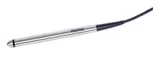 Intermec 1281Lápiz de contacto para códigos de barras desde$125.00134 en existencia Intermec 1282Lápiz de contacto para códigos de barras desde$125.0052 en existencia
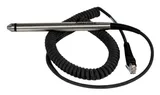 Intermec 1283Lápiz de contacto para códigos de barras desde$125.0068 en existencia Intermec 1284Lápiz de contacto para códigos de barras desde$165.0039 en existencia
Del manual · leído página por página
Datos clave de este manual
Cada línea indica su página en el PDF.
Una tarjeta de referencia rápida de dos páginas del lápiz de contacto Intermec serie 1280, un lápiz de contacto tipo pluma para códigos de barras que envía señales digitales a un lector Intermec compatible. Su título es para la serie 1280, no para el 1272. Muestra cómo sostenerlo y escanear, cómo corregir lecturas deficientes, cómo limpiar el lápiz y reemplazar su punta, e indica los números de pedido de los accesorios.
- Dispositivo
- Lápiz de contacto para códigos de barras que envía señales digitales a un lector digital Intermec compatible pág. 1
- Ángulo de escaneo
- Óptimo a 17 grados de la vertical; aceptable de 0 a 35 grados pág. 1
- Dirección de escaneo
- En cualquier dirección sobre el código de barras pág. 1
- Punta de repuesto
- N.º de pedido 062441 pág. 2
- Guía de borde
- N.º de pedido 048275, para escanear códigos de barras en los bordes de tarjetas de circuitos pág. 2
- Soporte para lápiz
- 061064 (azul), 046993 (marrón), 047175 (gris) pág. 2
- Señal de lectura correcta
- El lector emite un tono cuando la lectura es correcta pág. 2
- Número de pieza de la tarjeta
- PN 062442-004 (1995) pág. 2
Lo que este manual le explica
- Sostener el lápiz y escanear un código de barras pág. 1
- Diagnosticar lecturas insatisfactorias pág. 2
- Limpiar el lápiz pág. 2
- Reemplazar una punta dañada pág. 2
Conviene saber
- No deje que entre humedad en el lápiz ni lo sumerja en líquido. pág. 2
- Reemplace la punta si la ventana de escaneo está astillada, agrietada o rayada. pág. 2
- Evite tocar o dañar la superficie óptica expuesta al cambiar la punta. pág. 2
- Las etiquetas de bajo contraste, rayadas o maltratadas pueden causar problemas de escaneo. pág. 2
Preguntas que responde este manual
¿Cuál es el número de pieza de la punta de repuesto del lápiz Intermec 1280?
La tarjeta indica la punta de repuesto con el número de pedido 062441. pág. 2
¿En qué ángulo debo sostener un lápiz de contacto Intermec?
Lo mejor es unos 17 grados de la vertical; cualquier ángulo de 0 a 35 grados es aceptable. pág. 1
¿Por qué mi lápiz de contacto no lee una etiqueta?
Las causas comunes son empezar dentro del código de barras, escanear demasiado despacio, detenerse o cambiar de velocidad a mitad del escaneo, o desviarse del código; las etiquetas en mal estado también pueden fallar. pág. 2
¿Cómo limpio un lápiz de contacto Intermec 1280?
Limpie la punta con un paño suave; limpie el cuerpo y la tapa del extremo con alcohol isopropílico o un detergente suave en un paño suave. pág. 2
El archivo
Tamaño y texto
Todas las páginas · 2
Léalo aquí
Cada página tal como está impresa, y su texto al lado, para que en un teléfono se pueda buscar y copiar.
Página1de 2
Abrir en el PDF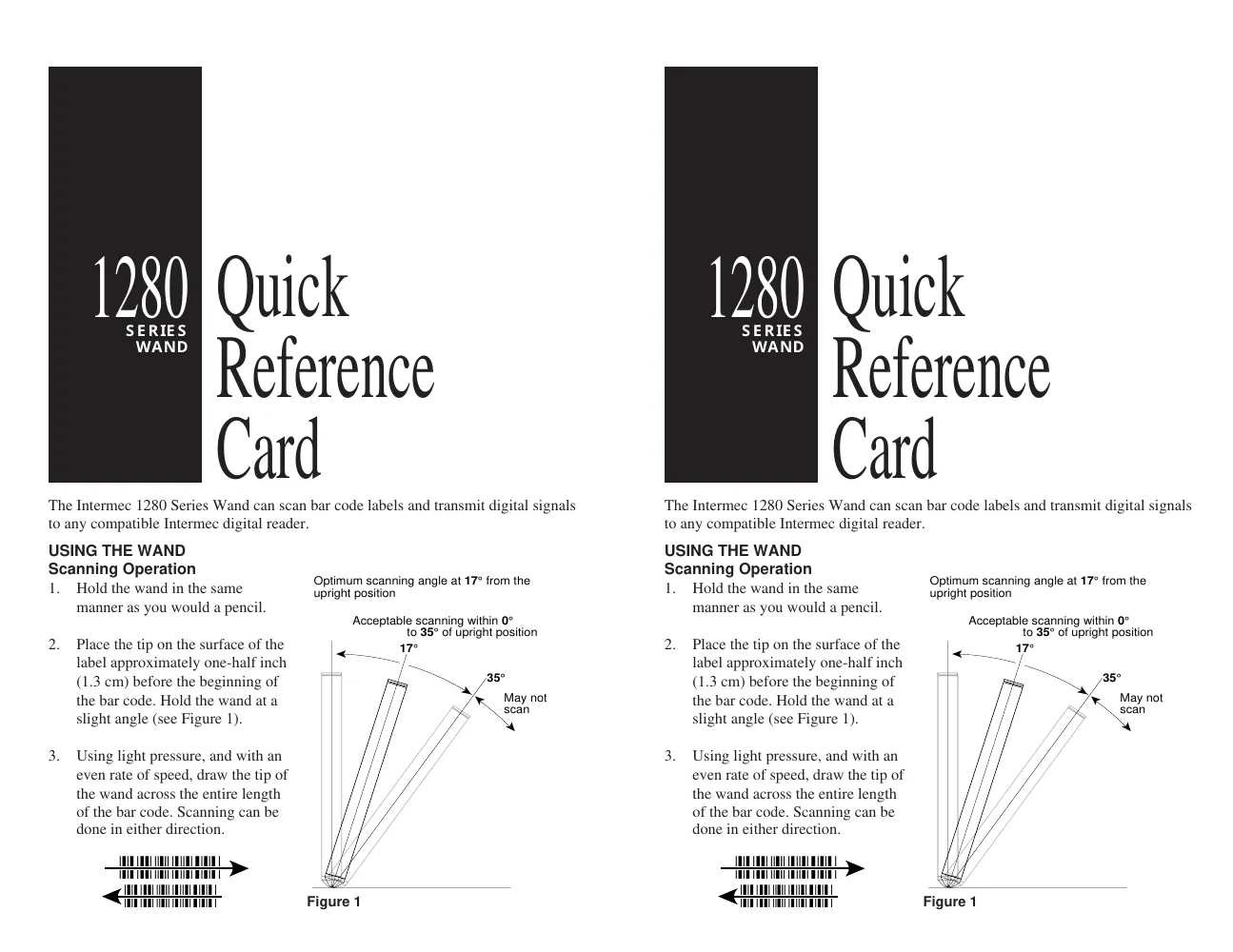
El texto de la página 1, del propio PDF
1280 Quick Reference Card
1280 Quick Reference Card
SERIES WAND
SERIES WAND
The Intermec 1280 Series Wand can scan bar code labels and transmit digital signals to any compatible Intermec digital reader.
The Intermec 1280 Series Wand can scan bar code labels and transmit digital signals to any compatible Intermec digital reader.
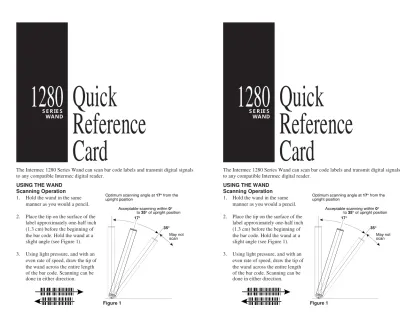
USING THE WAND Scanning Operation 1. Hold the wand in the same manner as you would a pencil.
USING THE WAND Scanning Operation 1. Hold the wand in the same manner as you would a pencil.
2.
Acceptable scanning within 0° to 35° of upright position 17° ➤ ➤
35° ➤May not scan3.Figure 1
Place the tip on the surface of the label approximately one-half inch (1.3 cm) before the beginning of the bar code. Hold the wand at a slight angle (see Figure 1).
Optimum scanning angle at 17° from the upright position Acceptable scanning within 0° to 35° of upright position 17° ➤ ➤
Using light pressure, and with an even rate of speed, draw the tip of the wand across the entire length of the bar code. Scanning can be done in either direction.
SCANS SCANS35° ➤May not scan ➤
Using light pressure, and with an even rate of speed, draw the tip of the wand across the entire length of the bar code. Scanning can be done in either direction.
SCANS SCANS2.➤3.
Place the tip on the surface of the label approximately one-half inch (1.3 cm) before the beginning of the bar code. Hold the wand at a slight angle (see Figure 1).
Optimum scanning angle at 17° from the upright position
Figure 1
Página2de 2
Abrir en el PDF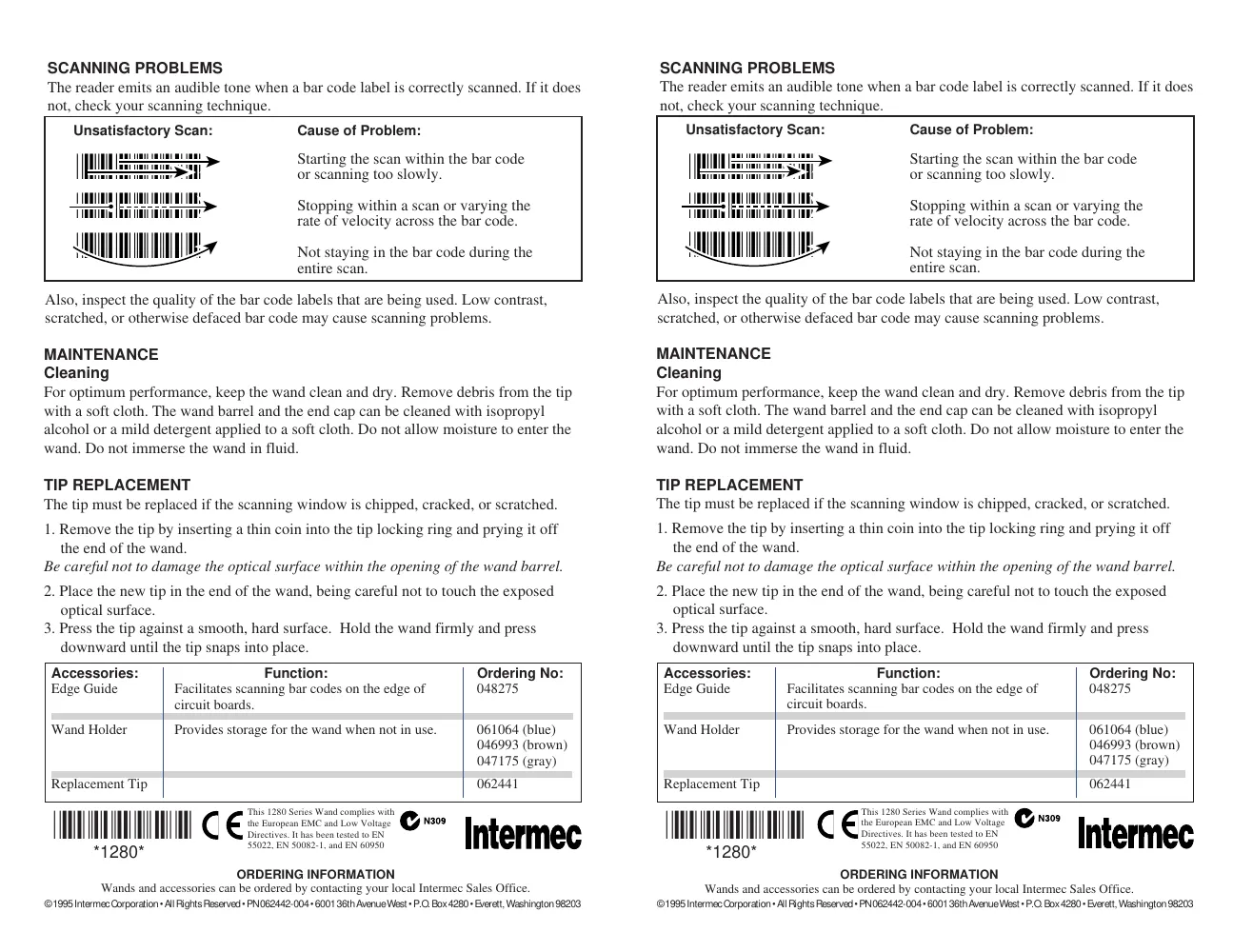
El texto de la página 2, del propio PDF
SCANNING PROBLEMS The reader emits an audible tone when a bar code label is correctly scanned. If it does not, check your scanning technique.
SCANNING PROBLEMS The reader emits an audible tone when a bar code label is correctly scanned. If it does not, check your scanning technique.
Unsatisfactory Scan:
Cause of Problem:
Unsatisfactory Scan:
- Cause of Problem
- ➤ ➤ *SCAN*
Starting the scan within the bar code or scanning too slowly.
➤ ➤ *SCAN*
Starting the scan within the bar code or scanning too slowly.
➤
- *SCAN*
Stopping within a scan or varying the rate of velocity across the bar code.
➤
- *SCAN*
Stopping within a scan or varying the rate of velocity across the bar code.
*SCAN* ➤
Not staying in the bar code during the entire scan.
*SCAN* ➤
Not staying in the bar code during the entire scan.
Also, inspect the quality of the bar code labels that are being used. Low contrast, scratched, or otherwise defaced bar code may cause scanning problems.
Also, inspect the quality of the bar code labels that are being used. Low contrast, scratched, or otherwise defaced bar code may cause scanning problems.
MAINTENANCE Cleaning For optimum performance, keep the wand clean and dry. Remove debris from the tip with a soft cloth. The wand barrel and the end cap can be cleaned with isopropyl alcohol or a mild detergent applied to a soft cloth. Do not allow moisture to enter the wand. Do not immerse the wand in fluid.
MAINTENANCE Cleaning For optimum performance, keep the wand clean and dry. Remove debris from the tip with a soft cloth. The wand barrel and the end cap can be cleaned with isopropyl alcohol or a mild detergent applied to a soft cloth. Do not allow moisture to enter the wand. Do not immerse the wand in fluid.
TIP REPLACEMENT The tip must be replaced if the scanning window is chipped, cracked, or scratched.
TIP REPLACEMENT The tip must be replaced if the scanning window is chipped, cracked, or scratched.
1. Remove the tip by inserting a thin coin into the tip locking ring and prying it off the end of the wand. Be careful not to damage the optical surface within the opening of the wand barrel.
1. Remove the tip by inserting a thin coin into the tip locking ring and prying it off the end of the wand. Be careful not to damage the optical surface within the opening of the wand barrel.
2. Place the new tip in the end of the wand, being careful not to touch the exposed optical surface. 3. Press the tip against a smooth, hard surface. Hold the wand firmly and press downward until the tip snaps into place.
2. Place the new tip in the end of the wand, being careful not to touch the exposed optical surface. 3. Press the tip against a smooth, hard surface. Hold the wand firmly and press downward until the tip snaps into place.
Accessories: Edge Guide
Function: Facilitates scanning bar codes on the edge of circuit boards.
Ordering No: 048275
Accessories: Edge Guide
Function: Facilitates scanning bar codes on the edge of circuit boards.
Ordering No: 048275
Wand Holder
Provides storage for the wand when not in use.
061064 (blue) 046993 (brown) 047175 (gray)
Wand Holder
Provides storage for the wand when not in use.
061064 (blue) 046993 (brown) 047175 (gray)
062441Replacement TipReplacement Tip*1280* *1280*
This 1280 Series Wand complies with the European EMC and Low Voltage Directives. It has been tested to EN 55022, EN 50082-1, and EN 60950
*1280* *1280*
062441 This 1280 Series Wand complies with the European EMC and Low Voltage Directives. It has been tested to EN 55022, EN 50082-1, and EN 60950
ORDERING INFORMATION Wands and accessories can be ordered by contacting your local Intermec Sales Office.
ORDERING INFORMATION Wands and accessories can be ordered by contacting your local Intermec Sales Office.
©1995 Intermec Corporation • All Rights Reserved • PN 062442-004 • 6001 36th Avenue West • P.O. Box 4280 • Everett, Washington 98203
©1995 Intermec Corporation • All Rights Reserved • PN 062442-004 • 6001 36th Avenue West • P.O. Box 4280 • Everett, Washington 98203