Manual · Intermec
Intermec 1280 Series Wand Quick Reference Card
Manual2 pagesPDF 35 KB
Both pages are below, each with its text.
Names · 1 model
The models it names
Filed with · 8 models
Also filed with these models on the old site
 Intermec 1260Barcode wand from$125.0024 in stock Intermec 1261Barcode wand from$125.0036 in stock Intermec 1266Barcode wand from$125.0019 in stock
 Intermec 1272Barcode wand from$125.0028 in stock
 Intermec 1281Barcode wand from$125.00134 in stock Intermec 1282Barcode wand from$125.0052 in stock
 Intermec 1283Barcode wand from$125.0068 in stock Intermec 1284Barcode wand from$165.0039 in stock
From the manual · read page by page
Key facts from this manual
Each line names its page in the PDF.
A two-page quick reference card for the Intermec 1280 Series Wand, a pen-style bar code wand that sends digital signals to a compatible Intermec reader. It is titled for the 1280 Series, not the 1272. It shows how to hold and scan, how to fix poor scans, how to clean the wand and replace its tip, and lists accessory order numbers.
- Device
- Bar code wand that sends digital signals to a compatible Intermec digital reader p. 1
- Scan angle
- Best at 17 degrees from upright; acceptable from 0 to 35 degrees p. 1
- Scan direction
- Either direction across the bar code p. 1
- Replacement tip
- Order no. 062441 p. 2
- Edge guide
- Order no. 048275, for scanning bar codes on circuit board edges p. 2
- Wand holder
- 061064 (blue), 046993 (brown), 047175 (gray) p. 2
- Good-read signal
- The reader emits a tone on a correct scan p. 2
- Card part number
- PN 062442-004 (1995) p. 2
What this manual walks you through
- Holding the wand and scanning a bar code p. 1
- Diagnosing unsatisfactory scans p. 2
- Cleaning the wand p. 2
- Replacing a damaged tip p. 2
Good to know
- Do not let moisture into the wand or immerse it in fluid. p. 2
- Replace the tip if the scanning window is chipped, cracked, or scratched. p. 2
- Avoid touching or damaging the exposed optical surface when changing the tip. p. 2
- Low contrast, scratched or defaced labels may cause scanning problems. p. 2
Questions this manual answers
What is the part number for a replacement Intermec 1280 wand tip?
The card lists the replacement tip as order number 062441. p. 2
At what angle should I hold an Intermec wand?
About 17 degrees from upright is best; anywhere from 0 to 35 degrees is acceptable. p. 1
Why won't my bar code wand read a label?
Common causes are starting inside the bar code, scanning too slowly, stopping or changing speed mid-scan, or drifting off the code; poor labels can also fail. p. 2
How do I clean an Intermec 1280 wand?
Wipe the tip with a soft cloth; clean the barrel and end cap with isopropyl alcohol or mild detergent on a soft cloth. p. 2
The file
Size and text
Every page · 2
Read it here
Each page as it is printed, and its words beside it, so a phone can search and copy them.
Page1of 2
Open in the PDF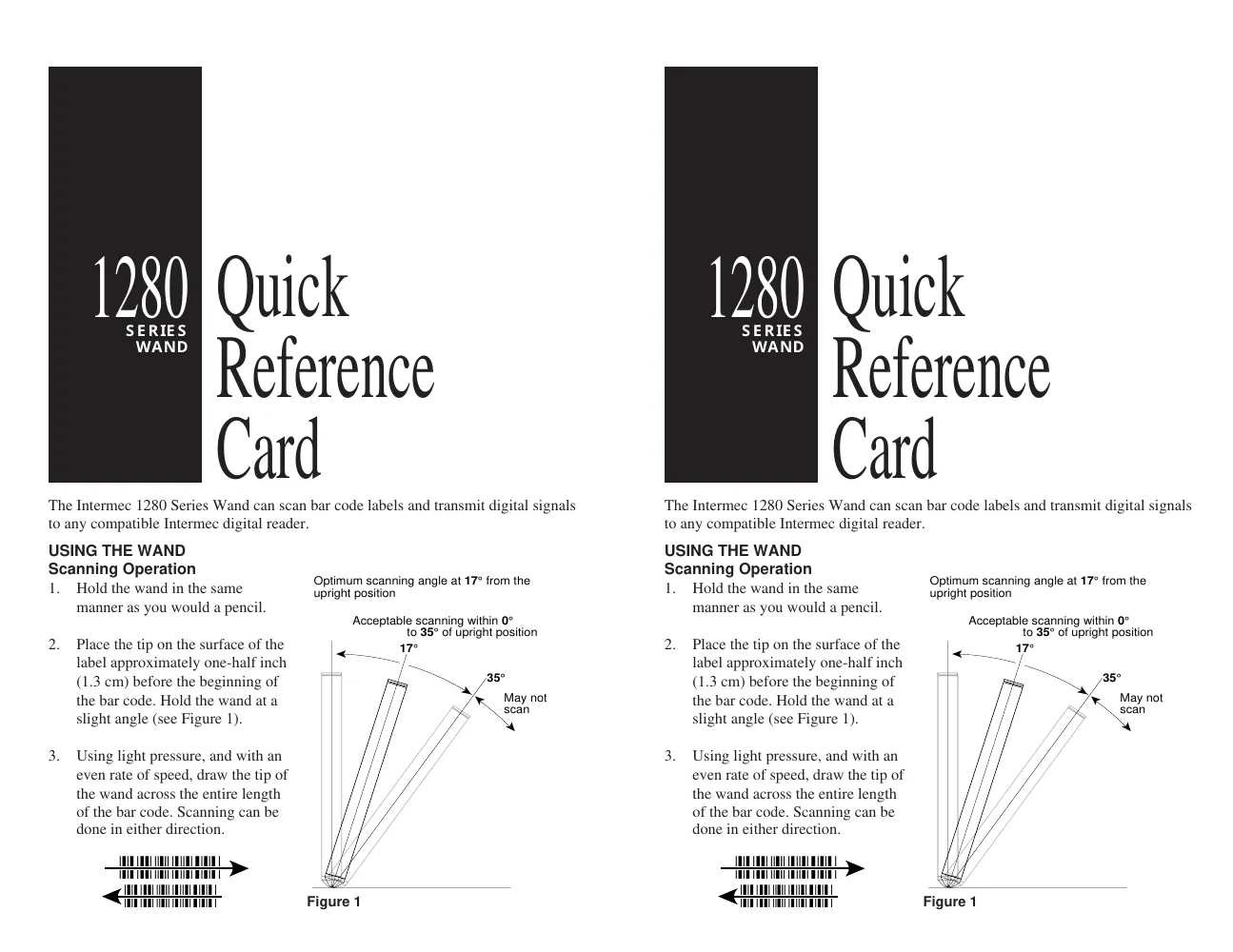
The text of page 1, from the PDF itself
1280 Quick Reference Card
1280 Quick Reference Card
SERIES WAND
SERIES WAND
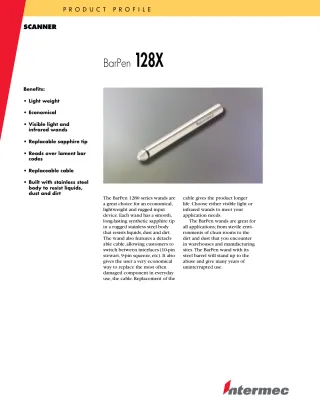
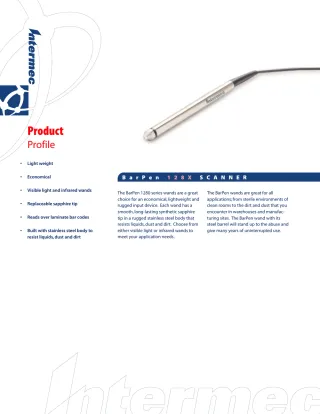
The Intermec 1280 Series Wand can scan bar code labels and transmit digital signals to any compatible Intermec digital reader.
The Intermec 1280 Series Wand can scan bar code labels and transmit digital signals to any compatible Intermec digital reader.
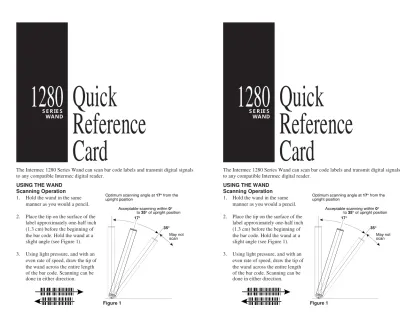
USING THE WAND Scanning Operation 1. Hold the wand in the same manner as you would a pencil.
USING THE WAND Scanning Operation 1. Hold the wand in the same manner as you would a pencil.
2.
Acceptable scanning within 0° to 35° of upright position 17° ➤ ➤
35° ➤May not scan3.Figure 1
Place the tip on the surface of the label approximately one-half inch (1.3 cm) before the beginning of the bar code. Hold the wand at a slight angle (see Figure 1).
Optimum scanning angle at 17° from the upright position Acceptable scanning within 0° to 35° of upright position 17° ➤ ➤
Using light pressure, and with an even rate of speed, draw the tip of the wand across the entire length of the bar code. Scanning can be done in either direction.
SCANS SCANS35° ➤May not scan ➤
Using light pressure, and with an even rate of speed, draw the tip of the wand across the entire length of the bar code. Scanning can be done in either direction.
SCANS SCANS2.➤3.
Place the tip on the surface of the label approximately one-half inch (1.3 cm) before the beginning of the bar code. Hold the wand at a slight angle (see Figure 1).
Optimum scanning angle at 17° from the upright position
Figure 1
Page2of 2
Open in the PDF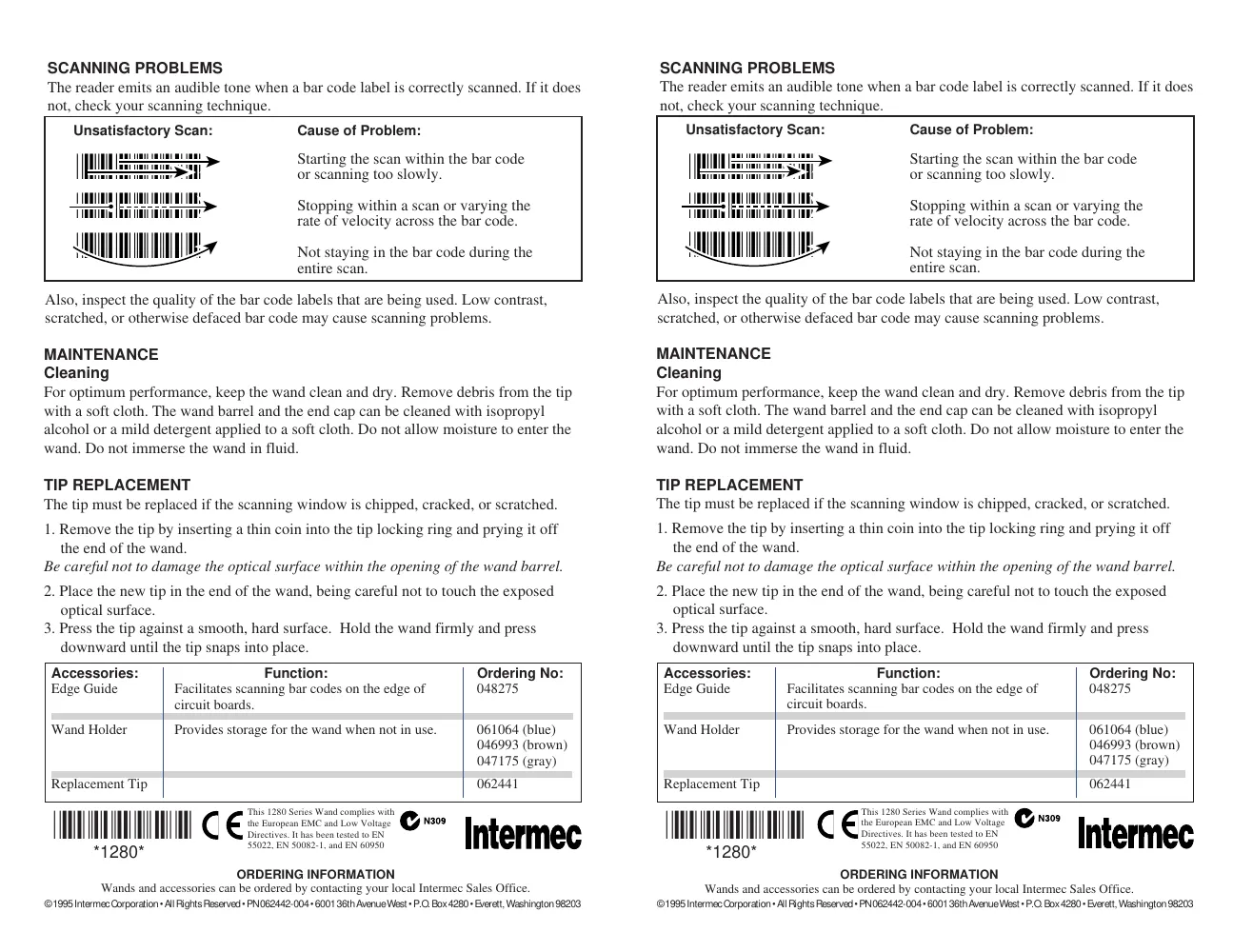
The text of page 2, from the PDF itself
SCANNING PROBLEMS The reader emits an audible tone when a bar code label is correctly scanned. If it does not, check your scanning technique.
SCANNING PROBLEMS The reader emits an audible tone when a bar code label is correctly scanned. If it does not, check your scanning technique.
Unsatisfactory Scan:
Cause of Problem:
Unsatisfactory Scan:
- Cause of Problem
- ➤ ➤ *SCAN*
Starting the scan within the bar code or scanning too slowly.
➤ ➤ *SCAN*
Starting the scan within the bar code or scanning too slowly.
➤
- *SCAN*
Stopping within a scan or varying the rate of velocity across the bar code.
➤
- *SCAN*
Stopping within a scan or varying the rate of velocity across the bar code.
*SCAN* ➤
Not staying in the bar code during the entire scan.
*SCAN* ➤
Not staying in the bar code during the entire scan.
Also, inspect the quality of the bar code labels that are being used. Low contrast, scratched, or otherwise defaced bar code may cause scanning problems.
Also, inspect the quality of the bar code labels that are being used. Low contrast, scratched, or otherwise defaced bar code may cause scanning problems.
MAINTENANCE Cleaning For optimum performance, keep the wand clean and dry. Remove debris from the tip with a soft cloth. The wand barrel and the end cap can be cleaned with isopropyl alcohol or a mild detergent applied to a soft cloth. Do not allow moisture to enter the wand. Do not immerse the wand in fluid.
MAINTENANCE Cleaning For optimum performance, keep the wand clean and dry. Remove debris from the tip with a soft cloth. The wand barrel and the end cap can be cleaned with isopropyl alcohol or a mild detergent applied to a soft cloth. Do not allow moisture to enter the wand. Do not immerse the wand in fluid.
TIP REPLACEMENT The tip must be replaced if the scanning window is chipped, cracked, or scratched.
TIP REPLACEMENT The tip must be replaced if the scanning window is chipped, cracked, or scratched.
1. Remove the tip by inserting a thin coin into the tip locking ring and prying it off the end of the wand. Be careful not to damage the optical surface within the opening of the wand barrel.
1. Remove the tip by inserting a thin coin into the tip locking ring and prying it off the end of the wand. Be careful not to damage the optical surface within the opening of the wand barrel.
2. Place the new tip in the end of the wand, being careful not to touch the exposed optical surface. 3. Press the tip against a smooth, hard surface. Hold the wand firmly and press downward until the tip snaps into place.
2. Place the new tip in the end of the wand, being careful not to touch the exposed optical surface. 3. Press the tip against a smooth, hard surface. Hold the wand firmly and press downward until the tip snaps into place.
Accessories: Edge Guide
Function: Facilitates scanning bar codes on the edge of circuit boards.
Ordering No: 048275
Accessories: Edge Guide
Function: Facilitates scanning bar codes on the edge of circuit boards.
Ordering No: 048275
Wand Holder
Provides storage for the wand when not in use.
061064 (blue) 046993 (brown) 047175 (gray)
Wand Holder
Provides storage for the wand when not in use.
061064 (blue) 046993 (brown) 047175 (gray)
062441Replacement TipReplacement Tip*1280* *1280*
This 1280 Series Wand complies with the European EMC and Low Voltage Directives. It has been tested to EN 55022, EN 50082-1, and EN 60950
*1280* *1280*
062441 This 1280 Series Wand complies with the European EMC and Low Voltage Directives. It has been tested to EN 55022, EN 50082-1, and EN 60950
ORDERING INFORMATION Wands and accessories can be ordered by contacting your local Intermec Sales Office.
ORDERING INFORMATION Wands and accessories can be ordered by contacting your local Intermec Sales Office.
©1995 Intermec Corporation • All Rights Reserved • PN 062442-004 • 6001 36th Avenue West • P.O. Box 4280 • Everett, Washington 98203
©1995 Intermec Corporation • All Rights Reserved • PN 062442-004 • 6001 36th Avenue West • P.O. Box 4280 • Everett, Washington 98203