Manual · ZipTape
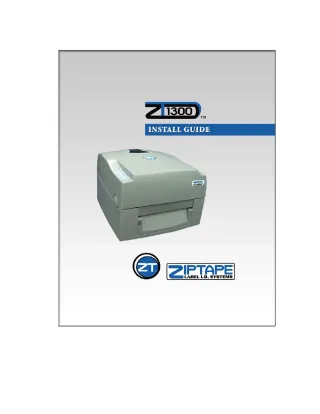
ZT-1300 Install Guide
Manual45 pagesPDF 2.1 MB
Setup and installation guide for the ZipTape ZT-1300 label printer: ribbon and label loading, cables, calibration and driver install.
Covers · 1 model
The models it covers
Summary
What is in it
A step-by-step install guide for the ZipTape ZT-1300 label printer. It lists what comes in the box, then walks through installing the ribbon and rewind core, loading labels on the media hub for 1 inch or 3 inch cores, connecting a USB or parallel data cable, connecting power, calibrating the printer, USB to serial installation and installing the printer driver, with a photo for each step.
Its parts
- Equipment Overview
- Ribbon Installation
- Label Installation
- Data Cable Installation
- Power Cable Installation
- Calibrating the Printer
- USB to Serial Installation
- Driver Installation
From the manual · read page by page
Key facts from this manual
Some pages are scans or cannot be read; this says only what the readable text supports. Each line names its page in the PDF.
Picture-led install guide for the Ziptape ZT-1300 label printer. It walks through what is in the box, loading the ribbon and labels, connecting a USB or parallel cable and the power adapter, calibrating the printer, and installing the USB, printer driver and ZT Label software on Windows.
- In the box
- Printer, Quick Install Guide, parallel cable, USB cable, 2 power cables, power adapter, media hub, empty spindle, spindle with empty ribbon core p. 4
- Interfaces
- USB or parallel cable, one at a time p. 14, 21
- Power
- External power adapter, with an American and a European power cord p. 22, 23
- Label cores
- 1" core: media hub goes in vertically; 3" core: horizontally p. 12
- Controls
- Feed button, power switch at the back, Ready and Status lights p. 26, 27
- Label sensor
- Moveable sensor, set under the widest part of the label p. 12, 13
- USB drivers
- USB connection installs a High Speed Serial converter and a USB Serial Port from the CD p. 32
- Software
- Printer driver (Install XP Drivers, for Windows XP or 2000) and the ZT Label program, on the supplied CD p. 37, 41
- Ribbon
- Fitted on a black spindle from the left, coming off the roll from the bottom, wound onto a rewind core p. 6, 8
What this manual walks you through
- Loading the ribbon and checking it faces the right way p. 6, 7, 8, 9, 10
- Loading labels on the media hub and setting the sensor p. 11, 12, 13
- Connecting the USB cable p. 14, 15, 16, 17
- Connecting the parallel cable p. 18, 20
- Connecting the power adapter and cord p. 22, 23, 24, 25
- Calibrating the printer to the labels p. 26, 27
- Installing the USB serial drivers on Windows p. 28, 29, 30, 31, 32, 33, 34, 35
- Installing the printer driver and the ZT Label software p. 37, 38, 39, 40, 41, 42, 43, 44
Good to know
- Plug in only one data cable, USB or parallel; both together can cause problems with the installation. p. 21
- If the printer feeds more than 10 labels while calibrating, turn it off and readjust the sensor. p. 27
- Driver steps for Windows versions other than XP and 2000 are not covered in the guide. p. 37
Questions this manual answers
How do I calibrate a Ziptape ZT-1300?
With the printer off, hold the Feed button and turn it on; release when the Status light is steady orange and the Ready light flashes orange. It feeds several labels, then beeps once. p. 26, 27
How do I tell if the ZT-1300 ribbon is in backwards?
Press tape on the outward face of the ribbon and pull it off; if black ribbon sticks to the tape, the ribbon faces the right way. p. 10
Can I connect the ZT-1300 by USB and parallel at once?
No; the guide says to use only one of the data cables, USB or parallel. p. 21
What label core sizes fit the ZT-1300 media hub?
The guide describes 1" cores (hub set vertically) and 3" cores (hub set horizontally). p. 12
The whole text · 5 parts
Read the manual here as text
Its text as extracted from the PDF, unedited, in parts; each page opens the PDF at that page.
The file