Manual · Zebra
UCLI72-4 Quad Charger
Manual32 pagesPDF 1.6 MB
Manual for the Zebra UCLI72-4 Quad Charger, which charges four Li-Ion QL or RW series mobile printer batteries at once.
Covers · 1 model
The models it covers
Summary
What is in it
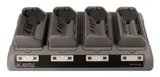
Zebra's manual for the UCLI72-4 Lithium-Ion Quad Charger, which charges up to four QL or RW series mobile printer battery packs at the same time. It gives battery and charger safety rules, power supply and temperature specifications, setup, how to insert a battery, what the amber and green indicators mean, the supported batteries with charging times, battery recycling and support contacts. The guide is printed in English, French, Spanish, Chinese, Korean and Russian.
From the manual
Key facts from this manual
Some pages are scans or cannot be read; this says only what the readable text supports. Each line names its page in the PDF.
Manual for the Zebra UCLI72-4 Quad Charger, which charges up to four lithium-ion battery packs for QL and RW series mobile printers at once. It gives safety rules, power supply ratings, setup, how to read the charge lights, and charging times for each supported pack. The English text is followed by French, Spanish, Chinese, Korean and Russian versions.
- Device
- Quad charger for up to four Li-Ion QL or RW series mobile printer battery packs at once p. 3
- Supported batteries
- QL 220 and QL 320 (AT16004-1); RW 220 (CT17497-1); QL 420 (AT16293-1); RW 420 (CT17102-2) p. 5
- Power supply input
- 100-240 VAC @ 1.2 AMPS Max., 47-63 Hz; voltage setting is automatic p. 2
- Power supply output
- 12.0V +/- 50 mV @ 4 AMPS Max. p. 2
- Charging time
- From empty: QL 220, QL 320 and RW 220 packs 1.25 hrs to 80%, 2.5 hrs full; QL 420 and RW 420 packs 2.5 hrs to 80%, 5 hrs full p. 5
- Charge cycle
- Fast charge to 80% of charge voltage, then a slower rate to finish p. 4
- Safety timer
- Charging of a battery stops after six hours regardless of charge state p. 5
- Power connection
- External power supply with a circular four pin plug into the back of the charger p. 3, 4
- Mounting
- Four mounting holes in the bottom for securing to a table or shelf p. 4
- Indicators
- Power indicator, plus an amber and a green charge indicator for each of the four bays p. 3, 4
What this manual walks you through
- Setting up and powering the charger p. 4
- Inserting a battery pack into a charging bay p. 4
- Reading the amber and green charge indicators p. 4, 5
- Charging times for each supported battery pack p. 5
- Battery and charger safety p. 2
- Recycling used Li-Ion batteries p. 5
Good to know
- The charger is for indoor use only. p. 2
- Use the charger only with its supplied power supply, plugged into an earth grounded outlet. p. 2
- Do not block the ventilating slots on the top and bottom covers. p. 2
- If the amber light flashes again on a second attempt at room temperature, the battery should be discarded. p. 4
- There are no user serviceable parts inside the charger or the battery packs. p. 2
Questions this manual answers
Which batteries does the Zebra UCLI72-4 charger take?
Li-Ion packs for the QL 220 and QL 320 (AT16004-1), RW 220 (CT17497-1), QL 420 (AT16293-1) and RW 420 (CT17102-2). p. 5
How long does a QL 420 battery take to charge in the quad charger?
From completely discharged, about 2.5 hrs to 80% and 5 hrs to a full charge. p. 5
What does a flashing amber light on the quad charger mean?
A problem with the battery, which may be too hot or cold to charge. Retry at room temperature; if it flashes again, discard the battery. p. 4
Can I use a battery while the green light is flashing?
Yes. Flashing green with steady amber means the fast charge is done and the pack is usable, though waiting for a full charge is better. p. 5
What power does the UCLI72-4 charger need?
Its supplied power supply accepts 100-240 VAC, 47-63 Hz, and sets the voltage automatically. p. 2
The whole text · 4 parts
Read the manual here as text
Its text as extracted from the PDF, unedited, in parts; each page opens the PDF at that page.
The file