Manual · Zebra
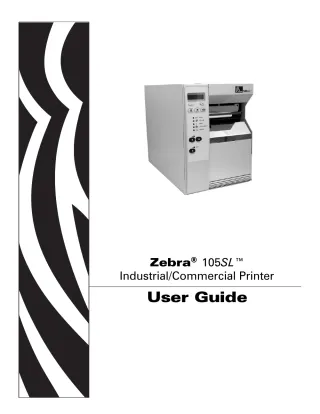
105SL Quick Reference Guide
Manual14 pagesPDF 714 KB
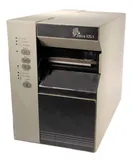
Quick reference guide for the Zebra 105SL label printer: external view, control panel, components, loading media and ribbon.
What this file really is
The old site listed this file as “Quick Start” for the Zebra 105S. This is the quick reference guide for the Zebra 105SL printer; it does not mention the 105S.
Filed with · 1 model
Also filed with these models on the old site
Summary
What is in it
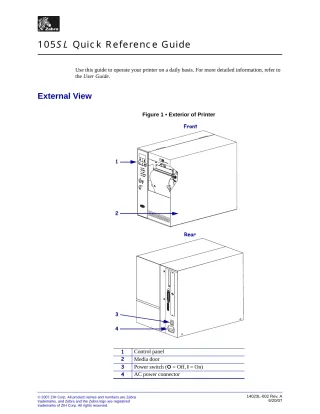
A short quick reference guide for daily operation of the Zebra 105SL label printer. It shows the outside of the printer and the control panel lights and buttons, identifies the parts inside the media compartment, and gives illustrated step-by-step instructions for loading roll media in Tear-Off mode, loading ribbon (including making a ribbon leader from a media strip) and removing used ribbon. It refers to the User Guide for fanfold media, other print modes and more detail.
Its parts
- External View
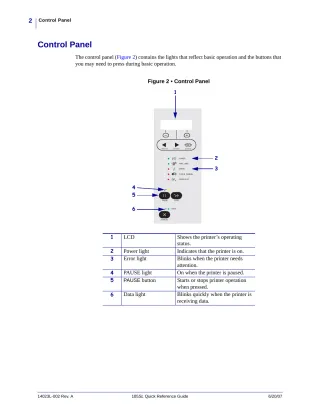
- Control Panel
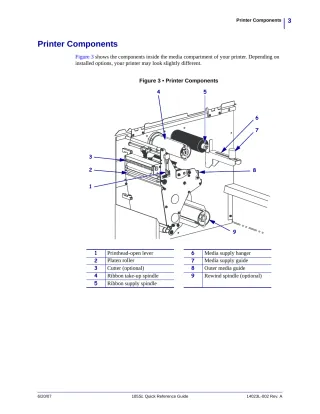
- Printer Components
- Load Media
- Load Ribbon
From the manual · read page by page
Key facts from this manual
Each line names its page in the PDF.
Quick Reference Guide 14023L-002 Rev. A (6/20/07) for the Zebra 105SL label printer; it names the 105SL only, not the 105S. It shows the printer's outside, control panel and media compartment, and walks through loading roll media in Tear-Off mode, loading ribbon and removing used ribbon.
- Printer
- Zebra 105SL label printer p. 1
- Print methods
- Thermal transfer with ribbon; direct thermal with no ribbon loaded p. 9
- Rear panel
- Power switch (O = Off, I = On) and AC power connector p. 1
- Control panel
- LCD; Power, Error, PAUSE and Data lights; PAUSE button p. 2
- Options
- Cutter and rewind spindle p. 3
- Media
- Roll labels or tag stock, loaded here in Tear-Off mode p. 4
- Ribbon width
- Wider than the media p. 9
- Guide number
- 14023L-002 Rev. A, 6/20/07 p. 1
What this manual walks you through
- Reading the control panel lights p. 2
- Loading roll media in Tear-Off mode p. 4, 5, 6, 7, 8
- Loading ribbon p. 9, 10, 11, 12, 13
- Making a ribbon leader from a strip of media p. 10
- Removing used ribbon p. 14
Good to know
- Remove jewelry that could touch the printhead or other parts when loading media or ribbon. p. 4
- Use ribbon wider than the media to protect the printhead from wear. p. 9
- Remove used ribbon from the take-up spindle each time the ribbon roll is changed. p. 14
- Fanfold media and other print modes are covered in the User Guide, not here. p. 4
Questions this manual answers
Does the Zebra 105SL need a ribbon for direct thermal labels?
No. For direct thermal printing, no ribbon is loaded. p. 9
What does a blinking Error light mean on the 105SL?
The printer needs attention. p. 2
How do I load a ribbon with no leader in a 105SL?
Tear off a strip of media about 6-12 in. (150-305 mm) long, peel off a label, and use it to stick the ribbon end to the strip, which then acts as the leader. p. 10
Contents
Chapters and sections
Each line opens the PDF at its page.
The whole text · 2 parts
Read the manual here as text
Its text as extracted from the PDF, unedited, in parts; each page opens the PDF at that page.
The file