Manual · Worth
Wireless Reader Manual
Manual64 pagesPDF 1.7 MB
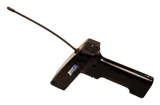
Manual for Worth Data wireless readers such as the LZ202-RF laser scanner and its RF base station: setup and use.
Covers · 1 model
The models it covers
Summary
What is in it
Worth Data's manual for its wireless bar code readers: the 2-way LZ202-RF laser and LI102-RF linear imager, the 1-way LZ200-RF and LI101-RF, their European versions, and the RF base stations. It covers installing the base as a keyboard wedge, on USB through a Wedge Saver, on a serial port or between a terminal and host, configuring with the setup menu, radio considerations, accumulate mode, function keys, troubleshooting, jumpers, bar code specifications, changing batteries and firmware upgrades.
Its parts
- Introduction
- Installation
- Configuring the Wireless Scanner for your computer and application
- Radio Considerations
- Accumulate Mode
- Function/Control Key Support
- Troubleshooting
- Opening the Base Case
- Jumper Settings
- Specifications for Code 39
- Code 93 Specifications
- Codabar Specifications
- Code 128 Specifications
- Interleaved 2 of 5 Code
- UPC Specifications
From the manual
Key facts from this manual
Each line names its page in the PDF.
Manual for the Worth Data wireless bar code readers: radio laser and linear imager CCD scanners with their base stations. It covers the LZ202-RF and LI102-RF 2-way scanners, the LZ200-RF and LI101-RF 1-way scanners and the European LZ212-RF, LI112-RF, L60L and LI111-RF. It explains installing the base station by keyboard wedge, USB or serial, setup, radio use, troubleshooting, jumpers, batteries and firmware.
- Device
- LZ202-RF: 2-way wireless laser scanner, 100 ft. range, beeps at the scanner when the base receives the data p. 5, 14
- Radio
- LZ202-RF: four frequencies at 49MHz for the US and Canada; LZ212-RF: three frequencies at 40MHz for Europe p. 5
- Base station
- 2-way Base Station B58/B68 (US) or B59/B69 (Europe), 1-8 2-way scanners per base p. 5
- Battery
- LZ202-RF: 4 AA alkaline batteries in the handle, about 50,000 scans per set p. 5, 58
- Scan distance
- Laser scanners: 0-24 in., depending on bar code density p. 14
- Indicators
- LZ202-RF: yellow light while transmitting, green light when the base acknowledges p. 31
- Computer connection
- Base station to a PC or Mac keyboard port by Y cable, to USB by Wedge Saver and C20 cable, or to a serial port p. 6
- Keyboard cables
- F30/1 Y cable, convertible 5 pin to 6 pin; F42 for the Mac p. 7
- Serial cables
- F34 25-pin null-modem, F36 9-pin, F45-1 dual port serial cable for terminal use p. 10, 11
- Power supply
- Worth Data regulated 5-volt supply: F10 (110V), F11 (Euro 220), F14 (UK); often optional on keyboard and USB ports p. 7, 9, 38
- Bar codes
- Code 39, Full ASCII Code 39, Interleaved 2 of 5, Codabar, Code 128, EAN-13, EAN-8, UPC-E, UPC-E1, UPC-A, MSI, LabelCode4, LabelCode5, Code 93, Plessey p. 5
- Serial defaults
- 9600 baud, no parity, 8 data bits, 1 stop bit, CR terminator p. 13
- Firmware
- On an EPROM chip in the base station, replaced to upgrade p. 59
What this manual walks you through
- Installing the base station on a keyboard port p. 7, 8
- Installing on a USB-only PC or Mac with the Wedge Saver p. 9
- Connecting to a serial port or between a computer and terminal p. 10, 11, 12
- Configuring the reader with the Wireless Reader Setup Menu p. 13, 14
- Improving short radio range p. 30
- Setting ID characters for several 2-way scanners on one base p. 31, 32
- Troubleshooting reading, wedge and serial problems p. 37, 38, 39, 40
- Opening the base case and setting jumpers p. 41, 42
- Changing scanner batteries p. 58
- Upgrading firmware by replacing the EPROM p. 59
Good to know
- Use only the Worth Data power supply; any other will burn up the base station. p. 6, 7
- Turn the computer off before attaching the keyboard wedge cable. p. 7
- Serial extension cables over 80 feet can lock up Windows unless certain pins are cut on F34 and F36 cables sold before 9/15/01. p. 10
- Do not aim the laser beam into anyone's eyes. p. 14
- Six beeps at power-up of a 1-way base, or six flashes on a 2-way base, mean the unit needs repair. p. 37
Questions this manual answers
How long do the batteries last in the Worth LZ202-RF?
About 50,000 scans per set of 4 AA alkaline batteries. p. 5
How many LZ202-RF scanners can share one base station?
A 2-way base station supports from 1 to 8 2-way scanners, each set to its own ID character 1-8. p. 5, 31
What happens if the LZ202-RF is out of range of the base?
It retries four times, chirps 8 times and sleeps, keeping the data until a later trigger pull gets it through. p. 31
How do I clear data waiting in the LZ202-RF scanner?
Pull the trigger and hold it for 15 seconds; the scanner gives 3 low beeps. p. 31
Why does my Worth wireless scanner give only a narrow beam or 3 beeps?
The manual says these are signs the batteries are too low or inserted the wrong way. p. 37
Contents
Chapters and sections
Each line opens the PDF at its page.
- Wireless Reader Manual1
- Introduction5
- Installation6
- Configuring the Wireless Scannerfor your computer and application13
- Radio Considerations30
- Accumulate Mode33
- Function/Control Key Support34
- Troubleshooting37
- Opening the Base Case41
- Jumper Settings42
- Specifications for Code 3943
- Code 93 Specifications46
- Codabar Specifications47
- Code 128 Specifications48
- Interleaved 2 of 5 Code50
- UPC Specifications52
- MSI/Plessey Specifications56
- Changing Batteries58
- Firmware Upgrades59
- Index61
The whole text · 7 parts
Read the manual here as text
Its text as extracted from the PDF, unedited, in parts; each page opens the PDF at that page.
The file