Manual · Videx
TouchProbe Communications for DOS Computers
Manual171 pagesPDF 1.7 MB
Manual for Videx TouchProbe Communications for DOS, used with the TouchProbe and Downloader Station to read Touch Memory buttons.
Covers · 2 models
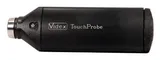
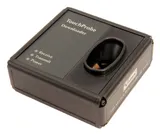
The models it covers
Summary
What is in it
Manual for the TouchProbe Communications for DOS software, which configures a Videx TouchProbe to read from or write to Touch Memory buttons (iButtons) and transfers the collected data through the TouchProbe Downloader Station to a computer as an ASCII text file. It introduces the TouchProbe, battery replacement and the Downloader, gives a quick-start exercise, explains every menu, and has appendices on hardware specifications, serial cables, the data file, command line use, writing a download program and the Downloader Plus.
Its parts
- Introduction to TouchProbe
- TouchProbe - Getting Started
- TouchProbe Learning Guide
From the manual
Key facts from this manual
Each line names its page in the PDF.
User manual for TouchProbe Communications for DOS Computers, the software that sets up a Videx TouchProbe to read and write Touch Memory buttons and moves the collected data to a PC. It also describes the TouchProbe, the TouchProbe Downloader Station and the TouchProbe Downloader Plus, with hardware specifications, serial cable pinouts, troubleshooting tips and error codes.
- What it is
- DOS software that configures a TouchProbe to read or write Touch Memory buttons and transfers its data to a computer p. 10
- Computer needed
- DOS or Windows computer with at least 640K RAM and a hard disk; MS/PC DOS 2.0 or later p. 11
- Probe memory
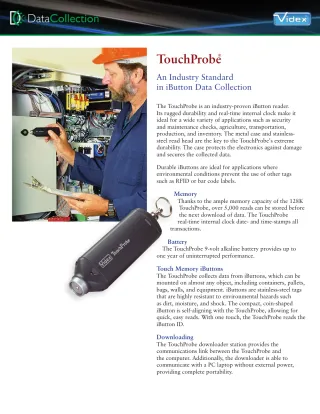
- TouchProbe: 128K battery-backed RAM, 5000 button ID reads p. 62
- Probe battery
- TouchProbe: 9-volt alkaline (about 1 year) or lithium (about 2 years); a lithium backup battery keeps data during replacement p. 13
- Downloader power
- TouchProbe Downloader: transformer output 12 VDC 300 mA; 120 VAC 60 Hz and 220 VAC 50 Hz versions p. 63
- Downloader interface
- TouchProbe Downloader: standard RS-232, 1200 to 19.2k baud, to com port 1 or 2 of the computer p. 19, 63
- Serial cables
- TWC-001 (DB25S female to RJ-11) and TWC-008 (DB9S female to RJ-11) p. 66, 68, 162
- Modem cable
- TWC-003: modem (DB25P male) to the TouchProbe Downloader Plus (RJ-11) p. 70
- Probe dimensions
- TouchProbe: 5.2" x 1.6" x 0.8" (132 x 42 x 23 mm) p. 62
- Probe weight
- TouchProbe: 4.0 oz plastic case, 5.8 oz cast-metal case, 5.1 oz extruded-metal case p. 62
- Operating temperature
- TouchProbe: -4° to 130° F with alkaline battery; -40° to 140° F with lithium p. 62
- Downloader size
- TouchProbe Downloader: 4.0" x 4.0" x 1.8" (102 x 102 x 46 mm); holds 1 TouchProbe p. 63
- Buttons supported
- DS1990, DS1991 (read only in this software), DS1992, DS1993, DS1994 p. 16, 17
- Data file
- Transferred data is saved as ASCII text in DATA.TMD and appended to HISTORY.TMD p. 10
What this manual walks you through
- Configuring a TouchProbe and transferring its data with the DOS software menus p. 7, 8
- Replacing the 9-volt battery in the extruded-metal, plastic and cast-metal TouchProbes p. 13, 14, 15
- Connecting the TouchProbe Downloader Station to the computer p. 18, 19
- Pinouts of the 9-pin and 25-pin serial port cables p. 67, 69
- Troubleshooting a TouchProbe that will not download p. 162, 163
- Changing the baud rate of the TouchProbe p. 164
- Reading the error codes returned by transfer.exe p. 166, 167
Good to know
- Do not connect the TouchProbe Downloader Station to a telephone line; it could damage the unit. p. 19
- The DS1991 is a read/write button, but this software version treats it as read only. p. 17
- Do not use a serial port adaptor; some interfere with communication with the TouchProbe. p. 162
- Replace the 9-volt battery if the indicator light stays on after a touch or the probe stops reading buttons. p. 13
- Drivers and other software loaded by Windows can interfere with serial communication. p. 163
Questions this manual answers
What battery does the Videx TouchProbe use?
A 9-volt alkaline or lithium battery; alkaline lasts about one year and lithium about two. A lithium backup battery keeps the data during replacement. p. 13
Which cable connects the TouchProbe Downloader to a PC?
TWC-001 for a 25-pin serial port or TWC-008 for a 9-pin serial port, both ending in an RJ-11 plug. p. 66, 68
What baud rate does a TouchProbe use?
As sold or serviced by Videx it communicates at 19200 baud; it can be set to 300, 600, 1200, 2400, 4800 or 9600. p. 164
How many button reads can a TouchProbe store?
It has 128K of battery-backed RAM, rated for 5000 button ID reads. p. 62
What does TouchProbe transfer error 03 mean?
A retry error: a packet was retried 8 times without a successful transfer of consistent data and CRC. p. 166
The whole text · 18 parts
Read the manual here as text
Its text as extracted from the PDF, unedited, in parts; each page opens the PDF at that page.
- Pages 1 to 101-10
- Pages 11 to 2011-20
- Pages 21 to 3021-30
- Pages 31 to 4031-40
- Pages 41 to 5041-50
- Pages 51 to 6051-60
- Pages 61 to 7061-70
- Pages 71 to 8071-80
- Pages 81 to 9081-90
- Pages 91 to 10091-100
- Pages 101 to 110101-110
- Pages 111 to 120111-120
- Pages 121 to 130121-130
- Pages 131 to 140131-140
- Pages 141 to 150141-150
- Pages 151 to 160151-160
- Pages 161 to 170161-170
- Page 171171
The file