Manual · Vicon
Instructions for Installation and Operation: Models VC2200-12, -12C, -24, -24C, -24G and -24GC 1/2-Inch Solid-State Black-and-White CCD Cameras
Manual20 pagesPDF 576 KB
Installation and operation manual for the Vicon VC2200 series 1/2-inch black-and-white CCD cameras in 12 VDC and 24 VAC models.
Covers · 1 model
The models it covers
Summary
What is in it
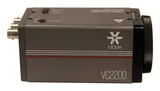
Vicon's instructions for installing, operating and maintaining the VC2200 series 1/2-inch solid-state black-and-white CCD cameras: the 12 VDC VC2200-12 and -12C and the 24 VAC VC2200-24, -24C, -24G and -24GC. It covers the rear panel connectors, setting the C or CS lens mount, mounting manual and autoiris lenses, autoiris sensitivity, mounting the camera, video, external sync and power connections, mechanical back focus, other adjustments, maintenance and service.
Its parts
- General
- Installation
- Mechanical Focus Adjustment
- Adjustments
- Maintenance
- Service
From the manual · read page by page
Key facts from this manual
Some pages are scans or cannot be read; this says only what the readable text supports. Each line names its page in the PDF.
Installation and operation instructions (X697) for the Vicon VC2200 series of 1/2-inch solid-state black-and-white CCD cameras: models VC2200-12, -12C, -24, -24C, -24G and -24GC. It covers lens and autoiris installation, mounting, video, sync and power connections, back focus, phase, AGC and sync switch settings, and returning a unit for service.
- Device type
- 1/2-inch solid-state black-and-white CCD camera p. 3
- Power
- VC2200-12 and -12C: 12 VDC (11~16 VDC); VC2200-24, -24C, -24G and -24GC: 24 VAC from a Class 2 source p. 3, 11
- Resolution
- 380 TV lines horizontal (370 CCIR) p. 3
- Sensitivity
- 0.2 footcandle at f/1.4 with IR filter; 0.05 fc without the IR filter p. 3
- Lens mount
- C and CS, shipped set to C p. 5
- Autoiris
- Lenses with a built-in circuit wire to a 3-position terminal block; lenses without one plug into a 4-position DIN connector p. 6, 7
- Video output
- BNC connector; 75-ohm coaxial cable (RG-59B/U) p. 4, 10
- Sync
- All models internal sync; 24 VAC models add switch-selectable line lock; VC2200-24G and -24GC also take external sync on a BNC connector p. 16
- External sync
- VC2200-24G and -24GC: input 0.2 to 2.0 Vp-p composite video or sync; SYNC OUT composite sync 2.0 Vp-p, 75 ohms p. 11
- AGC
- On-off switch inside the case, set ON at the factory p. 16
- Mounting
- Mounting base on top or bottom of the camera; 1/4-20 bolts p. 10
- Indicator
- POWER LED on the rear panel p. 11
What this manual walks you through
- Changing the lens mount between C and CS p. 5
- Cleaning the CCD and mounting the lens p. 6
- Wiring an autoiris lens p. 7, 8
- Adjusting autoiris sensitivity with the ALC control p. 9
- Mounting the camera and moving the mounting base p. 10
- Video, external sync and power connections p. 10, 11
- Setting back focus for fixed and zoom lenses p. 12
- Adjusting horizontal and vertical phase p. 14
- Opening the case and setting the AGC and sync mode switches p. 16, 17, 18
- Returning a unit for service p. 19
Good to know
- Do not point the camera at the sun or a bright light; it could damage the pickup device. p. 5
- Do not wire the power terminal block before the autoiris cable, and leave the seal on the autoiris terminal block unless the manual says to remove it. p. 5
- Cameras built to EIA RS-170 cannot be line-locked to a 50Hz power source, and CCIR cameras cannot be line-locked to 60Hz. p. 14
- Genlock does not work with a jittery input signal such as VCR playback. p. 14
- Do not apply power until all connections are completed. p. 11
Questions this manual answers
What power supply does the Vicon VC2200 camera need?
The VC2200-12 and -12C run on 12 VDC (11~16 VDC); the VC2200-24, -24C, -24G and -24GC run on 24 VAC from a Class 2 source. p. 3, 11
Does the VC2200 take C-mount or CS-mount lenses?
Both. It ships set to C, and the back focus cam is moved to change the setting. p. 5
How do I turn off AGC on the VC2200?
Open the case as the manual shows and set the AGC switch to OFF; it is ON from the factory. p. 16
Which VC2200 models accept external sync?
The VC2200-24G and -24GC, through the EXT SYNC connector; they switch to an external signal automatically when one is detected. p. 11, 16
Does the VC2200 need routine maintenance?
No. The manual states it does not require scheduled maintenance. p. 19
The whole text · 2 parts
Read the manual here as text
Its text as extracted from the PDF, unedited, in parts; each page opens the PDF at that page.
The file