Manual · VeriFone
Omni 7xxx Series Installation Guide
Manual44 pagesPDF 2.0 MB
Installation guide for the VeriFone Omni 7000MPD, Omni 7000LE and Omni 7100MPD payment terminals: features, mounting, cabling, care.
Covers · 2 models
The models it covers

Summary
What is in it
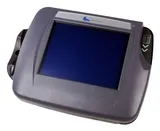
The installation guide for the VeriFone Omni 7xxxMPD family of point-of-sale payment terminals: the Omni 7000MPD, the entry-level Omni 7000LE and the touch-screen Omni 7100MPD. It explains the features and optional modules (signature capture, EMV smart card, Ethernet/USB, contactless RFID), unpacking, privacy shield, countertop wedge, stand and wall mounting, installing modules, connecting the multiport cable to an ECR, host PC, Ethernet LAN or USB, powering up, cleaning, troubleshooting, service and accessories, and the specifications.
Its parts
- Preface
- Features
- Installation
- Maintenance
- Troubleshooting
- VeriFone Service and Support
- Specifications
From the manual
Key facts from this manual
Some pages are scans or cannot be read; this says only what the readable text supports. Each line names its page in the PDF.
VeriFone installation guide (part number 23431, Revision A) for the Omni 7xxxMPD series payment terminals: the Omni 7000MPD, the Omni 7000LE and the Omni 7100MPD. It describes the features and optional modules, then walks through mounting, fitting modules and SAM cards, cabling, power up, cleaning and troubleshooting. It ends with power, environment, size and weight specifications for the Omni 7000MPD and Omni 7100MPD.
- Device
- Modular POS payment terminals in two families, Omni 7000MPD and Omni 7100MPD p. 9
- Power
- 12 V DC at 1.0 A power pack; power pack needs 120 V AC at 60 Hz (U.S.) p. 43
- Memory
- 3 Mbytes: 2 Mbytes of flash and 1 Mbyte of SRAM p. 11
- Operating temperature
- 0° to 40° C (32° to 104° F); humidity 15% to 95%, no condensation p. 43
- Card reader
- Triple-track magnetic card reader; handles all mag-stripe cards, including driver's licenses p. 11
- Serial ports
- RS-485 for ECRs in tailgate mode; RS-232 for peripherals such as printers and bar code scanners p. 12
- Optional modules
- Signature capture, EMV smart card, Ethernet/USB, contactless RFID smart card reader (ISO 14443) p. 12
- PINpad
- Omni 7000: physical PINpad; Omni 7100: virtual PINpad p. 11
- Display
- Omni 7100MPD: 1/4 VGA backlit LCD, 320 x 240 pixels, capacitive touch screen p. 10, 11
- Processor
- 32-bit microprocessor p. 11
- Security
- 3DES encryption, Master Key/Session Key and DUKPT key management, VeriShield file authentication p. 11
- Size and weight
- Omni 7000MPD: 153 mm high, 192 mm wide, 52 mm deep; 0.71 kg (1.56 lb) p. 43
- Size and weight
- Omni 7100MPD: 153 mm high, 192 mm wide, 56 mm deep; 0.74 kg (1.62 lb) p. 43
- Accessory part numbers
- Privacy shield VPN 22648-01 (Omni 7000) or VPN 29294-01 (Omni7100); USB cable VPN 22982-xx; Cleaning Kit 02746-01 p. 14, 28, 31
What this manual walks you through
- Unpacking the terminal and choosing a location p. 17, 18
- Installing the privacy shield p. 18, 19
- Fitting the countertop wedge p. 19, 20
- Mounting the terminal on a stand or a wall p. 20, 21, 22
- Installing the signature capture module on the Omni 7000MPD p. 22, 23
- Swapping the I/O module and installing SAM cards p. 24, 25
- Connecting an ECR, a host PC, an Ethernet LAN or a USB host p. 27, 28
- Powering up with or without the multiport cable p. 28, 29
- Cleaning the terminal p. 31
- Troubleshooting a blank display, serial port, failed transactions, keypad, stylus and touch panel p. 33, 34, 35
Good to know
- The terminal is for indoor use only. p. 18
- The Omni 7000LE takes none of the optional modules and has no RS-485 LAN support. p. 10
- The terminal carries tamper-evident labels and must not be taken apart. p. 33
- The Omni 7100 touch screen can be replaced only by a certified repair depot. p. 23
- Removing power while a transaction is processing may lose transaction data. p. 26
Questions this manual answers
What power supply does the Omni 7000 need?
A 12 V DC, 1.0 A power pack, which itself runs on 120 V AC at 60 Hz in the U.S. p. 43
Can the Omni 7100 be powered over USB?
Yes. When connected to an ECR by the USB cable, the terminal draws power through that cable and does not need the multiport cable. p. 28
Which privacy shield fits the Omni 7100?
VeriFone privacy shield VPN 29294-01; the Omni 7000 uses VPN 22648-01. p. 14
How do I install a SAM card in the Omni 7000?
Remove the smart card I/O module, open one of its three SAM cardholders, insert the card contacts up with the cut corner at the notch, then lock it and refit the module. p. 24, 25
How far does the contactless reader read a card?
Cards are read when held about 1 to 3.9 in. (2.5 to 10 cm) from the reader. p. 14
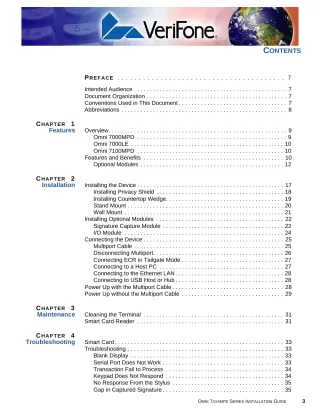
Contents
Chapters and sections
Each line opens the PDF at its page.
The whole text · 5 parts
Read the manual here as text
Its text as extracted from the PDF, unedited, in parts; each page opens the PDF at that page.
The file