Manual · VeriFone
Omni 37xx Installation Guide
Manual39 pagesPDF 540 KB
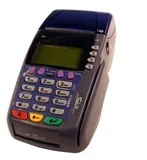
Installation guide for the VeriFone Omni 37xx payment terminals, including the Omni 3700, Omni 3740 and Omni 3750.
Covers · 2 models
The models it covers
Summary
What is in it
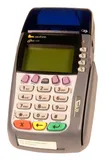
VeriFone's installation guide for the Omni 37xx family of hand-over countertop payment terminals: the Omni 3700, Omni 3740 and Omni 3750. It describes the terminal and its features, then covers choosing a location, unpacking, front and back panel features, telephone line connection, loading paper, installing MSAM cards, connecting a PIN pad, smart card reader, check reader or printer, power, specifications, cleaning, service and accessories, and troubleshooting.
Its parts
- Terminal Overview
- Terminal Setup
- Specifications
- Maintenance
- VeriFone Service and Support
- Troubleshooting Guidelines
From the manual
Key facts from this manual
Each line names its page in the PDF.
The VeriFone installation guide (part number 22399, Revision B, 2002) for the Omni 37xx family of hand-over countertop payment terminals, which it says includes the Omni 3700, Omni 3740 and Omni 3750. It shows how to place the terminal and connect the telephone line, peripherals and power pack, and gives specifications, accessory part numbers and troubleshooting steps.
- Device
- Hand-over countertop payment terminal with integrated PINpad, vertical magnetic stripe reader and multi-application support p. 7
- Display
- Backlit display, 8 lines x 21 characters, with split screen p. 8
- Processor and memory
- 32-bit processing; 1.5 MB of memory for two or three typical-sized applications p. 8
- Keys
- 12-key telephone-style keypad, F1 to F4 ATM-style keys, four programmable keys, three color-coded keys and an ALPHA key p. 11
- Card reader
- Triple-track, high-coercivity magnetic stripe reader p. 8
- Power
- 24 V DC, 1.5 A; power pack input 110 - 127V ac, 60 Hz (non-switching) or 100 - 240 V ac, 50/60 Hz (switching) p. 25
- Ports
- Telephone communications port; two RJ45 serial ports (RS232, and Bar Code/PIN Pad); round locking power port p. 12, 13
- Peripherals
- CR 600 and CR 1000i check readers and VeriFone external printers on the RS232 port; PIN pad, smart card reader or bar code wand on the PIN Pad port p. 13, 19, 20
- Printer paper
- 58 mm (2.25 in) thermal; CRM0039 25 m roll, CRM0039-01 30-roll pack, CRM0040 33 m roll; spindle 02117-03 p. 31
- Operating environment
- 0° to 40° C (32° to 104° F); 15% to 90% relative humidity, no condensation p. 25
- Dimensions
- 210 mm long, 104 mm wide, 83 mm deep p. 25
- Power pack and cords
- CPS05791-3A universal DC power pack; 21973-01 US power cable; 00124-17 2.1 m (7 ft) RJ11 telephone line cord p. 31
- Cables
- 05651-xx MOD10-MOD10 terminal-to-terminal; 26263-xx PC DB25F; 26264-xx PC DB9F; 07041-xx MOD10-MDIN9 check readers; 07042-xx MOD10-4P4C PIN pads p. 30
- Software
- Verix; SoftPay EMV software p. 8
What this manual walks you through
- Choosing a location away from heat, moisture and electrical noise p. 9, 10
- Unpacking and checking the terminal for tampering p. 10
- Connecting the telephone line p. 13
- Connecting a PIN pad, smart card reader or bar code wand p. 18, 19
- Connecting a check reader or external printer p. 19, 20
- Connecting and locking the power pack p. 20, 21
- Returning a terminal for service with an MRA number p. 29, 30
- Fixing a blank display or a terminal that does not dial out p. 33, 34
- Fixing printer faults and paper jams p. 34
- Tracing failed transactions to the card readers or telephone line p. 35
Good to know
- Variants differ by market: a smart card reader, a printer and SAM cardholders (zero, two or four) may or may not be present. p. 12
- The terminal is for indoor use only and is not waterproof or dustproof. p. 9
- RS232-type devices do not work on the PIN Pad port, and PIN pad devices do not work on the RS232 port. p. 18
- An incorrectly rated power supply may damage the terminal; match the rating on the back of the terminal. p. 20
- The manual states the Omni 37xx family and SoftPay EMV software received EMV Level 1 and Level 2 Type Approval. p. 8
Questions this manual answers
What does a flashing green LED mean on the Omni 3750?
Slow flashing green means the printer has no paper; fast flashing green means a printer mechanism error. Flashing red means printer files are downloading. p. 12
Why does my Omni 37xx show DOWNLOAD NEEDED?
That message appears after the VeriFone copyright screen when no application is loaded in the terminal. p. 21
Which check readers work with the Omni 3740?
The guide lists the VeriFone CR 600 and CR 1000i, connected to the RS232 port. p. 19
Which way do I swipe a card on the Omni 37xx?
With the magnetic stripe facing inward, toward the keypad. p. 35
What power supply does the Omni 37xx need?
24 V DC at 1.5 A, from a UL listed Class 2 power pack rated 110 - 127V ac (non-switching) or 100 - 240 V ac (switching). p. 25
Contents
Chapters and sections
Each line opens the PDF at its page.
The whole text · 4 parts
Read the manual here as text
Its text as extracted from the PDF, unedited, in parts; each page opens the PDF at that page.
The file