Manual · Unitech
PT630 Portable Terminal Programming Reference Guide
Manual73 pagesPDF 2.0 MB
Programming reference guide for the Unitech PT630 portable terminal: DOS/BIOS function calls and the MULTIPOINT host protocol.
Covers · 1 model
The models it covers

Summary
What is in it
Unitech's programming reference for developers writing applications for the PT630 portable terminal. The first chapter documents the DOS/BIOS function calls by interrupt: display fonts, Kermit server, LCD control, system functions (keypad, RS232, device control, barcode symbology settings, date and time, files and memory), power management, beeper and the RS232 ports, with C examples. The second chapter covers the MULTIPOINT serial protocol: packets, data and file transfer, and host commands.
Its parts
- BIOS and System Functions
- MULTIPOINT Communication
From the manual
Key facts from this manual
Some pages are scans or cannot be read; this says only what the readable text supports. Each line names its page in the PDF.
The Unitech PT630 Portable Terminal Programming Reference Guide, version 1.1. It documents the BIOS and DOS-style interrupt calls a programmer uses for fonts, the LCD, keypad, beeper, power saving and the RS232 ports. It also explains the MULTIPOINT host protocol and its host commands.
- Programming model
- Operating system with DOS/BIOS function calls for application development p. 5
- BIOS interrupts
- INT 09H display fonts, 0FH Kermit server, 10H LCD control, 21H system functions, 22H power management, 31H beeper, 33H COM1 RS232, 14H COM2 RS232 p. 2, 5, 8, 9, 50, 51, 52, 56
- Display fonts
- Large 8*16-dot font gives 4 lines by 16 columns; small 6*8-dot font gives 8 lines by 20 columns p. 5
- Serial ports
- COM1 RS232 and COM2, an internal COM port p. 52, 56
- Serial settings
- 150, 300, 600, 1200, 2400, 4800, 9600, 19200, 38400 or 57600 baud; 7 or 8 data bits; none, odd or even parity; one or two stop bits p. 52
- MULTIPOINT network
- Up to 32 PT630 terminals on one host, each with a unique address 'A' to 'Y' or '0' to '6'; packets up to 256 bytes p. 59
- Default protocol
- MULTIPOINT is the default for the RS232 port; NONE makes it a plain character port p. 59
- Power saving
- INT 22H enters HALT mode; the unit wakes on a key, the barcode scanner or RS232 p. 50
- Host-set symbologies
- Code 39 (and full ASCII), Interleaved 2 of 5, Codabar, UPC/EAN, Code 128, EAN 128, Code 93, Trioptic Code p. 64
- Guide version
- V1.1 p. 1
What this manual walks you through
- Selecting fonts and defining custom characters p. 5, 6, 7, 8
- Starting the Kermit server from an application p. 8
- Clearing the LCD, scrolling and placing the cursor p. 9
- Putting the terminal into power-saving mode until input arrives p. 50
- Setting the beeper frequency and duration p. 51
- Setting communication parameters on COM1 and COM2 p. 52, 53, 56
- Building MULTIPOINT packets and their checksums p. 59, 60
- Host commands for address, warm start, symbologies and Kermit mode p. 64, 67
- Corrections and additions in the update note p. 71, 72, 73
Good to know
- The ESC H host command clears all RAM, purging downloaded programs and data, and restores default parameters. p. 67
- The character read call on the RS232 port works only with the NONE communication protocol. p. 53
- Reverse character display works only in the small font mode. p. 7
- Kermit Server Mode disables MULTIPOINT until a BYE or EXIT command is issued. p. 67
Questions this manual answers
How many PT630 terminals can share one host on MULTIPOINT?
Up to 32, each with its own address. p. 59
How does a PT630 program save power while waiting for input?
Call INT 22H to enter HALT mode. On return, AX shows whether a key, the barcode scanner or RS232 woke the unit. p. 50
What baud rates can a PT630 program set?
150, 300, 600, 1200, 2400, 4800, 9600, 19200, 38400 or 57600 baud. p. 52
How do I leave the Kermit server started from my application?
Press the CMD key and then the Exit key to return to the application. p. 8
Contents
Chapters and sections
Each line opens the PDF at its page.
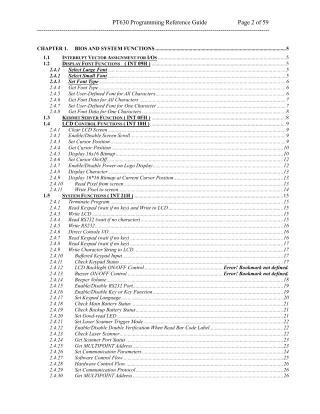
- BIOS and System Functions5
- Interrupt Vector Assignment for I/Os5
- Display Font Functions ( INT 09H )5
- Kermit Server Function ( INT 0FH )8
- LCD Control Functions ( INT 10H )9
- System Functions ( INT 21H )15
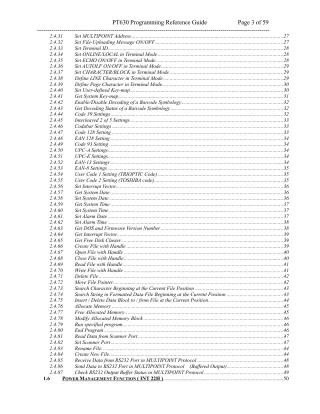
- Power Management Function ( INT 22H )50
- Beeper Control Function ( INT 31H )51
- COM1 RS232 Control Functions ( INT 33H )52
- COM2 (internal COM port) RS232 Control Functions ( INT 14H )56
- MULTIPOINT Communication59
- Update Note71
The whole text · 9 parts
Read the manual here as text
Its text as extracted from the PDF, unedited, in parts; each page opens the PDF at that page.
- Pages 1 to 41-4
- BIOS and System Functions, pages 5 to 135-13
- BIOS and System Functions, pages 14 to 2214-22
- BIOS and System Functions, pages 23 to 3123-31
- BIOS and System Functions, pages 32 to 4032-40
- BIOS and System Functions, pages 41 to 4941-49
- BIOS and System Functions, pages 50 to 5850-58
- MULTIPOINT Communication59-70
- Update Note71-73
The file