Manual · Unitech
Unitech PA962 Product Reference Guide
Manual51 pagesPDF 4.8 MB
Product reference guide for the Unitech PA962 Windows CE palm-size computer with laser scanner: setup, keypad, power, communication and scanner settings.
Names · 1 model
The models it names
Filed with · 1 model
Also filed with these models on the old site
Summary
What is in it
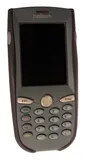
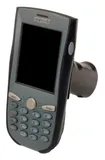
The product reference guide for the Unitech PA962, a rugged palm-size computer running Windows CE with a built-in laser bar code scanner. It covers the box contents and a tour of the unit, installing and charging the battery pack and backup battery, the stylus, PCMCIA and CF cards, calibration and flash memory, the keypad and hotkeys, the power system and warm and cold boot, ActiveSync, InBox e-mail and wireless LAN card setup, and the scanner settings program. Appendices include updating the OS from a Compact Flash card.
Its parts
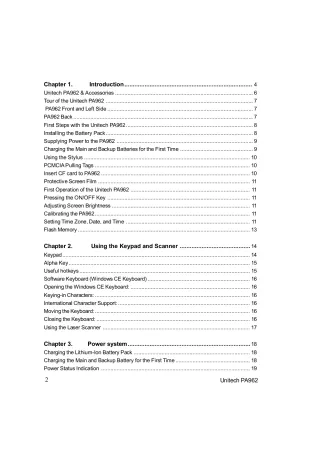
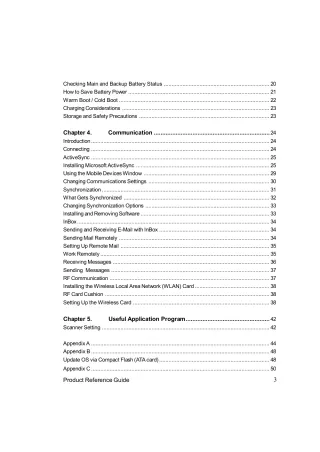
- Introduction
- Using the Keypad and Scanner
- Power system
- Communication
- Useful Application Program
From the manual
Key facts from this manual
Each line names its page in the PDF.
Product reference guide for the Unitech PA962 rugged palm-size computer with an integrated laser scanner (some pages and the boot loader screen name the PA960 series). It covers setup, the keypad and scanner, the battery system, warm and cold boots, installing a wireless LAN card and updating the operating system. Appendices give the technical specifications, the charge and communication port pin-out and a troubleshooting table.
- Device
- Rugged palm-size computer with integrated laser scanner, color touch screen, keypad, IrDA and wireless p. 4
- CPU and memory
- Intel X-Scale 400MHz; 64MB flash ROM; 64MB SDRAM p. 44
- Display
- 240 x 320 pixel portrait color LCD with touch screen and electroluminescent backlight p. 44
- Scan engine
- Visible laser diode, 650nm, 39+ scans per second p. 44
- Battery
- Lithium-ion 7.4V 1850mAH main pack (500 or more recharges); backup cell 3.7V 120mAH Li-ion polymer p. 46
- Charging
- 3 hours with the 12VDC/2A AC/DC adapter or the docking station p. 46
- Ports
- RS232/USB/Charging port (RS232C up to 115.2K bps); IrDA 1.2 (SIR) up to 115.2K bps p. 45
- Expansion slots
- PCMCIA Type II and CF Type I and Type II for memory, modem and RF cards; Cisco and Lucent WaveLAN (Agere Orinoco) card software pre-loaded p. 38, 45
- Keypad
- 19 physical keys with backlight, numeric input only p. 16, 44
- Symbologies
- Codabar, Code 11, Code 32, Code 39, Code 93, Code 128, EAN-8, EAN-13, EAN128, Interleaved 2 of 5, MSI/Plessy, UPC-A, UPC-E and others p. 46
- Size and weight
- 7.28 x 3.49 x 1.70 in (18.5 x 8.76 x 4.33 cm); 15.59 oz (442g) with battery pack p. 47
- Environment
- Operating -5°C to 50°C; IP 65; multiple 4.0 ft (1.2m) drops to concrete p. 47
- Docking station
- 1 EIA RS232C IDC connector and 1 USB port; 12 VDC/2A AC/DC adapter; quick charge typically 3 hours p. 47
- Development tools
- Microsoft Embedded Visual Tool for VB and VC p. 46
What this manual walks you through
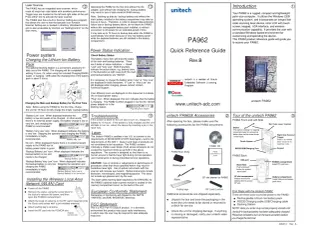
- Installing the battery pack and supplying power p. 8, 9
- Charging the main and backup batteries the first time p. 9, 18
- Calibrating the touch screen and setting the time zone, date and time p. 11, 12
- Using the keypad, Alpha mode and FUNC hotkeys p. 14, 15
- Checking battery status and the power icons p. 19, 20
- Setting automatic shut-off and backlight timers to save power p. 21, 22
- Performing a warm boot or a cold boot p. 22
- Installing a wireless LAN card and RF card cushion p. 38
- Updating or reinstalling the operating system from a Compact Flash card p. 48, 49
- Troubleshooting power, screen, touch and scanning problems p. 50
Good to know
- A cold boot returns the PA962 to its original factory settings, and a warm boot loses unsaved data. p. 22
- Updating the operating system erases user files, and the image file must be named NK.bin. p. 48
- Charge the lithium-ion battery only between -5°C and 50°C; outside that range it can be damaged. p. 23
- Use only the PA962 stylus on the screen; other objects can cause permanent damage. p. 10
- Using the PA962 the first time without the AC adapter and a fully charged backup battery may lose data in RAM. p. 9
Questions this manual answers
What battery does the Unitech PA962 use?
A 7.4V, 1850mAH lithium-ion main battery pack, rated for 500 or more recharges, plus a built-in 3.7V 120mAH Li-ion polymer backup cell. p. 46
How do I reset a frozen PA962?
For a warm boot, push a pin into the reset hole on the back below the PCMCIA cover. The cold boot button under the PCMCIA cover returns it to factory settings. p. 22
How do I reinstall the operating system on a PA962?
Copy NK.bin to the root of a Compact Flash card, insert it, plug in power, run BootMode.exe and choose option 2, OS Image Update. p. 48, 49
What does the Low Backup Battery message mean on the PA962?
The troubleshooting table says to charge the terminal for 16 hours. p. 50
Contents
Chapters and sections
Each line opens the PDF at its page.
The whole text · 6 parts
Read the manual here as text
Its text as extracted from the PDF, unedited, in parts; each page opens the PDF at that page.
The file