Spec sheet · Unitech
Unitech MS120 Spec Sheet
Spec sheet2 pagesPDF 291 KB
Both pages are below, each with its text.
Covers · 1 model
The models it covers
From the sheet · read page by page
Key facts from this sheet
Each line names its page in the PDF.
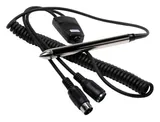
Spec sheet for the Unitech MS120 series pen scanner, a bar code wand sold as the MS120A, MS120-2, MS120-3 and MS120-3PS2. It gives the interface versions and connectors, scan speed and angle, environmental limits, weight and the built-in decoder's symbologies. It helps a buyer pick the right version for a host system.
- Device
- Bar code wand (pen scanner) with a replaceable sapphire tip p. 1
- Versions
- MS120A undecoded; MS120-2 RS232 with built-in decoder; MS120-3 keyboard wedge (AT or PS/2) with built-in decoder p. 1, 2
- Connectors
- Undecoded: Dsub-9 squeeze and release; keyboard wedge: 5-pin DIN or miniDIN; RS232: DB9 p. 2
- RS232 power
- RS232 version may require a 5V AC adapter p. 2
- Scan speed
- 5 to 200 cm/sec p. 1
- Read angle
- 0 to 45° p. 1
- Operating temperature
- 32 to 131°F (0 to 55° C) p. 2
- Storage temperature
- -4 to 158°F (-20 to 70° C) p. 2
- Humidity
- 20% to 85% RH non condensing p. 2
- Build
- 60 g without cable; coiled cable; stainless steel case p. 2
- Symbologies
- MS120-2/3: Code 39 (full ASCII), EAN-13/9 and UPC-A/E with add-on, Code 11, Code 93, Code 128, Codabar, MSI/Plessey, Interleaved and Standard 2 of 5, China Postal Code, Italian Pharmacy p. 2
- Configuration
- MS120-2/3: bar code setup menu or customized bar code label; prefix, suffix and code ID editing p. 2
What this sheet walks you through
- Choosing the undecoded, RS232 or keyboard wedge version p. 2
- Reading a bar code by sweeping the wand across it p. 1
Good to know
- The decoder features apply only to the MS120-2 and MS120-3. p. 2
Questions this sheet answers
What interfaces does the Unitech MS120 wand come with?
Undecoded (MS120A), RS232 with a built-in decoder (MS120-2), or keyboard wedge for AT or PS/2 with a built-in decoder (MS120-3). p. 1, 2
Does the MS120A have a decoder?
No. The MS120A is the undecoded model and connects through a 9-pin squeeze release connector. p. 1
Does the MS120 RS232 version need a power adapter?
The sheet says the RS232 version with a DB9 connector may require a 5V AC adapter. p. 2
What temperature can the MS120 work in?
32 to 131°F (0 to 55° C) operating, and -4 to 158°F (-20 to 70° C) in storage. p. 2
The file
Size and text
Every page · 2
Read it here
Each page as it is printed, and its words beside it, so a phone can search and copy them.
Page1of 2
Open in the PDF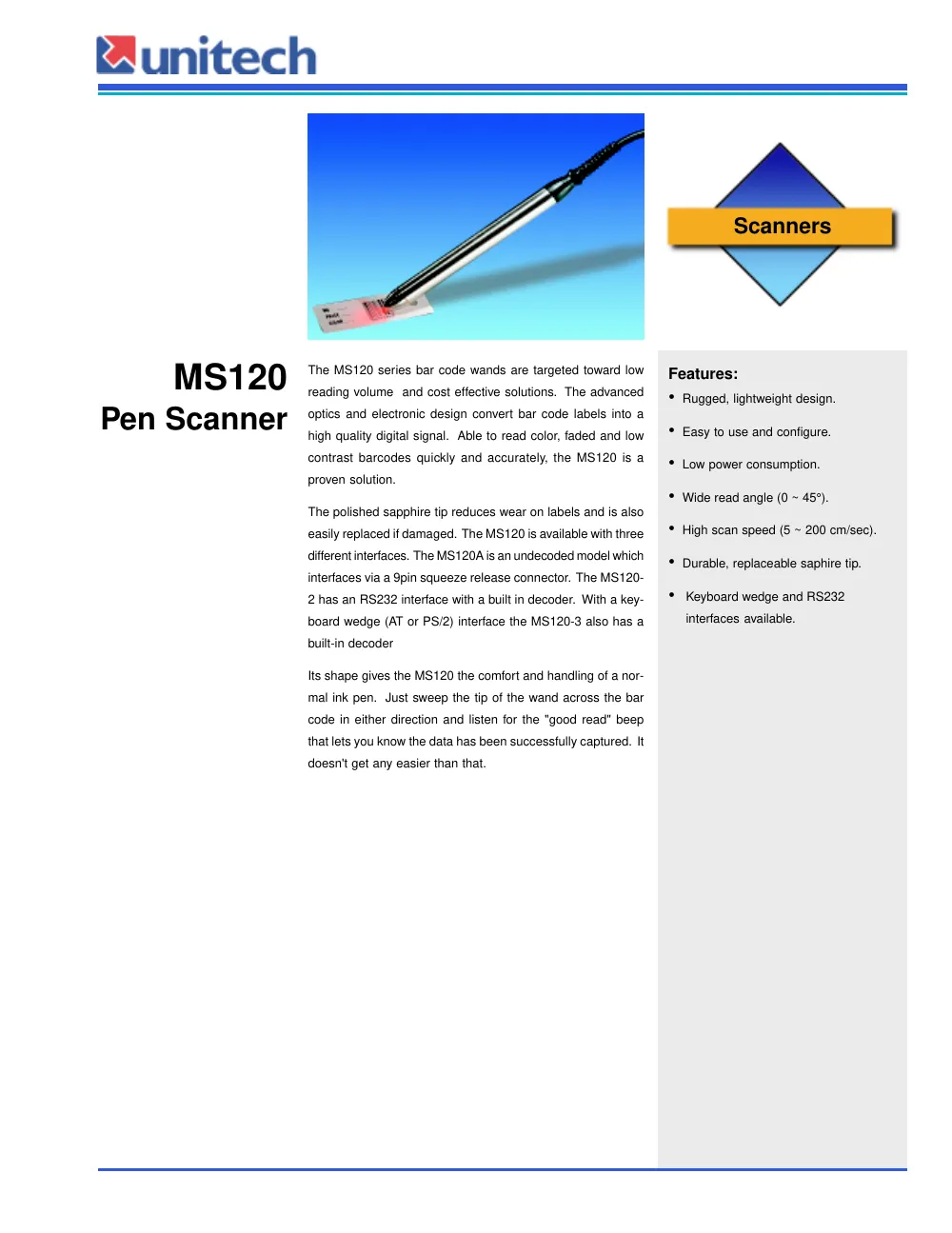
The text of page 1, from the PDF itself
Scanners
MS120
The MS120 series bar code wands are targeted toward low
- Features
- reading volume and cost effective solutions. The advanced
Pen Scanner
- Rugged, lightweight design.
optics and electronic design convert bar code labels into a high quality digital signal. Able to read color, faded and low contrast barcodes quickly and accurately, the MS120 is a proven solution. The polished sapphire tip reduces wear on labels and is also
- Easy to use and configure.
- Low power consumption.
- Wide read angle (0 ~ 45°).
easily replaced if damaged. The MS120 is available with three
- High scan speed (5 ~ 200 cm/sec).
different interfaces. The MS120A is an undecoded model which
- Durable, replaceable saphire tip.
interfaces via a 9pin squeeze release connector. The MS1202 has an RS232 interface with a built in decoder. With a keyboard wedge (AT or PS/2) interface the MS120-3 also has a built-in decoder Its shape gives the MS120 the comfort and handling of a normal ink pen. Just sweep the tip of the wand across the bar code in either direction and listen for the "good read" beep that lets you know the data has been successfully captured. It doesn't get any easier than that.
- Keyboard wedge and RS232 interfaces available.
Page2of 2
Open in the PDF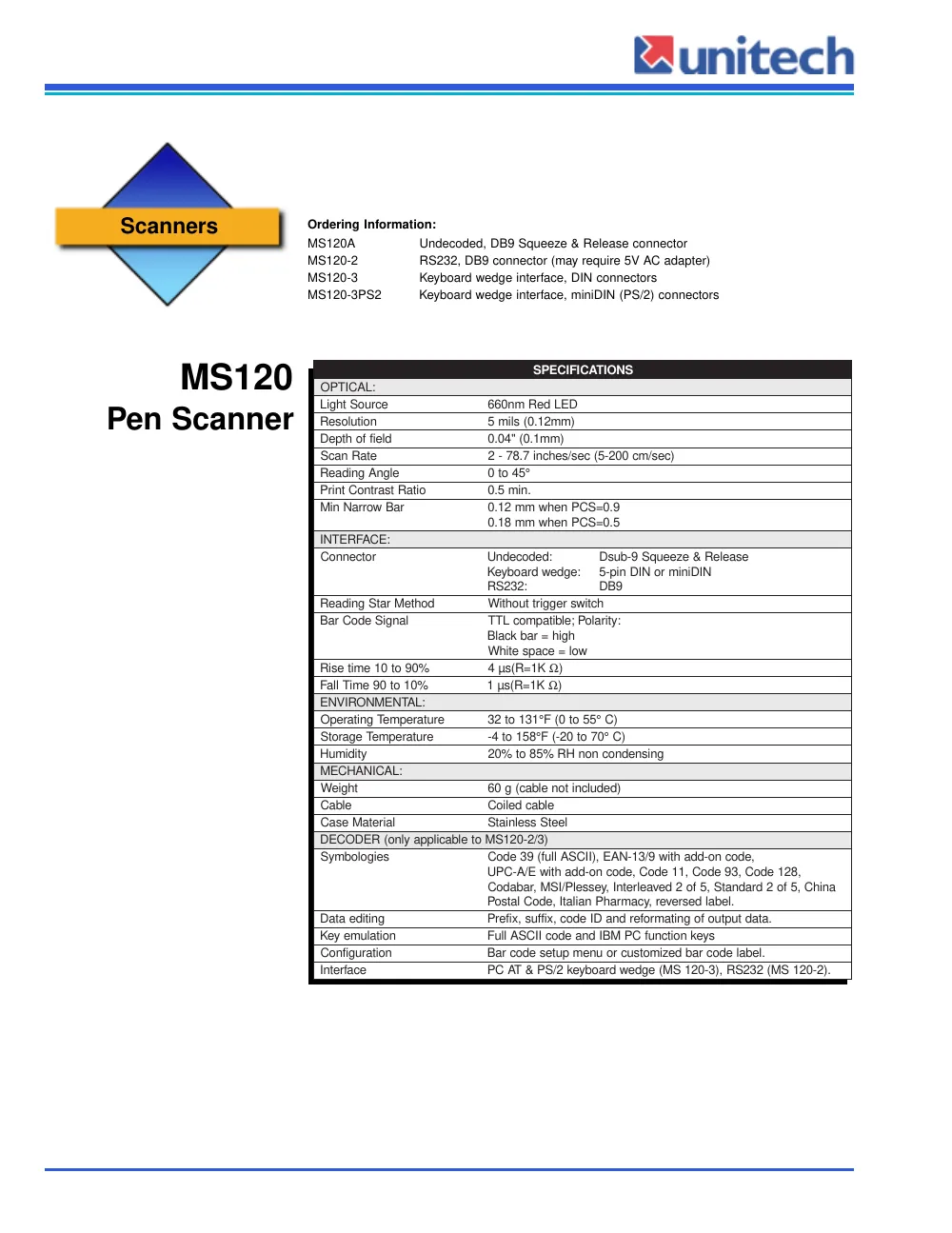
The text of page 2, from the PDF itself
Scanners
Ordering Information: MS120A MS120-2 MS120-3 MS120-3PS2
MS120 Pen Scanner
Undecoded, DB9 Squeeze & Release connector RS232, DB9 connector (may require 5V AC adapter) Keyboard wedge interface, DIN connectors Keyboard wedge interface, miniDIN (PS/2) connectors
SPECIFICATIONS OPTICAL: Light Source Resolution Depth of field Scan Rate Reading Angle Print Contrast Ratio Min Narrow Bar INTERFACE: Connector
Reading Star Method Bar Code Signal
660nm Red LED 5 mils (0.12mm) 0.04" (0.1mm) 2 - 78.7 inches/sec (5-200 cm/sec) 0 to 45° 0.5 min. 0.12 mm when PCS=0.9 0.18 mm when PCS=0.5 Undecoded: Dsub-9 Squeeze & Release Keyboard wedge: 5-pin DIN or miniDIN RS232: DB9 Without trigger switch TTL compatible; Polarity: Black bar = high White space = low 4 µs(R=1K Ω) 1 µs(R=1K Ω)
Rise time 10 to 90% Fall Time 90 to 10% ENVIRONMENTAL: Operating Temperature 32 to 131°F (0 to 55° C) Storage Temperature -4 to 158°F (-20 to 70° C) Humidity 20% to 85% RH non condensing MECHANICAL: Weight 60 g (cable not included) Cable Coiled cable Case Material Stainless Steel DECODER (only applicable to MS120-2/3) Symbologies Code 39 (full ASCII), EAN-13/9 with add-on code, UPC-A/E with add-on code, Code 11, Code 93, Code 128, Codabar, MSI/Plessey, Interleaved 2 of 5, Standard 2 of 5, China Postal Code, Italian Pharmacy, reversed label. Data editing Prefix, suffix, code ID and reformating of output data. Key emulation Full ASCII code and IBM PC function keys Configuration Bar code setup menu or customized bar code label. Interface PC AT & PS/2 keyboard wedge (MS 120-3), RS232 (MS 120-2).