Manual · TEC
TEC Laser Scanner LS-770 Series
Manual23 pagesPDF 2.9 MB
Owner's manual for the TEC LS-770 Series countertop laser scanner: safety, controls, operation, reading range and specifications.
What this file really is
The old site listed this file as a manual for the TEC LS-750. The file is named and linked for the LS-750, but the document is the owner's manual for the TEC LS-770 Series and names the LS-750 only in its IFC-750 interface cable model names.
Filed with · 1 model
Also filed with these models on the old site
Summary
What is in it
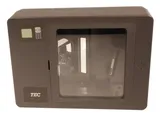
Owner's manual for the TEC LS-770 Series laser scanner, a countertop scanner for ECR and POS hosts. After the safety precautions it describes the scanner's parts, LED, push switch and volume switch, optional OCIA and RS-232C interface cables, power from an AC adapter or the host, the auto-power off function, scanning direction and reading range, maintenance, self-diagnosis error codes shown by LED and buzzer, specifications and laser safety.
Its parts
- Introduction
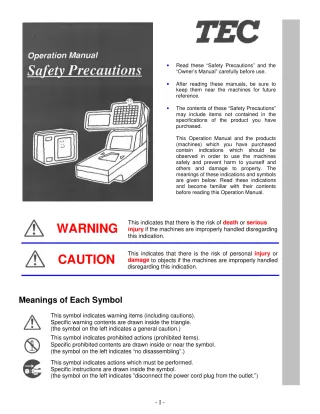
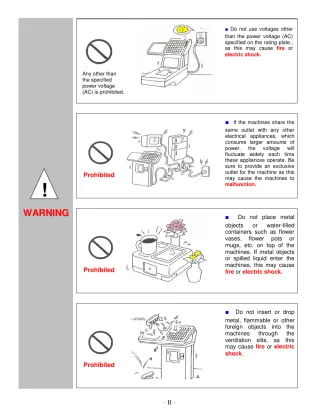
- Precautions
- Appearance and Nomenclature
- Operating Procedure
- Barcode Reading
- Maintenance
- Troubleshooting
- Specifications
- Laser Safety
From the manual · read page by page
Key facts from this manual
Some pages are scans or cannot be read; this says only what the readable text supports. Each line names its page in the PDF.
TEC Corporation's owner's manual (EO1-19028B) for the LS-770 Series laser scanner, which reads barcodes for an ECR/POS host; it names the LS-750 only in its IFC-750 interface cables. It covers safety precautions, the controls, power, how to read barcodes, cleaning, error indications, troubleshooting and specifications.
- Device
- LS-770 laser barcode scanner connected to an ECR/POS host p. 11, 12
- Interface
- OCIA or RS-232C, chosen to match the host, through a 26-pin interface cable p. 12, 20
- Interface cables
- Optional, 5.0 m: IFC-750-OC (OCIA); IFC-750-RS-09F (26P-9P female), IFC-750-RS-25F (26P-25P female), IFC-750-RS-25M (26P-25P male) for RS-232C p. 14, 20
- Power
- 12 VDC from an AC adapter complying with EIAJ RC6705, or from the host through the interface cable p. 12, 14, 20
- Reading range
- 50 mm to 200 mm above the Scanner Window p. 16, 20
- Barcodes
- EAN/JAN-13, EAN/JAN-8, UPC-A, UPC-E, UPC-D1 to D4, EAN-13/8 and UPC-A/E with 2 or 5 digit supplements, ITF, NW7 (CODABAR), CODE39, CODE93, CODE128 p. 16
- Dimensions
- 200 (W) x 90 (D) x 220 (H) mm standing vertically p. 20
- Weight
- 1.5 kg p. 20
- Controls
- Two-color LED (red ready, green good read), push switch, volume switch for buzzer volume and tone p. 13
- Auto power off
- Laser and motor turn off after an idle time; the push switch or an object above the window wakes it p. 14
- Error codes
- Red LED flashes with matching beeps: 1 ROM, 2 RAM, 3 EEPROM, 4 Decoder IC, 5 Motor, 6 Laser error p. 18
- Laser
- 670 nm visible laser diode; maximum peak output 540 microwatts p. 21
- Accessories
- Owner's Manual, connector cover, double sems screw p. 13
What this manual walks you through
- Powering the scanner from an AC adapter or the host p. 14
- Setting the buzzer volume and tone p. 13
- Holding an item so the barcode reads p. 15, 16
- Cleaning the top and under windows p. 17
- Reading the power-on and running error indications p. 18
- A scanner that does not power on p. 19
- A scanner that cannot read a barcode p. 19
- Scanned data that does not reach the host p. 19
Good to know
- The under window is acrylic and easily damaged. p. 17
- Never clean the scanner with thinner or other volatile solvents. p. 11
- The item should not touch the Scanner Window. p. 16
- Optical instruments such as a magnifying glass increase the eye hazard from the laser. p. 21
- The manual states the LS-770 carries an IEC Class 1 laser product label. p. 21
Questions this manual answers
What interface cable does the TEC LS-770 use?
IFC-750-OC for OCIA hosts, or IFC-750-RS-09F, IFC-750-RS-25F or IFC-750-RS-25M for RS-232C hosts. p. 14
What power does the TEC LS-770 need?
12 VDC, from an AC adapter complying with EIAJ RC6705 or from the host through the interface cable. p. 12, 14, 20
What do red LED flashes on the LS-770 mean?
The count shows the error: for example five flashes is a motor error and six a laser error. The manual says to tell a TEC representative. p. 18
How far above the window does the LS-770 read?
Hold the barcode 50 mm to 200 mm above the Scanner Window surface. p. 16
Which barcodes does the LS-770 read?
EAN/JAN-13 and -8, UPC-A, UPC-E, UPC-D1 to D4, add-on supplements, ITF, NW7 (CODABAR), CODE39, CODE93 and CODE128. p. 16
The whole text · 3 parts
Read the manual here as text
Its text as extracted from the PDF, unedited, in parts; each page opens the PDF at that page.
The file