Manual · Symbol
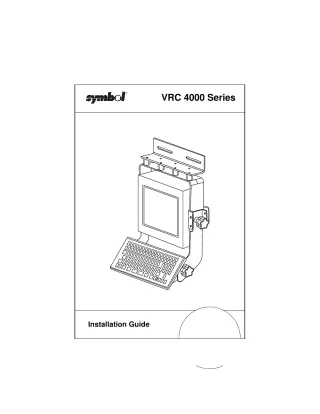
VRC 4000 Series Installation Guide
Manual20 pagesPDF 489 KB
Installation guide for Symbol VRC 4000 and VRC 4040 vehicle and fixed-mount radio computers: mounting, keyboard, power, maintenance.
Covers · 2 models
The models it covers
Summary
What is in it
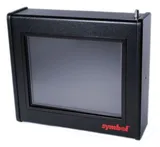
The installation guide for Symbol's VRC 4000 Series Vehicular Radio Computers, rugged PC-compatible terminals with a touchscreen and VGA display. It describes the fixed-mount VRC 4000 and the vehicle-mounted VRC 4040, the ports on the unit, and how to set up, mount the crown, universal or hyster bracket assemblies, mount the VRC, add the keyboard assembly and provide power to each version. It ends with maintenance, regulatory information and warranty contacts.
Its parts
- Introduction
- About This Guide
- Parts of the VRC
- Set-Up
- Maintenance
- Regulatory Information
- Related Publications
- Warranty Information
From the manual · read page by page
Key facts from this manual
Each line names its page in the PDF.
Installation guide for the Symbol VRC 4000 Series vehicular radio computers (RS 2200/3200 Series): the fixed-mount, wired VRC 4000 and the vehicle-mount, Spectrum24 radio VRC 4040. It covers the ports, the crown, universal and hyster mounting brackets, adding the keyboard assembly, powering each model and wiring the DC power converters, and cleaning.
- Device
- Ruggedized PC-compatible computer with touchscreen and full VGA display (electroluminescent or color LCD) p. 3
- Operating systems
- MS-DOS 3.3 through 6.22, Windows 3.1, Windows 95, Windows NT p. 3
- Network connectors
- Token Ring: DB9; Ethernet: RJ-45; wireless: non-standard RF antenna connector p. 6
- Ports
- LPT1 parallel port, COM1 and COM2 serial ports, PCMCIA card slot, DC PWR port, network connector p. 5
- Keyboard and scanner
- Ruggedized keyboard with locking connector; a "Y" cable P/N STI180-0275 joins keyboard and scanner p. 12
- Keyboard assembly
- Optional; can be added to the mounting assembly later p. 11
- VRC 4000 power
- VRC 4000: 110 VAC plug-in power supply with locking DC power adapter; no ON/OFF switch p. 3, 13
- VRC 4000 network
- VRC 4000: hard-wired Ethernet or Token Ring LAN p. 3
- VRC 4040 power
- VRC 4040: DC power converter, 12 V or 24-48V, from the vehicle battery; magnetic feet p. 13
- VRC 4040 radio
- VRC 4040: Spectrum24 2.4 GHz spread-spectrum radio; patch or 'rubber duck' antenna p. 3
- Mounting brackets
- Universal, hyster and crown mounting assemblies p. 7
- Converter wiring
- Black to positive, white to negative; 12 V converter adds a green or braided lead to chassis ground p. 14, 15
- Filter choke
- Some older electric fork lifts: 4 amp, 25 mhy choke (STANCOR p/n C-2686 or equivalent) on the positive lead p. 14
- Related manual
- VRC 4000 Product Reference Guide, p/n 70-19725-XX p. 19
What this manual walks you through
- Mounting the crown bracket assembly p. 7, 8
- Mounting the universal bracket assembly p. 8, 9
- Mounting the hyster bracket assembly p. 9
- Fitting the VRC onto its bracket p. 10
- Adding the keyboard assembly and connecting a scanner p. 11, 12
- Powering the VRC 4000 from a 110 VAC outlet p. 13
- Wiring the 24-48 V and 12 V power converters of the VRC 4040 p. 13, 14, 15
- Cleaning the case and touchscreen p. 15
Good to know
- On electric fork lifts the VRC must be isolated from the chassis, or the terminal may be damaged. p. 7
- Never connect the access cable directly to the battery terminals; use a filtered, fused point powered at all times. p. 13, 14
- Make all cable connections before applying power. p. 14
- VRC 4040: the access points must be set up before the terminal can talk to the host. p. 6
- Remove power before cleaning. p. 15
Questions this manual answers
What is the difference between the VRC 4000 and VRC 4040?
The VRC 4000 is fixed-mount, runs on 110 VAC and is wired to Ethernet or Token Ring; the VRC 4040 is vehicle-mount, runs on vehicle power and uses a Spectrum24 radio. p. 3
How do I wire the VRC 4040 power converter?
Black lead to positive, white to negative, and on the 12 V converter the green or braided lead to chassis ground, at a filtered, fused point, never straight to the battery. p. 13, 14, 15
What cable connects a keyboard and scanner to the VRC 4000?
A special "Y" cable, P/N STI180-0275, into the keyboard connector on the rear panel. p. 12
Does the VRC 4000 have a power switch?
No. It starts as soon as the power supply is connected and plugged into the 110 VAC outlet. p. 13
What operating systems run on the VRC 4000 Series?
MS-DOS 3.3 through 6.22, Windows 3.1, Windows 95 and Windows NT. p. 3
Contents
Chapters and sections
Each line opens the PDF at its page.
The whole text · 2 parts
Read the manual here as text
Its text as extracted from the PDF, unedited, in parts; each page opens the PDF at that page.
The file