Manual · Symbol
VRC 3940 Quick Reference
Manual80 pagesPDF 861 KB
Quick reference for the Symbol VRC 3940 vehicle-mount terminal: package contents, mounting, network connection and scanner use.
Covers · 1 model
The models it covers
Summary
What is in it
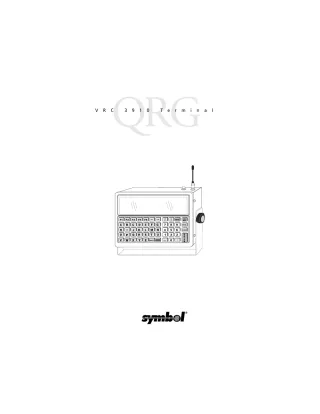
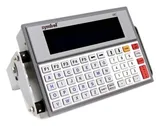
Symbol's quick reference for the VRC 3940, a vehicle-mount data collection terminal with a built-in radio for Spectrum24 networks. It lists the package contents and accessories, shows the terminal's components, and walks through mounting, cold booting, entering a Net ID in the Configurator, associating with an access point and downloading from a BOOTP server. It also covers the keyboard, attaching and using a laser scanner, and troubleshooting. The guide repeats in French, German, Italian and Spanish.
Its parts
- Introduction
- Package Checklist
- Accessories
- 3940 Terminal Components
- Installation Overview
- Mounting the Terminal
- Initiate Network Connection
- Attaching a Scanner
- Using the Scanner
- Troubleshooting
From the manual
Key facts from this manual
Each line names its page in the PDF.
Quick reference for the Symbol VRC 3940, a vehicle-mount terminal with a Spectrum24 radio, from the RS 2200/3200 Series; the same guide repeats in French, German, Italian and Spanish. It covers the package contents and accessories, cold booting and setting the Net ID so the terminal can join an access point and download its software, the keyboard, attaching a scanner and troubleshooting.
- Device
- Vehicle-mount data collection terminal with an integrated Spectrum24 radio p. 3
- Software
- Downloads its application and operating software over the Spectrum24 network (BOOTP and TFTP) p. 3, 9, 10
- Mounting
- Fork lift or similar vehicle, wall or work bench p. 6
- Connectors
- Power connector, RS-232 connector and DB-9 connector; fuse and master switch on the base p. 5
- Scanner port
- DB-9 plug on the bottom of the terminal p. 12
- Optional scanners
- Symbol LS 2000, LS 3000, LS 5000, LS 9100, LT 1700 p. 4
- Optional printers
- Symbol PS 1000, PS 200 p. 4
- Other options
- Heater blanket p. 4
- In the box
- Terminal, mounting bracket and hardware, cables, power cable adapter, antenna p. 3
- Fuse
- p/n 5109126-00 p. 15
- Backup battery
- NiCd backup battery, recharged by main power p. 15
- Net ID range
- 102-1FE in hex, set in the Configurator (CFG24) p. 7, 8
- Keyboard
- Programmable; modifier keys SHIFT, FUNC and CTRL p. 11
- Guide part number
- 70-17943-01, Revision C, April 2000 p. 80
What this manual walks you through
- Cold booting the terminal p. 6
- Entering a new Net ID in the Configurator p. 7, 8, 9
- What happens when the terminal fails to associate with an access point p. 7, 8
- Handling a failed boot server or file download p. 9, 10
- Using the keyboard and modifier keys p. 11
- Attaching and using a laser scanner p. 12, 13
- Troubleshooting boot, download, power and scanner problems p. 14, 15
Good to know
- Cold booting clears memory. p. 6
- The terminal loses its software when power is lost; it must be reloaded from the network. p. 15
- Do not move the terminal while it boots or downloads; it may lose the access point. p. 14
- Scanning straight on may bounce light back and prevent a decode; hold the scanner at a slight angle. p. 12, 13
- The guide gives no specific mounting steps; it points to the Series 3900 Product Reference Guide. p. 6
Questions this manual answers
How do I cold boot a VRC 3940?
With the terminal off, hold Enter, F4 and F1, press and release On/Off, then let go of the three keys; memory is cleared. p. 6
How do I change the Net ID on a VRC 3940?
In the Configurator (CFG24 at the DOS prompt), enter a hex value from 102 to 1FE, power off and cold boot again. p. 8, 9
What fuse does the VRC 3940 take?
Fuse p/n 5109126-00; if it keeps failing, send the terminal for repair. p. 15
Which scanners work with the VRC 3940?
The guide lists the Symbol LS 2000, LS 3000, LS 5000, LS 9100 and LT 1700 laser scanners as options. p. 4
What does Cannot find Boot Server mean on the VRC 3940?
The terminal found no BOOTP server to download from; ask the administrator for help. p. 9
Contents
Chapters and sections
Each line opens the PDF at its page.
- Introduction3
- Package Checklist3
- Accessories4
- 3940 Terminal Components5
- Installation Overview6
- Mounting the Terminal6
- Initiate Network Connection6
- Attaching a Scanner12
- Using the Scanner12
- Troubleshooting14
- Introduction17
- Accessoires18
- Composants du terminal 394019
- Présentation général de l’installation20
- Fixation du terminal20
- Connexion au réseau20
- Saisie du nouveau numéro d’identification de réseau dans le Configurateur21
- Le terminal tente de se connecter au Point d’Accès22
- Le clavier26
- Connexion d’un lecteur27
- Utilisation du lecteur27
- Dépannage29
- Einführung33
- Checkliste für den Paketinhalt33
- Zubehör34
50 more lines, from page 34 on
- Wahlweise verfügbares Zubehör34
- Komponenten des Terminals 394035
- Installationsübersicht36
- Montage des Terminals36
- Aktivieren des Netzanschlusses36
- Die Tastatur42
- Anbringen eines Scanners43
- Benutzen des Scanners43
- Fehlersuche45
- Introduzione49
- Elenco di riscontro fornitura49
- Accessori50
- Componenti del terminale 394051
- Installazione52
- Montaggio del terminale52
- Avvio della connessione alla rete52
- Collegamento di un lettore59
- Uso del lettore59
- Indicazioni di lettura corretta60
- Risoluzione dei problemi61
- Introducción65
- Lista de comprobación del paquete65
- Accesorios66
- Componentes del terminal 394067
- Descripción general de la instalación68
- Montaje del terminal68
- Conexión a la red de datos68
- Conexión de un Escáner74
- Uso del Escáner74
- Solución de problemas76
The whole text · 8 parts
Read the manual here as text
Its text as extracted from the PDF, unedited, in parts; each page opens the PDF at that page.
The file