Manual · Symbol
TRG 3000 Trigger Handle Quick Reference
Manual8 pagesPDF 553 KB
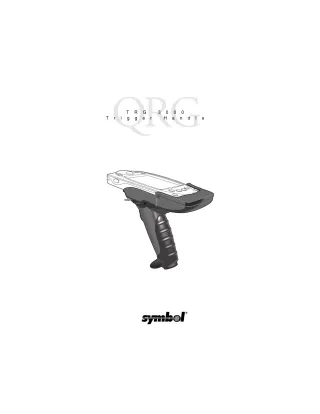
Quick reference for the Symbol TRG 3000 trigger handle, a gun-style scanning grip for SPT 17xx, SPT 18xx and PPT 2800 terminals.
Covers · 1 model
The models it covers

Summary
What is in it
Symbol quick reference for the TRG 3000 Trigger Handle, which adds a gun-style handle with a scanning trigger to a terminal for scan-intensive work. It explains inserting and removing the terminal, enabling the handle on SPT 17xx terminals, SPT 18xx terminals with the 3.5 or 4.1 operating system and the PPT 2800 Ext. 5 volt setting, scanning with the trigger, troubleshooting, ergonomic and regulatory information, the warranty and service contacts.
Its parts
- Introduction
- Inserting the Terminal in the Trigger Handle
- Configuring the Trigger Handle
- PPT 2800 Symbol Setting - Ext. 5 Volts
- Scanning
- Troubleshooting
- Regulatory Information
- Ergonomic Recommendations
From the manual · read page by page
Key facts from this manual
Some pages are scans or cannot be read; this says only what the readable text supports. Each line names its page in the PDF.
Quick reference guide for the Symbol TRG 3000 Trigger Handle, a gun-style handle with a scan trigger that a handheld terminal slides into. It covers fitting and removing the terminal, turning on trigger support in the SPT 17xx, SPT 18xx and PPT 2800 terminals, scanning and troubleshooting.
- Device
- Gun-style handle with a scanning trigger for a handheld terminal p. 3
- Terminals named
- SPT 1700 (SPT 17xx), SPT 18xx, PPT 2700, PPT 2800 p. 3, 4
- SPT 17xx software
- Needs the TRG3000 Pistol Grip Software installed, then a soft reset p. 3, 4
- SPT 18xx, OS 3.5
- Software built in; the trigger works once the handle is fitted p. 4
- SPT 18xx, OS 4.1
- Software built in but off by default; tick Trigger Sled in Symbol Preferences p. 4
- PPT 2800 setting
- Ext. 5 volt must be Always On or Active On; the default Off does not work p. 4
- Connection
- Contacts the terminal's synchronization port p. 6
- Release
- Press down the release spring and pull the terminal forward p. 5
- Filler block
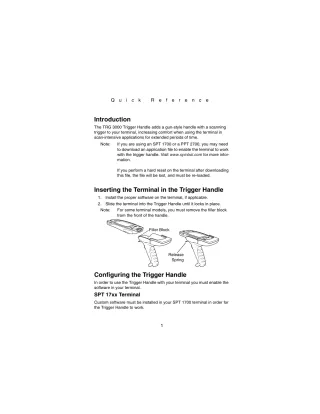
- Some terminal models need the filler block removed from the front of the handle p. 3
- Guide part number
- 72-51422-02, Revision A, July 2002 p. 8
What this manual walks you through
- Sliding the terminal into the handle p. 3
- Downloading and installing the handle software on an SPT 1700 p. 3, 4
- Turning on the trigger on an SPT 18xx with OS 4.1 p. 4
- Setting Ext. 5 volts on a PPT 2800 p. 4, 5
- Scanning bar codes with the trigger p. 5
- Troubleshooting a terminal that will not decode p. 6
Good to know
- On an SPT 1700 or PPT 2700, a hard reset erases the downloaded handle file; load it again. p. 3
- Take the handle off for cradle synchronizing with the desktop; wireless sync works with it on. p. 5
- With PPT 2800 Ext. 5 volt left at its default Off, the handle does not work. p. 4
Questions this manual answers
Why does the TRG 3000 trigger not scan on my PPT 2800?
Ext. 5 volts must be set to Always On or Active On in Symbol Settings; with the default Off the handle does not work. p. 4
How do I enable the trigger handle on an SPT 1800?
With OS 3.5 it works once fitted; with OS 4.1 tick the Trigger Sled box in Symbol Preferences. p. 4
Does the SPT 1700 need software for the TRG 3000?
Yes. Install the TRG3000 Pistol Grip Software and soft reset; a hard reset erases it. p. 3, 4
How do I remove a terminal from the TRG 3000?
Press down the release spring and pull the terminal forward. p. 5
Contents
Chapters and sections
Each line opens the PDF at its page.
The whole text · 1 part
Read the manual here as text
Its text as extracted from the PDF, unedited, in parts; each page opens the PDF at that page.
The file