Manual · Symbol
Synapse Smart Cable for IBM 468X/9X Interface Guide
Manual16 pagesPDF 85 KB
Interface guide for Symbol STI30 Synapse Smart Cables that connect a scanner to IBM 468X/469X point-of-sale hosts.
Filed with · 3 models
Also filed with these models on the old site
Summary
What is in it
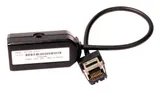
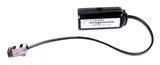
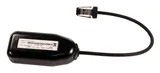
Symbol's interface guide for the Synapse Smart Cable for IBM 468X/9X hosts, covering model configurations STI30-XXXX. It gives the setup steps for connecting the Synapse module, scanner and host, and the programming bar codes for Synapse defaults, enabling LS 9100 communication, choosing the host port emulation (non-IBM, hand-held or table-top scanner), and storing parameter sets for different locations. A What If troubleshooting table, service contacts and warranty terms close the guide.
Its parts
- Introduction
- Programming
- Setup Steps
- Set Synapse Defaults
- Enable LS 9100 Communication
- Host Selection
- Advanced Features
- What If...
- Service Information
- Warranty
From the manual · read page by page
Key facts from this manual
Each line names its page in the PDF.
Symbol's interface guide (70-13784-01 Revision D, March 2001) for the Synapse "Smart Cable" that connects a Symbol scanner to an IBM 468X/9X point-of-sale host. It is written for model configurations printed as STI30-XXXX and does not name individual STI30 part numbers. It gives the setup steps, the host port bar codes, parameter sets and a short troubleshooting table.
- Device
- Synapse "Smart Cable" interface linking a Symbol scanner to an IBM 468X/9X host p. 1, 3
- Model family
- STI30-XXXX configurations; the guide's bar codes work only with STI30-XXXX cables p. 1, 3
- Host port modes
- Non-IBM Scanner Emulation (Port 5B), Hand-held Scanner Emulation (Port 9B), Table-top Scanner Emulation (Port 9C/9E/17); No Host by default p. 6, 7
- Connection
- The Synapse module plugs into the scanning cable with the "S" graphics aligned; the Synapse connector goes into the host port p. 4
- Power
- A power supply goes into the Synapse power jack and an AC outlet when needed p. 4
- Parameter storage
- Synapse interface parameters are stored in the scanner along with the scanner parameters p. 3
- Parameter sets
- Parameter Set 1 (default) and Parameter Set 2, for different places the scanner is used p. 8, 9
- LS 9100 scanners
- Need the ENABLE LS 9100 COMMUNICATION bar code scanned before use p. 3, 5
- Guide number
- 70-13784-01 Revision D, March 2001 p. 1
What this manual walks you through
- Setting up the Synapse cable between scanner and IBM host p. 4
- Selecting the IBM host port emulation by bar code p. 6, 7
- Restoring Synapse defaults for the current set or for all cables p. 5, 10
- Programming and switching parameter sets p. 8
- Troubleshooting no data, wrong data and beep sequences p. 11
Good to know
- Power down the host before connecting the Synapse cable. p. 4
- Scanning a Set Defaults bar code from the scanner manual means the Synapse parameters must be entered again. p. 11
- On an LS 9100, enabling a non-Synapse interface means the Enable LS 9100 Communication bar code must be scanned again. p. 5
- A lo/hi/lo/hi beep means parameter storage in the scanner is full. p. 11
Questions this manual answers
What does the Symbol STI30 Synapse cable connect to?
It connects a Symbol scanner to an IBM 468X/9X point-of-sale host through a Synapse module. p. 1, 3
How do I set the Synapse cable for IBM port 9B?
Scan the Hand-held Scanner Emulation (Port 9B) bar code in the host selection pages; the default is No Host. p. 6, 7
What does a lo/hi/lo/hi beep mean on a Synapse cable?
The scanner's parameter storage is full. Scan a Set Synapse Defaults bar code for cables no longer in use. p. 11
How do I take the cable off the Synapse module?
Squeeze the cable at the "S" and pull it out of the module. p. 4
Contents
Chapters and sections
Each line opens the PDF at its page.
The whole text · 2 parts
Read the manual here as text
Its text as extracted from the PDF, unedited, in parts; each page opens the PDF at that page.
The file