Manual · Symbol
SPS 3000 Scan/LAN Quick Reference
Manual20 pagesPDF 544 KB
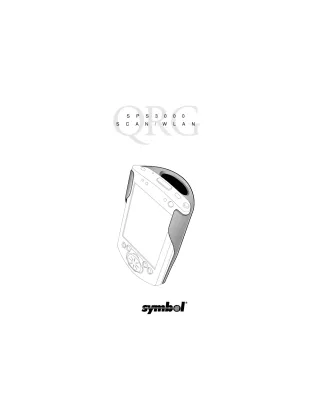
Quick reference guide for the Symbol SPS 3000 scanning and wireless LAN expansion pack for the Compaq iPAQ Pocket PC.
Names · 1 model
The models it names
Filed with · 1 model
Also filed with these models on the old site
Summary
What is in it
A quick reference guide for the Symbol SPS 3000 Series, expansion packs that add barcode scanning and wireless LAN to the Compaq iPAQ Pocket PC. It describes the three configurations, the parts of the iPAQ and the SPS 3000, installing the Windows CE SDK, checking and charging the battery on WLAN units, inserting the iPAQ, attaching the lanyard, scanning barcodes, maintenance, ergonomic recommendations and regulatory information.
Its parts
- Introduction
- Configurations
- About This Guide
- Parts of the SPS 3000
- Installing the SPS 3000 SDK
- Checking the Battery Power (For WLAN units)
- Charging the SPS 3000 Battery (For WLAN Units)
- Inserting the iPAQ into the SPS 3000
- Attaching the Lanyard
- Scanning Bar Codes
- Maintaining the SPS 3000
- Ergonomic Recommendations
- Regulatory Information
From the manual · read page by page
Key facts from this manual
Some pages are scans or cannot be read; this says only what the readable text supports. Each line names its page in the PDF.
Quick reference guide for the Symbol SPS 3000 Scan/LAN, a family of expansion packs that add a 1D scanner, an 802.11b radio, or both to the Compaq iPAQ Pocket PC. It shows how to install the SDK, check and charge the pack battery, fit the iPAQ, scan bar codes and apply the regulatory country stamp on the SPS 3046.
- Device
- Expansion pack for the Compaq iPAQ Pocket PC adding bar code scanning and wireless LAN p. 3
- Configurations
- Scan Only; Scan/WLAN; WLAN only p. 3
- Radio
- Integrated Spectrum24 802.11b (11Mbps) radio and antenna p. 3
- Battery
- 770mAH Lithium-Ion, internal and not removable, in the WLAN units only p. 3, 9
- Charge time
- About 2.5 hours for the pack alone; about 5 hours with the iPAQ when both are fully discharged p. 9, 10
- Charging
- AC adapter into the pack's power jack, the iPAQ's power jack, or a cradle with the adapter connected p. 9, 10
- Software
- Symbol SPS 3000 Windows CE SDK, which holds the scan drivers the pack needs p. 7
- Good-read signal
- Power LED blinks green and a beep sounds p. 13
- Scan window
- On the scan versions only; the exit window contains glass p. 6, 13
- Cradle fit
- Fits iPAQ cradles and chargers; extend the cradle's retractable stabilizing arms first p. 3, 11
- Europe radio bands
- -EU suffix: 2.400 - 2.4835 GHz; -FR suffix (France): 2.4465 - 2.4835 GHz p. 17
- Guide part number
- 72-52672-02, Revision B, December 2001 p. 20
What this manual walks you through
- Installing the SPS 3000 SDK on the iPAQ p. 7
- Checking the pack battery on the iPAQ Power screen p. 8, 9
- Charging the pack alone or attached to an iPAQ p. 9, 10
- Fitting the iPAQ into the pack and removing it p. 10, 11
- Attaching the lanyard p. 12
- Scanning bar codes p. 13
- Care and cleaning of the exit window p. 13, 14
- Applying the regulatory country stamp on the SPS 3046 p. 18
Good to know
- The pack battery charges only after the iPAQ battery is full. p. 10
- The pack shows no charging light; check its charge on the iPAQ. p. 9
- When the pack battery gets critically low, the iPAQ shuts the pack down; the iPAQ battery is not affected. p. 7
- The Scan Only model has no battery, so no external battery bar appears. p. 9
- Using the radio without the regulatory label or the right country stamp is illegal. p. 18
Questions this manual answers
How long does the SPS 3000 battery take to charge?
About 2.5 hours from empty when charged alone; with an empty iPAQ attached, both together take about 5 hours. p. 9, 10
Can I replace the SPS 3000 battery?
No. The battery in the WLAN units is internal and cannot be removed. p. 9
Where do I get the SPS 3000 scanner driver?
The scan drivers come in the Symbol SPS 3000 Windows CE SDK; reboot the iPAQ after installing it. p. 7
Contents
Chapters and sections
Each line opens the PDF at its page.
- Introduction3
- Configurations3
- About This Guide4
- Parts of the SPS 30006
- Installing the SPS 3000 SDK7
- Checking the Battery Power (For WLAN units)7
- Charging the SPS 3000 Battery (For WLAN Units)9
- Inserting the iPAQ into the SPS 300010
- Attaching the Lanyard12
- Scanning Bar Codes13
- Maintaining the SPS 300013
- Ergonomic Recommendations14
- Regulatory Information14
- iPAQ Pocket PC Parts Used with the SPS 30005
The whole text · 2 parts
Read the manual here as text
Its text as extracted from the PDF, unedited, in parts; each page opens the PDF at that page.
The file