Manual · Symbol
PL 370/470 RF Cradle Quick Reference
Manual16 pagesPDF 2.1 MB
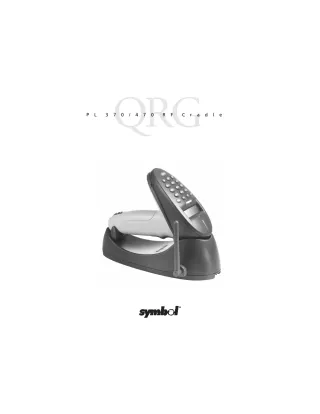
Quick reference for the Symbol PL 370 and PL 470 RF cradles, which charge the Phaser RF scanner and pass its data to a host.
Covers · 2 models
The models it covers
Summary
What is in it
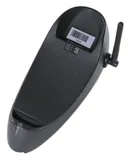
A quick reference guide for the Symbol PL 370/470 RF cradle, the stand, host interface and charger for the Phaser RF scanner. The PL 470 is the radio retail version and the PL 370 the radio industrial version. It covers the supplied parts, connecting to the host, wall and desk mounting, pairing the scanner with the cradle, sending data, charging the scanner battery, the charging LED, troubleshooting, cleaning, regulatory notes and a wall mounting template.
Its parts
- Introduction
- Equipment Supplied
- Related Documentation
- Parts of the Cradle
- Connecting to the Host
- Wall Mounting
- Inserting Phaser in the Cradle
- Pairing
- Sending Data to Host Computer
- Recharging the Battery in the Scanner
- Charging LED
- Troubleshooting
- Cleaning
- Regulatory Information
From the manual · read page by page
Key facts from this manual
Some pages are scans or cannot be read; this says only what the readable text supports. Each line names its page in the PDF.
The Symbol quick reference guide for the PL 370/470 RF cradle (72-38494-01, Revision B, June 2002), the stand, host interface and charger for the Phaser RF scanner. It covers the cradle's parts, connecting it to a host, desk or wall mounting, pairing the scanner, charging and the charging LED, troubleshooting and cleaning. A wall mounting template is included.
- Device
- RF cradle that is a stand, host communication interface and charger for the Phaser RF scanner p. 3
- Versions
- PL 470: radio retail version; PL 370: radio industrial version p. 3
- Connections
- COM1 port for the host interface cable, power port, antenna, charging/communications contacts p. 4, 5
- Power
- Separate power supply into the power port; the host cannot power the cradle p. 5
- Power supply rating
- Symbol-approved supply, output 9 Vdc, minimum 1 A p. 9
- Radio link
- Low power RF transceivers in scanner and cradle, bidirectional message packets p. 6
- Charge time
- Up to 4 hours for a complete charge; charging starts 15 minutes after the scanner is placed p. 7, 8
- Charging LED
- Off: no scanner; slow blink: in cradle, not charging; fast blink: charging; on: charge complete p. 8
- Pairing beeps
- Warble: paired; Lo Hi: pairing failed p. 7
- Mounting
- Desktop or wall p. 3
- Related guides
- P 370/470 RF Scanner Product Reference Guide p/n 72-38495-xx; Quick Reference Guide p/n 72-38493-xx p. 3
What this manual walks you through
- Connecting the cradle to a host computer and power p. 5
- Wall mounting the cradle p. 5, 6
- Seating the Phaser scanner in the cradle p. 6
- Pairing the scanner with the cradle p. 6, 7
- Recharging the scanner battery p. 7
- Reading the charging LED p. 8
- Troubleshooting a cradle that does not work p. 8
- Cleaning the cradle p. 8
Good to know
- After a new host is installed at the cradle, re-scan the pairing bar code. p. 7
- The scanner cannot scan data until pairing is complete; this takes seconds in the cradle, over a minute out of it. p. 7
- Before wall mounting, move the scanner support tab to the wall-mount position. p. 5
- Do not pour, spray or spill any liquid on the cradle. p. 8
Questions this manual answers
How long does the Phaser battery take to charge in the PL 370 cradle?
Up to 4 hours for a complete charge. The cradle waits 15 minutes after the scanner is placed before it starts charging. p. 7, 8
How do I pair a Phaser scanner with the PL 370/470 cradle?
Scan the pairing bar code on top of the cradle, then place the scanner in the cradle. A warble beep means pairing succeeded. p. 7
Can the PL 470 cradle be powered from the host computer?
No. It needs its own power supply connected to the cradle's power port. p. 5
What is the difference between the PL 370 and PL 470 cradles?
The PL 470 is the radio retail version and the PL 370 the radio industrial version. p. 3
What does a slow blinking LED on the PL 370 cradle mean?
The scanner is in the cradle but not charging. p. 8
Contents
Chapters and sections
Each line opens the PDF at its page.
The whole text · 2 parts
Read the manual here as text
Its text as extracted from the PDF, unedited, in parts; each page opens the PDF at that page.
The file