Manual · Symbol
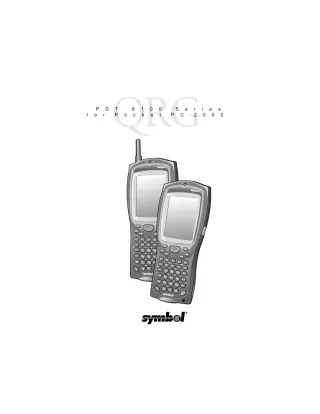
PDT 8100 Series Product Reference Guide for Pocket PC 2002
Manual321 pagesPDF 4.5 MB
Product reference guide for the Symbol PDT 8100 Series Pocket PC 2002 terminals: batch, wireless WAN and Spectrum24 models.
Names · 5 models
The models it names
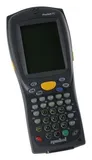 Symbol PDT-8100Portable batch data collection terminal from$995.007 in stock
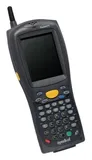 Symbol PDT-8133Wide-area wireless (WWAN) portable data collection terminal from$1,295.001 in stock
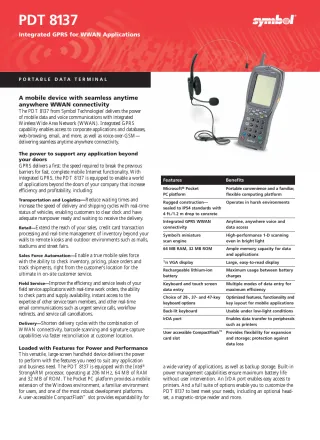
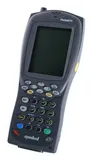 Symbol PDT-8137Wide-area wireless (WWAN) portable data collection terminal from$1,495.009 in stock Symbol PDT-8142802.11 (2 Mbps) wireless portable data collection terminal from$895.003 in stock
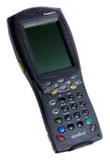 Symbol PDT-8146802.11b wireless portable data collection terminal from$895.00184 in stock
Filed with · 1 model
Also filed with these models on the old site
Summary
What is in it
Symbol's product reference guide for the PDT 8100 Series terminal running Pocket PC 2002, covering the batch PDT 8100, the PDT 813x wireless WAN models and the PDT 814x Spectrum24 LAN models. It explains batteries and charging, keyboards, scanning, ActiveSync, the Pocket PC applications, Spectrum24 setup for the PDT 8142 and PDT 8146, CDPD, GPRS and GSM setup, the Terminal Configuration Manager, maintenance and troubleshooting.
Its parts
- About This Guide
- Getting Started
- Operating the PDT 8100
- Customizing Your PDT 8100
- Communications
- Applications
- Companion Programs
- Pocket Internet Explorer
- Connections
- Spectrum24 Network Configuration
- Wireless Wide Area Network Configuration
- Software Installation on Development PC
- Configuring the Terminal
- Maintenance and Troubleshooting
From the manual
Key facts from this manual
Each line names its page in the PDF.
Symbol's PDT 8100 Series Product Reference Guide for Pocket PC 2002 (72-55034-04 Revision A, December 2002), a 321-page manual for the PDT 8100 handheld terminals, with chapters for the PDT 8133 (CDPD), PDT 8134/8137 (GSM, SIM card), PDT 8142 and PDT 8146 (Spectrum24 wireless LAN). It covers setup, batteries and charging, scanning, resets, radio and network configuration, software loading, troubleshooting and technical specifications.
- Device
- Pocket PC 2002 handheld terminal with an integrated 1-D or 2-D bar code scanner p. 3, 71
- Battery
- 1550 mAH lithium-ion, part number 21-52319-01; about 2 1/2 hours to charge p. 25, 27
- Operating temperature
- -20° C to 50° C (-4° F to 122° F); storage -40° C to 70° C p. 285
- Size
- 1-D terminal 8.5 x 3.625 x 2.00 in. (216 x 92 x 51 mm); 2-D terminal 2.25 in. (57 mm) high p. 285
- Weight
- 16.1 oz / 456 gm (1-D) or 19.1 oz / 542 gm (2-D) with battery, PDT 8146 monochrome p. 285
- Decode distance
- 3 to 10.5 in. (7.6 to 26.7 cm) p. 285
- Sealing and drop
- The manual states IP54 sealing (windblown rain and dust) and a 1.2 m (4 ft) drop to concrete p. 285
- Radios
- PDT 8142 2 MB and PDT 8146 11 MB Spectrum24 wireless LAN; PDT 8133 CDPD and PDT 8137 GSM wide area p. 150, 165, 185, 211
- Display
- Monochrome LCD or color TFT LCD touch screen p. 22
- Cradles
- CRD 8100-1000S single-slot serial charging cradle, CRD 8100-4000E 4-slot Ethernet cradle, VCD 8100-R000 vehicle cradle p. 25
- Add-on modules
- MDM 8100-100 snap-on modem, MSR 8100-100 magstripe reader, VCA 8100-00 auto charging adapter, CBL 8100-200-DEX cable p. 25
- Printer cables
- CBL8100-100-MON1, CBL8100-100-ELT, CBL8100-100-ON2, CBL8100-100-ZEB, CBL8100-100-CTC; carrying case 11-53814-01 p. 25
- Serial connector
- 15-pin Micro-D RS-232 port on terminals without scanner; mates with ITT Cannon MDM-15SSB (mil p/n M83513/5-6) p. 35
- Expansion
- Compact flash slot with locking mechanism; SIM socket on PDT 8134/8137 p. 32, 33
What this manual walks you through
- Installing and charging the battery p. 26, 27, 28, 29
- Charging a spare battery in the cradle p. 29
- Installing a SIM card in the PDT 8134 and PDT 8137 p. 32, 33
- Inserting and removing a compact flash card p. 33, 34, 35
- Starting the terminal and aligning the screen p. 37
- Scanning 1-D and PDF417 bar codes p. 71, 72
- Warm and cold boot on 28-, 37- and 47-key keyboards p. 73, 74
- Configuring the Spectrum24 wireless LAN p. 150, 165
- Setting up CDPD and GSM wide area connections p. 185, 211
- Troubleshooting power, display, memory, modem and scanning problems p. 245, 246, 247, 248, 249
Good to know
- Do not remove the main battery during the first ten hours of use, while the memory backup battery charges, or data may be lost. p. 27
- A cold boot erases records and entries not saved in the Flash File System. p. 73
- The flash card cover must be replaced after inserting or removing a card, or the terminal will not work. p. 34
- On low battery the scanner stops before the terminal shows a low battery warning. p. 249
- Only the stylus or plastic-tipped touch screen pens should be used on the screen, which contains glass. p. 245
Questions this manual answers
What battery does the Symbol PDT 8100 take?
A 1550 mAH lithium-ion battery, part number 21-52319-01, which charges in about 2 1/2 hours. p. 25, 27
How do I charge a PDT 8100?
In the CRD 8100-1000S cradle or with the Synchronization Cable plugged into a wall outlet; the cradle also has a slot for a spare battery. p. 27, 29, 30
How do I cold boot a PDT 8100?
Remove the battery cover, hold the Func key and gently press the reset button with the stylus tip, then replace the cover and press Power. p. 73, 74
What is the PDT 8100 COM1 pinout?
The ActiveSync port (COM1) has pin 1 ext ±5 volts, 2 DSR, 3 RXD, 4 RTS, 5 TXD, 6 CTS, 7 DCD, 8 RI, 9 DTR, 10 RS232 ground, 11 power ground, 12 9 Volts_In, 13 and 14 not connected. p. 287
Why won't my PDT 8100 scan bar codes?
The troubleshooting table lists no scanning application loaded, a defaced bar code, wrong distance, the terminal not programmed for that bar code type, or a low battery. p. 249
Contents
Chapters and sections
Each line opens the PDF at its page.
- Cover1
- About This Guide13
- Chapter 1 Getting Started19
- Introduction21
- Unpacking the Terminal21
- Parts of the PDT 810022
- Accessories25
- Installing Batteries26
- Charging the Battery27
- Checking Battery Power31
- Installing a SIM Card (PDT 8134/8137 Only)32
- Inserting a Compact Flash Card33
- 15-Pin Serial Port Connector (Terminals without Scanner)35
- Attaching the Handstrap36
- Attaching the Handstrap36
- Starting the PDT 810037
- Setting Up Your Terminal40
- Chapter 2 Operating the PDT 810043
- Introduction45
- Using the Power Button45
- Using the Backlight Button (Color TFT LCD)45
- Adjusting the Contrast (Monochrome LCD)46
- Using the Stylus46
- Using a Headset47
- Using the Keyboards47
- Today Screen54
- Selecting Programs56
- Using the Navigation Bar and Command Bar57
- Using Pop-up Menus58
- Notifications59
- Entering Information59
- Using My Text69
- Finding Information70
- Scanning71
- Resetting Your PDT 8100 Terminal73
- Chapter 3 Customizing Your PDT 810075
102 more lines, from page 75 on
- Introduction77
- Chapter 4 Communications85
- Chapter 5 Applications95
- Chapter 6 Companion Programs115
- Chapter 7 Pocket Internet Explorer129
- Chapter 8 Connections137
- Chapter 9 Spectrum24 Network Configuration147
- Chapter 10 Wireless Wide Area Network Configuration183
- Chapter 11 Software Installation on Development PC217
- Chapter 12 Configuring the Terminal221
- Chapter 13 Maintenance and Troubleshooting243
- Appendix A Block Recognizer Characters251
- Appendix B Demo Program253
- Appendix C GSM Demo Program273
- Appendix D Technical Specifications285
- Appendix E Keyboard Maps289
- Index313
The whole text · 39 parts
Read the manual here as text
Its text as extracted from the PDF, unedited, in parts; each page opens the PDF at that page.
- Cover1-4
- Contents5-12
- About This Guide13-18
- Chapter 1 Getting Started, pages 19 to 2619-26
- Chapter 1 Getting Started, pages 27 to 3427-34
- Chapter 1 Getting Started, pages 35 to 4235-42
- Chapter 2 Operating the PDT 8100, pages 43 to 5043-50
- Chapter 2 Operating the PDT 8100, pages 51 to 5851-58
- Chapter 2 Operating the PDT 8100, pages 59 to 6659-66
- Chapter 2 Operating the PDT 8100, pages 67 to 7467-74
- Chapter 3 Customizing Your PDT 810075-84
- Chapter 4 Communications85-94
- Chapter 5 Applications, pages 95 to 10495-104
- Chapter 5 Applications, pages 105 to 114105-114
- Chapter 6 Companion Programs115-128
- Chapter 7 Pocket Internet Explorer129-136
- Chapter 8 Connections137-146
- Chapter 9 Spectrum24 Network Configuration, pages 147 to 155147-155
- Chapter 9 Spectrum24 Network Configuration, pages 156 to 164156-164
- Chapter 9 Spectrum24 Network Configuration, pages 165 to 173165-173
- Chapter 9 Spectrum24 Network Configuration, pages 174 to 182174-182
- Chapter 10 Wireless Wide Area Network Configuration, pages 183 to 191183-191
- Chapter 10 Wireless Wide Area Network Configuration, pages 192 to 200192-200
- Chapter 10 Wireless Wide Area Network Configuration, pages 201 to 209201-209
- Chapter 10 Wireless Wide Area Network Configuration, pages 210 to 216210-216
- Chapter 11 Software Installation on Development PC217-220
- Chapter 12 Configuring the Terminal, pages 221 to 228221-228
- Chapter 12 Configuring the Terminal, pages 229 to 236229-236
- Chapter 12 Configuring the Terminal, pages 237 to 242237-242
- Chapter 13 Maintenance and Troubleshooting243-250
- Pages 251 to 258251-258
- Pages 259 to 266259-266
- Pages 267 to 272267-272
- Appendix C GSM Demo Program273-284
- Appendix D Technical Specifications285-288
- Appendix E Keyboard Maps, pages 289 to 296289-296
- Appendix E Keyboard Maps, pages 297 to 304297-304
- Appendix E Keyboard Maps, pages 305 to 312305-312
- Index313-321
The file