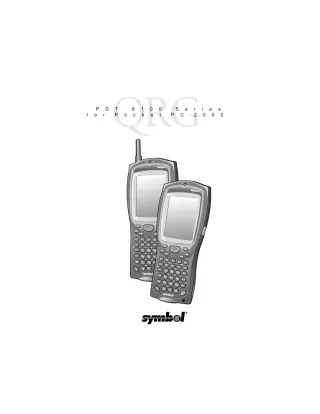
Manual · Symbol
PDT 8100 Series for Pocket PC 2002 Quick Reference
Manual48 pagesPDF 1.4 MB
Quick reference guide for the Symbol PDT 8100 Series Pocket PC 2002 terminals: batch, Spectrum24 and WAN models.
Names · 2 models
The models it names
 Symbol PDT-8100Portable batch data collection terminal from$995.007 in stock
 Symbol PDT-8137Wide-area wireless (WWAN) portable data collection terminal from$1,495.009 in stock
Filed with · 2 models
Also filed with these models on the old site
Summary
What is in it
A quick reference guide for setting up and using the Symbol PDT 8100 Series terminals running Pocket PC 2002, in batch, Spectrum24 (PDT 814x) and WAN (PDT 813x) versions. It shows the parts of the terminal and accessories, then covers the SIM card (PDT 8137), compact flash cards, battery installation and charging, the 28, 37 and 47-key keyboards, stylus and input methods, scanning, soft and hard resets, host communications, maintenance, troubleshooting and regulatory information.
Its parts
- Introduction
- Accessories
- Parts of the PDT 8100 Series
- Getting Started
- Using the Keyboard
- Using the Stylus
- Today Screen
- Input Methods
- Scanning with the PDT 8100
- Resetting Your PDT 8100 Terminal
- Host Communications
- Maintaining the PDT 8100
- Troubleshooting
- Ergonomic Recommendations
- Regulatory Information
From the manual
Key facts from this manual
Each line names its page in the PDF.
Symbol's Quick Reference for the PDT 8100 Series for Pocket PC 2002, covering the batch, Spectrum24 (PDT 814x) and WAN (PDT 813x, including the PDT 8133 and PDT 8137) versions. It walks through first setup, batteries and charging, the keyboards, scanning, resets, host and printer communication, and troubleshooting, with regulatory notes at the end.
- Device
- Handheld terminal running Microsoft Windows Pocket PC 2002, with 1- and 2-dimensional scanning and a touch screen p. 3
- Radio
- Spectrum24 wireless LAN on the PDT 814x; wide area network (CDPD or GSM) on the PDT 813x p. 3, 15
- Battery
- One 1550 mAh lithium-ion battery; first charge about 2 1/2 hours p. 4, 11
- Power supply
- Symbol-approved p/n 50-14000-107, 9 Vdc, minimum 2A p. 42
- Display
- Monochrome LCD or color TFT LCD p. 3
- Keyboard
- 28-key, 37-key or 47-key p. 3
- Host links
- RS-232 serial cable, cradle, or the wireless network; IrDA port for printing and communications p. 3, 31
- Serial connector
- 15-pin Micro-D RS-232 port at the top; mates with ITT Cannon MDM-15SSB (mil p/n M83513/5-6) p. 13
- Expansion
- Compact flash slot with a locking mechanism; SIM card on the PDT 8137 p. 8, 9
- Accessories
- Spare battery, stylus, serial charging, DEX, autocharge and snap-on printer cables, single-slot, four-slot and vehicle cradles, IrDA printer, magnetic stripe reader, clip-on modem, headset, carrying case p. 4
- Headset
- Audio connector on the side for a telephony headset, where fitted p. 16
- Related guides
- PDT 8100 Product Reference Guide p/n 72-55034-xx; CRD 8100-1000S Quick Reference Guide p/n 72-50974-xx p. 4, 12
What this manual walks you through
- Installing the SIM card in the PDT 8137 p. 8
- Inserting and removing a compact flash card p. 9, 10
- Installing and charging the battery, including a spare in the cradle p. 10, 11, 12, 13
- Starting the terminal and aligning the screen p. 14, 15
- Setting backlight and contrast from each keyboard p. 15, 16
- Scanning bar codes, including PDF417 p. 28, 29
- Soft and hard resets p. 29, 30, 31
- Connecting to a host PC by serial cable or cradle p. 31
- Printing to serial and IrDA printers p. 32
- Troubleshooting power, display, communication, memory and scanning problems p. 33, 34, 35, 36, 37
Good to know
- The main battery should stay in for the first ten hours while the memory backup battery charges, or data may be lost. p. 11
- A hard reset erases all stored records and entries; try a soft reset first. p. 30
- A soft reset should not be done while the terminal is suspended; press Power to wake it first. p. 29
- In the EEA, 2.4 GHz wireless LAN use is limited to 100 mW EIRP, with narrower bands in France and in Belgium outdoors, and Italy needs a user license. p. 46
- The battery must be replaced only with the same or an equivalent type. p. 46
Questions this manual answers
How long does a PDT 8100 battery take to charge?
About 2 1/2 hours in the cradle or on the Synchronization Cable; if the terminal was pulled from the cradle mid-charge, up to 4 hours. p. 11, 33
How do I soft reset a PDT 8100?
Press Backlight + Down Arrow + Function on the 28-key keyboard, Backlight + Alpha + Function on the 37-key, or Backlight + End + Function on the 47-key. p. 30
What power supply does the PDT 8100 need?
Only a Symbol-approved supply, p/n 50-14000-107, rated 9 Vdc at a minimum of 2A. p. 42
How close does a PDT 8100 need to be to an IrDA printer?
Within 39 inches (1 meter), with the IrDA port on the back pointed at the printer. p. 32
Where is the EID number on a PDT 8133?
On the back of the terminal; the service provider needs it to enable CDPD service. p. 46
Contents
Chapters and sections
Each line opens the PDF at its page.
- Introduction3
- About This Guide3
- Accessories4
- Parts of the PDT 8100 Series5
- Parts of the PDT 8100 Series (continued)6
- Parts of the PDT 8100 Series (continued)7
- Getting Started8
- Installing the SIM Card (PDT 8137 Only)8
- Inserting a Compact Flash Card9
- Removing a Compact Flash Card10
- Installing the Battery10
- Charging the Battery11
- 15-Pin Serial Port Connector13
- Attaching the Handstrap13
- Starting the PDT 810014
- Controlling the Backlight (Color TFT LCD)15
- Adjusting the Contrast (Monochrome LCD)16
- Using a Headset16
- Using the Keyboard16
- Using the Stylus22
- Today Screen23
- Navigation Bar and Command Bar24
- Input Methods24
- Scanning with the PDT 810027
- Resetting Your PDT 8100 Terminal29
- Host Communications31
- Maintaining the PDT 810032
16 more lines, from page 33 on
- Troubleshooting33
- END-USER LICENSE AGREEMENT38
- Ergonomic Recommendations40
- Regulatory Information40
- Power Supply42
- FCC RF Exposure Guidelines43
- GSM Regulatory Warnings43
- Emergency Calls43
- Radio Frequency Interference Requirements45
- Radio Frequency Interference Requirements - Canada45
- Statement of Compliance for Non-Radio Devices46
- Statement of Compliance for Radio Devices46
- Statement of Compliance for Radio Devices Integrated into Terminals46
- Statements (Other)46
- EID Number (PDT 8133 Only)46
- Battery Caution46
The whole text · 5 parts
Read the manual here as text
Its text as extracted from the PDF, unedited, in parts; each page opens the PDF at that page.
The file