Manual · Symbol
PDT 3200 Product Reference Guide
Manual132 pagesPDF 1.1 MB
Product reference guide for the Symbol PDT 3200 hand-held DOS data collection terminal: setup, operation, configuration and bar codes.
Covers · 2 models
The models it covers
Summary
What is in it
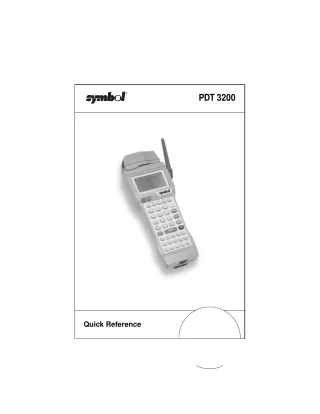
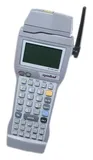
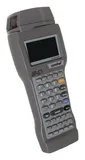
Symbol's product reference guide for the PDT 3200, a hand-held DOS computer used as a portable data collection terminal; some models have an integrated laser scanner and wireless models send data to a host. It covers the features, model configurations, batteries and accessories, using the keypad, display, laser, PC card slot, serial port and disk drives, the PC-based PDT 3200 Configuration Utility, programming parameters, and bar codes for configuring the terminal's symbologies.
Its parts
- About This Guide
- Chapter 1 Introduction
- Chapter 2 Using the PDT 3200
- Chapter 3 The PDT 3200 Configuration Utility
- Chapter 4 Programming Parameters
- Chapter 5 Bar Codes for Configuring the PDT 3200
From the manual
Key facts from this manual
Some pages are scans or cannot be read; this says only what the readable text supports. Each line names its page in the PDF.
The Symbol PDT 3200 Product Reference Guide (70-31466-01, Revision A, July 1997) for the PDT 3200 hand-held DOS data-collection terminal, including the wireless PDT3240 configurations. It describes the features and model configurations, batteries and accessories, the display, laser triggers, PC card slot, serial port and disk drives, and how to set the unit up with the Configuration Utility or configuration bar codes.
- Device
- Hand-held DOS computer for portable data collection; some models have an integrated laser scanner p. 15
- Configurations
- PDT3200-S0814000: 2MB RAM, 1MB flash, laser, no wireless; PDT3240-S0834099 and PDT3240-S08340US: 2MB RAM, 2MB flash, laser, wireless p. 18
- Memory
- 2 megabytes of RAM; 1 or 2 megabytes of flash by model, expandable to 64 megabytes with a PC ATA card p. 16
- Processor and OS
- AMD Élan AM386 SC300 32-bit microprocessor; Datalight ROM-DOS 6.22 p. 16
- Display
- Backlit LCD, 21 characters by 8 rows p. 34
- Keypad
- 41 keys; two laser triggers that double as keypad keys p. 16
- Batteries
- Three AA alkaline cells, or a NiCD or NiMH rechargeable pack; built-in lithium backup battery p. 19
- Serial port
- COM1, RJ 10-pin connector, standard RS-232; also charges the batteries in the cradle p. 45
- PC card slot
- Type I/II socket with PhoenixCARD Manager Plus drivers, used mainly as extra disk storage p. 16, 41
- Scanner input
- Hand-held 5-volt lasers, handheld CCDs, wands and I.D. badge scanners; a reader needs a standard nine-pin squeeze connector p. 16, 40
- Symbologies
- Code 39, Code 11, Code 128, Interleaved 2 of 5, Standard 2 of 5, Matrix 2 of 5, UPC, EAN 128, EAN-8/JAN-8, EAN-13/JAN-13, Codabar, MSI, Labelcode 4/5, Ames p. 16, 17
- Accessories
- PDT 3200 Cradle, portable battery charger, RJ-45 to DB-9 and DB-25 to DB-9/25 serial cables, NiMH and NiCd packs, 110V and 220V power supplies, holster, softcase p. 22, 23
- Disk drives
- A and B read-only system drives; C 700-kilobyte flash disk; D RAM disk of 1MB or 3MB p. 46, 47
- Setup software
- PDT 3200 Configuration Utility for Windows 3.1x and Windows 95; settings also by scanning bar codes p. 48
What this manual walks you through
- Replacing the batteries or battery pack p. 19, 20
- Changing the auto-off timeout p. 21
- Adjusting display contrast and the backlight p. 34
- Swapping the laser triggers or using them as keypad keys p. 36, 37
- Turning the laser module around for left-handed scanning p. 38
- Attaching a tethered bar code reader p. 40
- Inserting and removing PC cards p. 42, 43, 44
- Understanding the logical disk drives p. 46, 47
- Configuring the unit with the utility or bar codes p. 48
Good to know
- Turn the unit off before removing the batteries, or data in memory may be lost. p. 19
- Data on the RAM disk (drive D) can be lost on a power failure or reset; drive C or an ATA flash card is the safer place. p. 47
- Turn the unit off before inserting or removing a PC card. p. 43
- Data transfer through the cradle needs a null modem cable. p. 22
- Do not immerse the unit in liquid or use abrasive cleaners on the display. p. 23
Questions this manual answers
What batteries does the PDT 3200 take?
Three standard AA alkaline batteries, or a rechargeable NiCD or NiMH battery pack. A built-in lithium backup battery keeps data while they are out. p. 19
What is the difference between the PDT 3200 and PDT 3240?
In the configuration table, the PDT3200-S0814000 has 1MB of flash and no wireless, while the PDT3240 models have 2MB of flash and wireless. All three have 2MB RAM and a laser. p. 18
How long does a PDT 3200 battery take to charge?
With the optional portable battery charger, fully drained rechargeable batteries recharge in about 2 hours. p. 22
What operating system does the PDT 3200 run?
Datalight ROM-DOS 6.22, on an AMD Élan AM386 SC300 32-bit microprocessor. p. 16
How long before the PDT 3200 turns itself off?
The auto-off default is 5 minutes; it can be changed or turned off by scanning a bar code from Chapter 5. p. 21
Contents
Chapters and sections
Each line opens the PDF at its page.
The whole text · 15 parts
Read the manual here as text
Its text as extracted from the PDF, unedited, in parts; each page opens the PDF at that page.
- Pages 1 to 81-8
- About This Guide9-12
- Chapter 1 Introduction13-24
- Chapter 2 Using the PDT 3200, pages 25 to 3425-34
- Chapter 2 Using the PDT 3200, pages 35 to 4435-44
- Chapter 2 Using the PDT 3200, pages 45 to 5245-52
- Chapter 3 The PDT 3200 Configuration Utility, pages 53 to 6253-62
- Chapter 3 The PDT 3200 Configuration Utility, pages 63 to 7263-72
- Chapter 3 The PDT 3200 Configuration Utility, pages 73 to 8073-80
- Chapter 4 Programming Parameters81-86
- Chapter 5 Bar Codes for Configuring the PDT 3200, pages 87 to 9687-96
- Chapter 5 Bar Codes for Configuring the PDT 3200, pages 97 to 10697-106
- Chapter 5 Bar Codes for Configuring the PDT 3200, pages 107 to 116107-116
- Chapter 5 Bar Codes for Configuring the PDT 3200, pages 117 to 126117-126
- Chapter 5 Bar Codes for Configuring the PDT 3200, pages 127 to 132127-132
The file