Manual · Symbol
P470/370 RF Scanner Quick Reference
Manual16 pagesPDF 1.5 MB
Quick reference for the Symbol P470 and P370 cordless RF bar code scanners: charging, scanning, battery and quick startup.
Covers · 2 models
The models it covers
Summary
What is in it
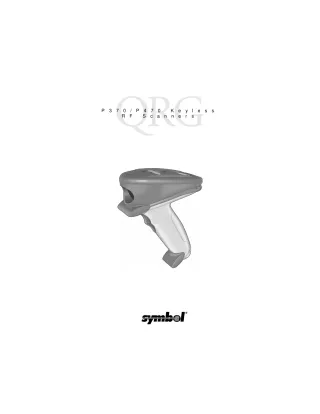
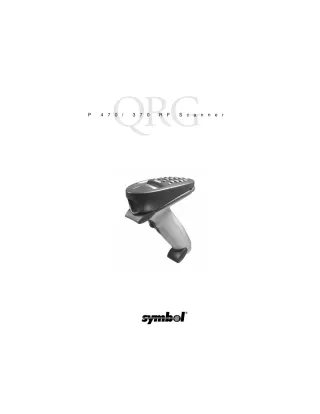
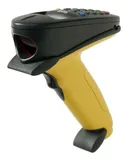
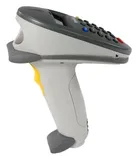
The quick reference guide for the Symbol P470 (retail) and P370 and P370 ALR (industrial) cordless RF scanners, which send data to the host by radio through a cradle instead of a cable. It covers charging the scanner in the cradle, powering up, scanning technique, changing the battery, a step-by-step quick startup index that points into the Product Reference Guide, test symbols, ergonomic recommendations and regulatory information.
Its parts
- Introduction
- Charging the Scanner in the Cradle
- Powering Up the Scanner
- Scanning
- Changing the Battery
- Quick Startup Instructions
- Test Symbols
- Ergonomic Recommendations
- Regulatory Information
From the manual · read page by page
Key facts from this manual
Some pages are scans or cannot be read; this says only what the readable text supports. Each line names its page in the PDF.
Symbol's quick reference guide (p/n 72-38493-01, Revision C, November 2002) for the P470/370 cordless RF scanners with display and keypad, covering the P470, P370 and P370 ALR. It shows how to charge the scanner in its cradle, power it up, scan, change the battery and find the setup and troubleshooting pages of the full Product Reference Guide.
- Device
- Cordless laser bar code scanner that sends data to the host by radio through its cradle p. 3
- Versions
- P470 retail, P370 industrial, P370 ALR industrial p. 3
- Radio range
- Up to 100 feet (30.5 meters), even without line of sight p. 3
- Cradle
- PL 370/470 RF cradle; also charges the battery p. 3
- Display and keypad
- Shows UNIT CRADLED when seated; Enter key or trigger wakes it p. 4
- Charge time
- About 3-1/2 hours from depleted p. 4
- Battery life
- Up to 10 hours per full charge p. 7
- Host connections
- RS-232 or Synapse (keyboard wedge, USB and others) via the cradle p. 8
- Full manual
- P470/P370 RF Scanners Product Reference Guide, p/n 72-38495-xx p. 4
- Laser
- 630-680 nm, 1.0 mW maximum output p. 12
- Radio band
- Spectrum24, 2.400 - 2.4835 GHz (-EU models); 2.4465 - 2.4835 GHz (-FR models) p. 13
- Tilt tolerance
- Up to 65 degrees forward or backward p. 5
What this manual walks you through
- Charging the scanner in the cradle p. 4
- Powering up and scanning a bar code p. 4, 5
- Holding the scanner at an angle to avoid the specular reflection dead zone p. 5
- Removing and replacing the battery p. 7
- Quick startup index to the Product Reference Guide: cradle hookup, pairing, keypad, troubleshooting p. 8
- Test bar codes to confirm the scanner works p. 3
- Regulatory, laser and RF exposure information p. 11, 14
Good to know
- Strong light reflected straight back from the bar code can temporarily blind the scanner, so hold it at an angle. p. 5
- The guide says the scan beam must cross every bar and space of the symbol. p. 6
- Radio use is restricted in some countries: France and Mexico to narrower bands, Belgium outdoors, Italy needs a license, Chile limited to 50 mW. p. 14
- The guide says the device is meant to be used in the hand, not carried transmitting in a pocket or holster. p. 14
Questions this manual answers
How do I turn on a Symbol P470 scanner?
Press the Enter key or pull the trigger; that brings the scanner out of sleep mode into scanning mode. p. 4
How long does the P370 battery take to charge and how long does it last?
About 3-1/2 hours for a full charge from empty, and generally up to 10 hours of use away from the cradle. p. 4, 7
Where is the full P470/P370 manual?
The guide points to the P470/P370 RF Scanners Product Reference Guide, p/n 72-38495-xx, shipped on the scanner's CD. p. 8
How far can the P470 scanner be from its base?
Up to 100 feet (30.5 meters), even without a direct line of sight. p. 3
How do I know the P370 is seated in the cradle?
The scanner display shows UNIT CRADLED, and the cradle light blinks while charging and goes solid when full. p. 4
Contents
Chapters and sections
Each line opens the PDF at its page.
The whole text · 2 parts
Read the manual here as text
Its text as extracted from the PDF, unedited, in parts; each page opens the PDF at that page.
The file