Manual · Symbol
P370/P470 Keyless RF Scanners Quick Reference
Manual16 pagesPDF 265 KB
Quick reference for the Symbol Phaser P370, P370 ALR and P470 keyless RF cordless scanners: charging, scanning, battery and setup.
Covers · 2 models
The models it covers
Summary
What is in it
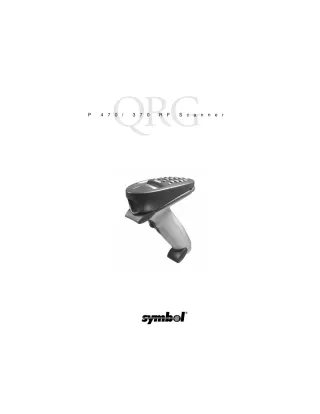
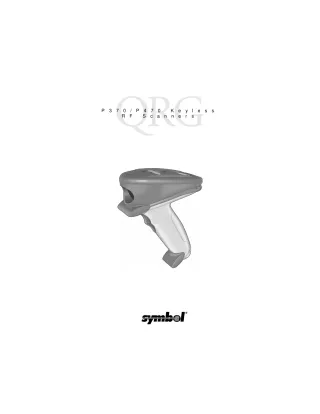
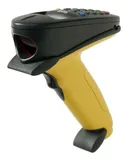
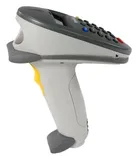
A short quick reference guide for the Symbol Phaser P370 and P470 keyless radio frequency scanners: the P370 cordless industrial scanner, the P370 ALR long range model and the P470 cordless retail scanner. It covers charging the scanner in the cradle, powering up, scanning technique, commonly used programming bar codes, changing the battery, a quick startup index into the full Product Reference Guide, test symbols, and regulatory, laser and RF safety information.
Its parts
- Introduction
- About This Guide
- Charging the Scanner in the Cradle
- Powering Up the Scanner
- Scanning
- Commonly Used Programming Bar Codes
- Changing the Battery
- Quick Startup Instructions
- Test Symbols
- Regulatory Information
- Health and Safety Recommendations
- Radio Frequency Interference Requirements
From the manual · read page by page
Key facts from this manual
Some pages are scans or cannot be read; this says only what the readable text supports. Each line names its page in the PDF.
Symbol's 2003 quick reference guide (p/n 72-61497-01) for the Phaser P370/P470 Keyless RF cordless laser scanners, covering the P370, P370 ALR and P470. It shows how to charge the scanner in its cradle, power it up, scan, swap the battery and find the right pages of the full Product Reference Guide to set up the system.
- Device
- Cordless laser bar code scanner that sends data to the host by radio through its cradle p. 3
- Versions
- P370 industrial, P370 ALR industrial long range, P470 retail p. 3
- Radio range
- Up to 100 feet (30.5 meters), no line of sight needed p. 3
- Cradle
- PL 370/470 RF cradle; also charges the battery p. 3
- Charge time
- About 3-1/2 hours from depleted p. 4
- Battery life
- Up to 10 hours per full charge p. 8
- Host connections
- RS-232 or Synapse (keyboard wedge, USB and others) via the cradle p. 9
- Laser
- 630-680nm, 1.0 mW maximum output p. 12
- Tilt tolerance
- Up to 65 degrees forward or back p. 5
- Full manual
- P370/P470 Keyless RF Scanners Product Reference Guide, p/n 72-61496-xx p. 3
- Programming codes
- Firmware Version, Load 123Scan File, Load New MCL-Designer Application, Reset Default Application p. 7
- EEA radio limit
- 2.4GHz, 10 mW EIRP maximum radiated power p. 14
What this manual walks you through
- Charging the scanner in the cradle p. 4
- Powering up and scanning a bar code p. 4
- Holding the scanner at an angle to avoid specular reflection p. 5
- Removing and replacing the battery p. 8
- Commonly used programming bar codes p. 7
- Quick startup index to the Product Reference Guide: cradle hookup, pairing, RF channel, troubleshooting p. 9
- Regulatory, laser and RF exposure information p. 11, 12
Good to know
- The guide says the scan beam must cross every bar and space of the symbol for a read. p. 6
- A large drop in battery life not explained by heavier use is a sign to replace the battery. p. 8
- In the EEA, Italy requires a user license for outdoor use of the 2.4GHz radio. p. 14
- Holding the scanner straight over the bar code can stop it decoding; there is a dead zone of about 2 degrees. p. 5
Questions this manual answers
How long does the Symbol P370 battery take to charge?
A depleted battery takes about 3-1/2 hours to fully charge in the cradle; the cradle light goes solid when it is done. p. 4
How far can the P370/P470 cordless scanner be from its cradle?
The guide says it can scan and transmit from as far as 100 feet (30.5 meters) without a direct line of sight. p. 3
How long does a P470 battery last?
A fully charged battery generally lasts up to 10 hours away from the cradle, longer if returned to it during the day. p. 8
How do I change the battery in a P370 scanner?
Slide the release latch down and remove the cover, slide the battery toward the bottom and pull it out by the tab; fit the new one curved side up and close the cover. p. 8
Which cradle goes with the P370/P470?
The PL 370/470 RF cradle, which has its own quick reference guide, p/n 7238494-xx. p. 3
Contents
Chapters and sections
Each line opens the PDF at its page.
The whole text · 2 parts
Read the manual here as text
Its text as extracted from the PDF, unedited, in parts; each page opens the PDF at that page.
The file