Manual · Symbol
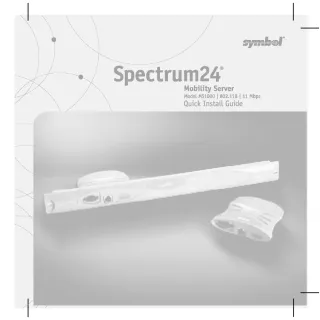
Spectrum24 Mobility Server Model MS1000 Quick Install Guide
Manual28 pagesPDF 843 KB
Quick install guide for the Symbol Spectrum24 MS-1000 Mobility Server: specifications, rack, wall and desktop mounting, IP setup.
Covers · 1 model
The models it covers
Summary
What is in it
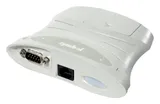
Symbol's quick install guide for the Spectrum24 Mobility Server (MS-1000 series), a dedicated module that provides Kerberos authentication, security management and network time services on a Spectrum24 wireless LAN. Written for installation technicians, it gives warnings, physical, product, power and environmental specifications, package contents, rack, wall and desktop mounting steps, configuring the IP address and gaining access to the UI, plus support contacts and regulatory information.
Its parts
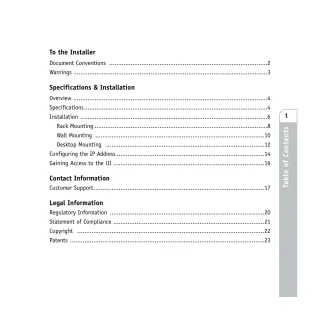
- To the Installer
- Specifications & Installation
- Contact Information
- Legal Information
From the manual
Key facts from this manual
Some pages are scans or cannot be read; this says only what the readable text supports. Each line names its page in the PDF.
Symbol's Quick Install Guide (72-63053-01 Revision A, 2003) for the Spectrum24 Mobility Server Model MS1000, the unit that provides Kerberos authentication, security management and network time services for a Spectrum24 wireless LAN. It gives the specifications, package contents, rack, wall and desktop mounting, setting the IP address over a serial console and reaching the web interface.
- Device
- Spectrum24 Mobility Server: Kerberos authentication, security management and network time services for a Spectrum24 wireless LAN p. 6
- Part number
- MS-1000-100-WW (worldwide) p. 6
- Interfaces
- 10/100Base-T Ethernet; DB9 serial interface and web UI for management p. 7
- Power
- 5.2 VDC, 1 Amp; max power consumption 100-240 VAC, 50/60 Hz, 0.5A p. 7
- Processor and memory
- 400 MHz Intel xscale; 16 MB FLASH, 32 MB SDRAM p. 6
- Expansion storage
- CompactFlash card slot, with a security bracket that screws over the card p. 6, 7
- Power supply part
- Symbol-approved power supply 50-14001-001, 5.2 Vdc, minimum 1 A p. 22
- Size and weight
- 125 mm wide with mounting bracket (122 mm without), 32 mm high, 97 mm deep; 0.13 kg p. 6
- Mounting
- Desk, wall, or rack (rack-mount bezel accessory, purchased separately) p. 7, 10
- Operating temperature
- 0°C to 40°C; storage -25°C to 55°C; operating humidity 5% to 93%, without condensation p. 7
- In the box
- Mobility Server, CompactFlash security kit (bracket, 1 panhead screw), wall mount kit (2 wall anchors, 2 panhead screws), DC power adapter p. 9
- Serial console settings
- Null modem cable; 38400 bits per second, 8 data bits, no parity, 1 stop bit, Xon/Xoff flow control p. 16
- Power indicator
- LED flashes red when the DC adapter is properly connected p. 10
What this manual walks you through
- Preparing the site and network details before installation p. 8
- Checking the package contents p. 9
- Mounting the server in a rack with the bezel p. 10, 11
- Wall mounting p. 12, 13
- Desktop mounting and fitting a laptop key lock p. 14, 15
- Setting the host name and IP address (DHCP or static) over the serial console p. 16, 17
- Opening the web user interface p. 18
Good to know
- Installation and removal are for qualified personnel only, in a dry, dust-free location. p. 4
- Rack mounting needs the bezel unit, which is purchased separately. p. 10
- Use only the Symbol-approved 50-14001-001 power supply. p. 22
- DHCP needs a DHCP server on the network; record the IP address shown, since the web interface needs it. p. 17
- Host names must be lowercase alphanumeric characters. p. 17
Questions this manual answers
What does the Symbol Spectrum24 Mobility Server MS-1000 do?
It provides Kerberos authentication for a Spectrum24 wireless LAN and delivers security management and network time services. p. 6
What power supply does the MS-1000 Mobility Server use?
A Symbol-approved 50-14001-001 power supply rated 5.2 Vdc and at least 1 A. p. 22
The whole text · 3 parts
Read the manual here as text
Its text as extracted from the PDF, unedited, in parts; each page opens the PDF at that page.
The file