Manual · Symbol
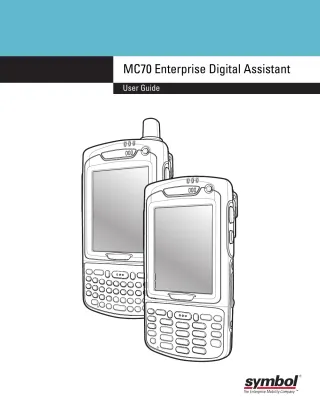
MC70 User Guide
Manual166 pagesPDF 8.2 MB
User guide for the Symbol MC70 Enterprise Digital Assistant, covering the MC7004, MC7090 and MC7094 configurations and their accessories.
Names · 3 models
The models it names
 Symbol MC7004802.11b/g wireless portable data collection terminal from$895.007 in stock
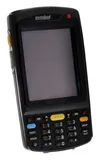 Symbol MC7090Wireless portable data collection terminal from$895.0040 in stock Symbol MC7094802.11b/g wireless portable data collection terminal from$995.0017 in stock
Filed with · 3 models
Also filed with these models on the old site
Summary
What is in it
User guide for the Symbol MC70 Enterprise Digital Assistant (EDA) in its MC7004, MC7090 and MC7094 configurations. It explains getting started with batteries, charging and the SIM card, using the keypads, status icons and laser or imager data capture, Bluetooth setup and services, the phone on the MC7004 and MC7094, the available cables and cradles, maintenance and troubleshooting, and the technical specifications.
Its parts
- About This Guide
- Getting Started
- Using the MC70
- Using Bluetooth
- Using the MC7004/MC7094 Phone
- Accessories
- Maintenance & Troubleshooting
- Technical Specifications
From the manual
Key facts from this manual
Each line names its page in the PDF.
The Symbol MC70 User Guide for the MC70 Enterprise Digital Assistant (EDA), covering the MC7004, MC7090 and MC7094 configurations. It explains charging and powering on, the keypads and scanning, Bluetooth, the MC7004/MC7094 phone, the cradles, cables and snap-on accessories, troubleshooting, and the technical specifications of the EDA and its accessories.
- Device
- MC70 Enterprise Digital Assistant (EDA) running Windows Mobile 5.0 p. 13, 14
- Radios
- MC7004: EDGE GPRS quad-band WAN; MC7090: 802.11a/b/g; MC7094: 802.11a/b/g and GPRS WAN; all three have Bluetooth p. 14
- Processor and memory
- Intel XScale Bulverde PXA270 at 624MHz; 64MB RAM/128MB ROM p. 139, 140
- Display
- Transflective color 3.5" QVGA TFT-LCD, 65K colors, 240 x 320, LED backlight, glass analog resistive touch p. 139
- Battery
- Rechargeable Lithium Ion 3.7V 1900 mAh; optional 3.7V 3800 mAh extended; 1.2V 20mAh NiMH backup battery (not user-accessible) p. 139
- Interfaces
- RS-232, USB 1.1; Ethernet through a cradle; Bluetooth Class II, v 1.2; user accessible SDIO slot p. 139, 140
- Keypad
- 26 key numeric or 44 key QWERTY p. 139
- Scan engines
- 1D laser scanner (SE800HP), 50 scans/sec; or 2D imager (SE4400), 640 x 480 pixels p. 140, 141
- Size and weight
- 6 in. x 3 in. x 1.5 in. (15.3 x 7.6 x 3.7 cm); with standard battery 11.2 oz./314 g (LAN/PAN) or 12 oz./336 g (WAN/LAN/PAN) p. 139
- Operating temperature
- 14°F to 155°F / -10°C to 68°C; charging 0° C to 40° C p. 140
- Cradles and chargers
- Single Slot USB/Serial Cradle, Four Slot Ethernet Cradle (up to four EDAs), VCD7000 Vehicle Cradle, Four Slot Spare Battery Charger p. 21
- Cables
- Serial (RS232) charge cable (9-pin D female), USB client charge cable (standard-A), auto charge cable, DEX cable, modem inverter cable p. 126
- Power supply
- Symbol-approved 12 Vdc: minimum 3.33A for the single slot cradle and four slot battery charger, minimum 9A for the four slot Ethernet cradle p. 114, 116, 120
- Part numbers
- 2.5mm headset 50-11300-050; spare battery shim for the four slot charger KT-76490-01 p. 112, 120
What this manual walks you through
- Charging the main battery and spare batteries p. 24, 25
- Reading the charge status LED p. 25
- Powering on and calibrating the screen p. 26
- Inserting and removing an MMC/SD card p. 113
- Using the Single Slot USB/Serial Cradle p. 113, 114
- Using the VCD7000 vehicle cradle p. 117, 118
- Charging spare batteries in the Four Slot Spare Battery Charger p. 120, 121
- Attaching and using the magnetic stripe reader p. 122, 123
- Scanning with the TRG7000 trigger handle p. 123, 124
- Troubleshooting an EDA that will not turn on or shuts off p. 130
Good to know
- Charge batteries only between 0 and 40 C; above 35 C charging is switched on and off to keep the battery cool. p. 26
- Use only a Symbol-approved power supply; the manual says another supply may be dangerous. p. 114
- The backup battery keeps RAM data for at least 30 minutes with the main battery out, and needs about 24 hours to charge fully. p. 24
- Remove an attachment such as the MSR before putting the trigger handle into a cradle. p. 125
- The TRG7000 trigger handle is meant for MC70 WLAN/PAN configurations. p. 123
Questions this manual answers
What batteries does the Symbol MC70 take?
A rechargeable 3.7V lithium ion smart battery: 1900 mAh standard or the optional 3800 mAh extended capacity battery. p. 139
How long does an MC70 battery take to charge?
In the EDA, the 1900 mAh battery charges in less than four hours and the 3800 mAh battery in less than eight hours. p. 25
What does a fast blinking amber charge LED mean on the MC70?
A charging error, for example the temperature is too low or too high, or charging has run too long (typically eight hours). p. 25
Which MC70 models have a WAN radio?
The MC7004 has an EDGE GPRS quad-band WAN radio; the MC7094 has a GPRS WAN radio along with 802.11a/b/g. p. 14
What power supply does the MC70 Four Slot Ethernet cradle need?
A Symbol-approved power supply rated 12 Vdc and minimum 9A. p. 116
Contents
Chapters and sections
Each line opens the PDF at its page.
The whole text · 20 parts
Read the manual here as text
Its text as extracted from the PDF, unedited, in parts; each page opens the PDF at that page.
- Pages 1 to 31-3
- Pages 4 to 124-12
- About This Guide13-18
- Getting Started19-32
- Using the MC70, pages 33 to 4133-41
- Using the MC70, pages 42 to 5042-50
- Using the MC70, pages 51 to 5851-58
- Using Bluetooth, pages 59 to 6659-66
- Using Bluetooth, pages 67 to 7467-74
- Using Bluetooth, pages 75 to 8275-82
- Using Bluetooth, pages 83 to 9083-90
- Using the MC7004/MC7094 Phone, pages 91 to 10091-100
- Using the MC7004/MC7094 Phone, pages 101 to 110101-110
- Accessories, pages 111 to 119111-119
- Accessories, pages 120 to 128120-128
- Maintenance & Troubleshooting, pages 129 to 137129-137
- Maintenance & Troubleshooting, pages 138 to 146138-146
- Maintenance & Troubleshooting, pages 147 to 155147-155
- Maintenance & Troubleshooting, pages 156 to 162156-162
- Tell Us What You Think163-166
The file