Manual · Motorola
MC40 User Guide
Manual112 pagesPDF 11 MB
User guide for the Motorola MC40 Android mobile computer: setup, batteries, bar code capture, Wi-Fi, Bluetooth and accessories.
Covers · 2 models
The models it covers
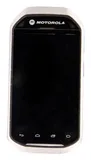
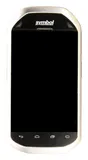
Summary
What is in it
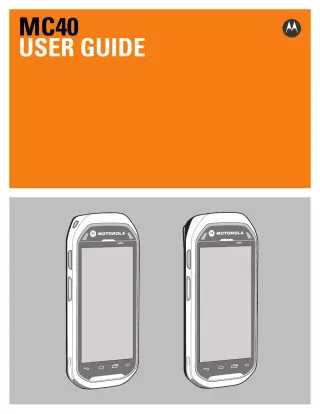
User guide for the Motorola MC40, an Android-based handheld computer with a 4.3 inch color touch screen. It explains installing and charging the battery, display and sound settings, the home screen and on-screen keyboard, screen unlocking and MultiUser login, resets, the PTT Express voice client, bar code capture with the imager or camera, magnetic stripe reading, DataWedge, Wi-Fi and Bluetooth setup, photos and videos, the charge cable, cradles and battery charger, cleaning, troubleshooting and technical specifications.
Its parts
- About This Guide
- Getting Started
- Using the MC40
- Data Capture
- WLAN
- Bluetooth
- Photos and Videos
- Accessories
- Maintenance & Troubleshooting
- Technical Specifications
From the manual
Key facts from this manual
Each line names its page in the PDF.
The MC40 User Guide, a 112-page manual for the Android-based MC40 mobile computer (Android 2.3 configuration, with camera and imager, or camera, imager and magnetic stripe reader). It explains setup, the battery, scanning, Wi-Fi and Bluetooth, the charging accessories with their part numbers, troubleshooting and the technical specifications.
- Device
- Android-based mobile computer with camera and imager, or camera, imager and MSR p. 13
- Display
- 4.3 in. capacitive, 480 x 800, 300 nit, capacitive dual-touch panel p. 95
- Battery
- Rechargeable Lithium Ion 3.7V, 2680 mAh Smart battery; backup NiMH 15 mAh 3.6 V, not user accessible p. 95
- Spare battery
- BTRY-MC40EAB0E-01R; 10-pack BTRY-MC40EAB0E-10R p. 80
- Processor and memory
- Texas Instruments OMAP 4430 @ 800 MHz, dual-core; 1 GB RAM, 8 GB Flash; Android-based ASOP 2.3 p. 96
- Imager
- SE4500-DL, 1D and 2D bar codes; field of view 39.2 by 25.4 degrees; focal distance 18.5 cm (7.3 in.) p. 96, 97
- Radios
- IEEE 802.11a/b/g/n with internal antenna; Bluetooth Class II, v 2.1 with EDR p. 96
- Connectors
- One USB 2.0 OTG connector; mono 2.5 mm headset jack with microphone p. 95
- Size and weight
- 143.9 x 72.8 mm; depth 20.1 mm non-MSR, 31.8 mm MSR; 257.7 g non-MSR, 266.1 g MSR p. 95
- Temperature
- Operating 0 to 50 C (32 to 122 F); charging 0 to 40 C (32 to 104 F) p. 96
- Cradles
- CRDMC40XX-1000R single slot; CRDUNIV-40-5000R five slot; CRDUNIV-XX-5000R five slot base for cups p. 79
- Charger and power
- SACMC40XX-4000R four slot battery charger; PWRS-124306-01R supply for MC40 and single slot cradle; PWRS-14000-148C (12 VDC, 4.16 A) for five slot cradle and charger p. 79
- Cables
- 25-MCXUSB-01R Micro USB; 23844-00-00R US AC line cord; 25-122026-02R 2-way DC cable p. 79, 80
- Other accessories
- Rubber boots SG-MC40-RBOOT-10R, SG-MC40-MBOOT-10R (MSR); holster SG-MC40HLSTR-01R; headset 21-SB1X-HDSET2-01R p. 80
What this manual walks you through
- Replacing the battery with Battery swap mode p. 22, 23
- Checking battery level and saving battery power p. 23, 24
- Soft and hard resets p. 45
- Scanning bar codes with the imager or camera, and Pick List Mode p. 53, 54, 55, 56
- Reading magnetic stripe cards p. 56
- Connecting to a host computer with the Micro USB cable p. 81
- Charging in the single slot, five slot and four slot battery chargers p. 82, 83, 84
- Care and cleaning p. 87
- Troubleshooting power, charging, scanning, Bluetooth and Wi-Fi problems p. 91, 92, 93
- Technical specifications of the MC40 and its cradles and charger p. 95, 98, 99
Good to know
- Follow the Battery swap procedure when changing the battery, or the backup battery depletes quickly. p. 22
- Do not connect the single slot cradle's micro USB cable to a host computer: the cradle cannot charge the MC40 that way. p. 82
- The battery does not charge below 0 C (32 F) or above 40 C (104 F). p. 91
- Never use a pen, pencil, stylus or other sharp object on the glass screen. p. 87
- The Four Slot Battery Charger needs its own power supply when mounted on the five slot cradle. p. 93
Questions this manual answers
How do I reset a frozen MC40?
For a soft reset, hold Power and touch Reset; for a hard reset, press Power, Left Scan/Action and Up Volume together. p. 45
What is the MC40 spare battery part number?
BTRY-MC40EAB0E-01R, or BTRY-MC40EAB0E-10R for a 10-pack, a 2680 mAh replacement battery. p. 80
What happens when the MC40 battery gets low?
Below 15% it shows a notice to connect power; below 10% it enters critical suspend mode to save data. p. 23, 24
What Android version is on the MC40 in this guide?
An Android-based build of Android Open-Source Project 2.3. p. 13
Why won't my MC40 find a Bluetooth device?
The guide says to move within 10 meters (32.8 feet), turn the other device on and set it to discoverable mode. p. 92
Contents
Chapters and sections
Each line opens the PDF at its page.
37 more lines, from page 59 on
- Introduction59
- Bluetooth61
- Introduction61
- Adaptive Frequency Hopping61
- Security62
- Bluetooth Profiles62
- Bluetooth Power States63
- Turning Bluetooth On and Off63
- Discovering Bluetooth Device(s)64
- Changing the Bluetooth Name64
- Connect to a Bluetooth Device65
- Select Profiles on the Bluetooth Device65
- Disconnect from a Bluetooth Device65
- Unpair a Bluetooth Device65
- Photos and Videos67
- Accessories79
- Maintenance & Troubleshooting87
- Technical Specifications95
- Glossary101
- Index107
The whole text · 15 parts
Read the manual here as text
Its text as extracted from the PDF, unedited, in parts; each page opens the PDF at that page.
- Pages 1 to 61-6
- Table of Content7-12
- About This Guide13-16
- Getting Started17-28
- Using the MC40, pages 29 to 3629-36
- Using the MC40, pages 37 to 4437-44
- Using the MC40, pages 45 to 5245-52
- Data Capture53-58
- Pages 59 to 6659-66
- Photos and Videos67-78
- Accessories79-86
- Maintenance & Troubleshooting87-94
- Technical Specifications95-100
- Glossary101-106
- Index107-112
The file