Manual · Symbol
LS 3000 Quick Reference
Manual14 pagesPDF 218 KB
Quick reference for the Symbol LS 3000 series handheld laser scanners: setup, aiming, beeps, test bar codes and warranty.
Names · 1 model
The models it names
Filed with · 7 models
Also filed with these models on the old site
 Symbol LS-3020Hand-held laser barcode scanner from$595.0049 in stock Symbol LS-3603Hand-held laser barcode scanner from$395.0072 in stock Symbol LS-3001Hand-held laser barcode scanner Call for availability Symbol LS-3002Hand-held laser barcode scanner Call for availability Symbol LS-3010Hand-held laser barcode scanner Call for availability Symbol LS-3030Hand-held laser barcode scanner Call for availability Symbol LS-3080Hand-held laser barcode scanner Call for availability
Summary
What is in it
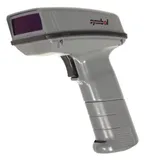
Symbol's short quick reference for the LS 3000 series handheld laser scanners. It shows how to attach the cable with its locking nut, how to test and scan, how to aim at an angle and cover the whole symbol, how the two position trigger works on long range and high visibility models, what the beep means and what to check when the laser or aiming beam does not work. It includes test bar codes, laser safety and regulatory notices, service contacts and the one-year warranty.
Its parts
- Scanning Made Easy
- Aiming
- What Does The Beep Mean?
- What If...
- Test
- Regulatory Information
- Service And Warranty
From the manual · read page by page
Key facts from this manual
Each line names its page in the PDF.
The quick reference guide for the Symbol LS 3000 handheld laser scanner (70-08314-01Q, Revision D, July 1998; the cover also prints "RS 2200/3200 Series"). It covers attaching the cable, testing and aiming the scanner, the two-position trigger on Long Range and High Visibility versions, the beep, troubleshooting, test bar codes, and the label and regulatory notices.
- Device
- Handheld trigger laser bar code scanner p. 3
- Cable connection
- Cable plugs into the bottom and locks with a twist nut p. 3
- Indicators
- SCAN light on the back; green DECODE light and a beep on a good read p. 3
- Two-position trigger
- Long Range and High Visibility versions: first detent aims, second scans p. 5
- Power input (label)
- 4.5 - 14.5V, 145MA p. 10
- Laser (label)
- 680 nm laser diode, 1.0 mW maximum power p. 10
- Maintenance
- None required by the user p. 4
- Test symbols
- CODE 128, 13 MIL UPC and CODE 39 50 MIL test bar codes p. 7
- Document
- 70-08314-01Q, Revision D, July 1998 p. 14
What this manual walks you through
- Attaching the cable and connecting to the host terminal p. 3
- Testing that the scanner lights p. 3
- Aiming at an angle and scanning the whole symbol p. 4
- Using the aiming beam on a two-position trigger p. 5
- Understanding the beep p. 6
- Troubleshooting a laser that does not come on or does not read p. 6
- Test bar codes for checking a read p. 7
Good to know
- Holding the scanner straight over the bar code can bounce light back and stop a decode. p. 4
- The aiming beam works only if the attached terminal supports dual trigger operation. p. 6
- Hold the scanner farther away for larger symbols and closer for tightly spaced bars. p. 4
- Avoid staring into the beam of a Class 2 laser scanner. p. 9
Questions this manual answers
How do I attach the cable to an LS 3000?
Slide the locking nut down the cable, insert the cable into the connector on the bottom, and twist the nut counter-clockwise until it is fully engaged. p. 3
Why does the LS 3000 aiming beam not work?
The guide says to make sure the attached terminal supports dual trigger operation. p. 6
Why does my LS 3000 laser not come on?
Check that the scanner is getting enough power and check all cable connections. p. 6
What voltage does the LS 3000 take?
The sample label in the guide shows an input of 4.5 - 14.5V at 145MA. p. 10
Does the LS 3000 need cleaning or maintenance?
The guide says LS 3000 series scanners require no user maintenance. p. 4
Contents
Chapters and sections
Each line opens the PDF at its page.
The whole text · 2 parts
Read the manual here as text
Its text as extracted from the PDF, unedited, in parts; each page opens the PDF at that page.
The file