Manual · Symbol
LS 1220 Quick Reference
Manual52 pagesPDF 259 KB
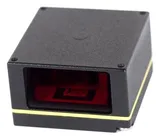
Multilingual quick reference for the Symbol LS 1220 fixed-mount laser scanner: setup, aiming tips and triggering option bar codes.
Covers · 1 model
The models it covers
Summary
What is in it
Symbol's quick reference for the LS 1220 scanner, in English, French, German, Italian and Spanish. It shows how to connect the scanner to an RS-232C host port and an optional external trigger switch, how to scan and aim, and what to check when nothing happens. It describes the seven triggering options (level, host, pulse, next new code, continuous level, constant scan and report, continuous pulse) and includes the bar codes to select each one, plus test symbols.
Its parts
- Set Up
- Scanning Made Easy
- Aiming Tips
- Triggering Options
- What If...
From the manual
Key facts from this manual
Each line names its page in the PDF.
The Symbol LS 1220 Quick Reference, a 2001 guide in English, French, German, Italian and Spanish for the LS 1220 laser bar code scanner. It shows how to connect the scanner to an RS-232C host and power, how to aim and scan, the seven triggering options with their programming bar codes, and what to check when nothing happens.
- Device
- Laser bar code scanner triggered by a software command or an external switch p. 3
- Host connection
- 25-pin D-connector to the host's RS-232C port; 9-pin D-connector to the scanner p. 3
- Power
- Power supply plugs into the side of the 25-pin D-connector; not needed when host powered p. 3, 4
- Trigger accessories
- Photo detector 50-13700-025; push button switch 25-04950-01; foot switch 25-04951-02 p. 3
- Trigger modes
- Seven: level, host, pulse, next new code, continuous level, constant scan and report, continuous pulse p. 8, 9
- Indicators
- Green DECODE LED lights on a good read; the beam stays on about 1 second per trigger in the test p. 5
- Long range models
- Aiming mode for longer distances; a two button switch turns on the aiming beam p. 5, 7
- Laser label
- 1.0 mW maximum power, class II laser product p. 51
- Compliance
- The guide states FCC Part 15 Class A, Industry Canada ICES-003 and CE marking p. 48, 49
- Languages
- English, French, German, Italian and Spanish p. 1
- Guide number
- 70-17676-01 Revision E, July 2001 p. 52
What this manual walks you through
- Connecting the scanner to a host and power p. 3, 4
- Testing and scanning a bar code p. 5
- Aiming tips p. 6, 7
- Choosing a triggering option and scanning its bar code p. 8, 9, 42, 43, 44
- What to check when nothing happens p. 10
Good to know
- Do not hold the scanner exactly perpendicular to the bar code; light can bounce back and prevent a decode. p. 7
- Constant Scan & Report is not recommended while programming the scanner with bar code menus. p. 9
- As a Class A device, it is likely to cause interference if used in a residential area. p. 48
- Avoid staring into the beam of a Class 2 laser scanner. p. 50
Questions this manual answers
How do I connect a Symbol LS 1220 to a computer?
Plug the cable's 25-pin D-connector into the host's RS-232C port and its 9-pin D-connector into the scanner, then connect the power supply unless the host powers the scanner. p. 3, 4
What trigger switches are available for the LS 1220?
A photo detector (p/n 50-13700-025), a push button switch (p/n 25-04950-01) and a foot switch (p/n 25-04951-02). p. 3
My LS 1220 does nothing when triggered. What should I check?
Check the system power and cable connections, make sure the scanner is programmed for that bar code type, and check that the symbol is not defaced. p. 10
How do I know the LS 1220 read a bar code?
The green DECODE LED lights. p. 5
Contents
Chapters and sections
Each line opens the PDF at its page.
- Set Up3
- Set Up4
- Scanning Made Easy5
- Aiming Tips6
- Aiming Tips7
- Triggering Options8
- Triggering Options9
- What If...10
- Installation11
- Installation12
- La lecture en toute simplicité13
- Conseils de visée14
- Conseils de visée15
- Options de déclenchement16
90 more lines, from page 16 on
- Impulsion16
- Options de déclenchement17
- Dépannage18
- Installation19
- Installation20
- Scannen - einfach gemacht21
- Tips für das Zielen22
- Tips für das Zielen23
- Auslöseoptionen24
- Auslöseoptionen25
- Was tun, falls ...26
- Configurazione27
- Configurazione28
- Lettura facile29
- Suggerimenti per il corretto puntamento30
- Suggerimenti per il corretto puntamento31
- Opzioni di attivazione32
- Opzioni di attivazione33
- Cosa fare se...34
- Configuración35
- Configuración36
- Algunos consejos37
- Algunos consejos38
- Opciones de activación39
- Opciones de activación40
- Level - Niveau - Pegel - Livello - Nivel42
- Continuous Level - Niveau continu - Kontinuierlicher Pegel - Livello continuo - Nivel continuo43
- Test • Test • Test • Prova • Probar45
The whole text · 6 parts
Read the manual here as text
Its text as extracted from the PDF, unedited, in parts; each page opens the PDF at that page.
The file