Manual · Symbol
Spectrum24 Access Point AP-3020 Product Reference Guide
Manual160 pagesPDF 3.8 MB
Product reference guide for the Symbol Spectrum24 AP-3020 Ethernet access point: radio basics, configuration, statistics and installation.
What this file really is
The old site listed this file as “Reference Manual” for the Symbol AP-2411, AP-3020 and AP-3021. The file is named as an AP-3021 manual, but it is the pre-release reference guide for the Spectrum24 Access Point AP-3020; the AP-3021 is not named in it.
Names · 1 model
The models it names
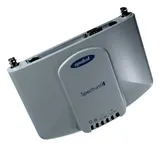
Filed with · 2 models
Also filed with these models on the old site
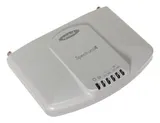
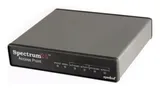
Summary
What is in it
A pre-release product reference guide for the Symbol Spectrum24 Access Point AP-3020, which bridges Ethernet wired LANs and Spectrum24 frequency-hopping wireless networks. It explains radio basics and network topology, configuring the AP through Telnet, serial, dial-up or a web browser (radio, PPP, SNMP, access control lists, filtering, firmware updates), monitoring statistics, hardware installation and LEDs, plus specifications and supported modems.
Its parts
- Introduction
- Configuring the AP
- Monitoring Statistics
- Hardware Installation
From the manual
Key facts from this manual
Each line names its page in the PDF.
The Symbol Spectrum24 Access Point AP-3020 Product Reference Guide, the full manual for the AP-3020 Ethernet access point that bridges a wired LAN and a Spectrum24 frequency-hopping wireless network. The guide names the AP-3020 only; the AP-3021 and AP-2411 are not named in it. It covers configuration through Telnet or a serial cable, firmware updates, statistics, hardware installation, status lights, troubleshooting and specifications.
- Device
- Access point bridging Ethernet LANs and Spectrum24 wireless networks at 1 and 2 Mbps; supports 127 mobile units p. 9, 10
- Radio
- Frequency hopping within 2400 MHz to 2500 MHz, country dependent; Binary GFSK; 100mW and 500mW versions p. 148
- Range
- 1 Mbps: over 1000 ft. open, 180 to 250 ft. office or retail; 2 Mbps: 500 ft. open, 125 to 175 ft. office or retail p. 148
- Ethernet
- 10Base-T (RJ-45); DIX, Ethernet_II and IEEE 802.3 frames; 14,400 frames per second filtering and forwarding p. 149
- Serial port
- PC/AT DB-9 RS-232 port at 19200 bps for PPP to another AP or a configuration PC; null-modem cable 61383-00-0 p. 44, 136, 149
- Power supply
- 50-24000-006, 115/230VAC, 50/60Hz; US line cord 23844-00-00; remote power distribution system AP-PS-11 p. 139
- Antennas
- Standard rubber ML 2499-APA1-00; single high performance ML 2499-HPA1-00; twin high performance diversity ML 2499-DVA1-00; mountable F-plane ML 2499-PSA1-00 p. 139
- Extension cables
- 25-19371-01: 6 ft, 2.0 db, 5% range loss; 25-19371-02: 12 ft, 4.0 db, 10% range loss p. 139
- Mounting brackets
- Universal wall-mounting bracket ML-2499-APB1-00 and AP-3020 adapter bracket 12-20436-01 p. 140
- In the box
- AP, power adapter, antenna p. 135
- Size and weight
- 1.25 in. H x 5.5 in. L x 7.75 in. W; 1 lbs. (0.454 kg) with power supply p. 147
- Temperature
- Operating -20º C to 55º C (-4º F to 131º F); storage -40º C to 65º C p. 147
- Firmware files
- UAP_FW.BIN and UAP_HTML.BIN, loaded by TFTP or Xmodem p. 90
- Modems
- Hayes command set modems of 19200 baud or faster; qualified: Practical Peripherals PM288MT II V.34, Supra Fax Modem 288, USRobotics Sportster Modem 28.8 p. 151
What this manual walks you through
- Reaching the user interface by Telnet p. 43, 44
- Connecting a PC directly by serial cable p. 44, 45
- Updating firmware from a TFTP server p. 90, 91
- Resetting the AP and restoring the factory configuration p. 104
- Site precautions and package contents p. 135
- Connecting by 10Base-T or setting up a single cell p. 136, 137
- Attaching antennas and extension cables p. 138, 139
- Mounting the AP and connecting power p. 140
- Reading the LEDs, including WLAP mode p. 141, 142, 143, 144
- Troubleshooting power-up, wired network and slow performance p. 144, 145, 146
Good to know
- Restoring the factory configuration erases all configuration and statistics. p. 104
- A reset discards unsaved changes. p. 104
- For good performance keep network traffic under 37% of bandwidth and wired broadcasts to 10 per second or fewer. p. 146
- Only modems qualified by Symbol are supported. p. 151
- Do not install in wet or dusty areas without extra protection. p. 135
Questions this manual answers
How do I update the firmware on a Symbol AP-3020?
Put UAP_FW.BIN and UAP_HTML.BIN on a PC running a TFTP server, Telnet to the AP and start the download from Special Functions; Xmodem also works. p. 90, 91
How do I restore factory settings on the AP-3020?
From the Main Menu choose Special Functions, then Restore Factory Configuration; all configuration and statistics are erased. p. 104
What serial settings connect a PC to the AP-3020?
A null modem cable and ANSI emulation at 19200 bps, 8 data bits, 1 stop bit, no parity, no flow control. p. 45
How many mobile units can one AP-3020 handle?
The guide lists support for 127 mobile units. p. 10
What does it mean if the AP-3020 does not power up?
The guide lists a faulty AP power supply, a failed AC supply or an outlet run by an Electrical Management System. p. 144
Contents
Chapters and sections
Each line opens the PDF at its page.
- Chapter 1 Introduction9
- Chapter 2 Configuring the AP43
- 2.1 Gaining Access to the UI43
- 2.2 Navigating the UI53
- 2.3 Access Point Installation59
- 2.4 Configuring System Parameters61
- 2.5 Configuring Radio Parameters66
- 2.6 Configuring PPP75
- 2.7 Configuring the SNMP Agent78
- 2.8 Configuring the ACL82
- 2.9 Configuring Address Filtering86
- 2.10 Configuring Type Filtering87
- 2.11 Clearing MUs from the AP88
- 2.12 Setting Logging Options88
- 2.13 Manually Updating AP Firmware90
- 2.14 Auto Upgrade all APs Via Messaging96
- 2.15 Performing Pings98
- 2.16 Mobile IP Using MD5 Authentication102
- 2.17 Saving the Configuration103
- 2.18 Resetting the AP104
- 2.19 Restoring Configuration104
- Chapter 3 Monitoring Statistics105
- Chapter 4 Hardware Installation135
The whole text · 19 parts
Read the manual here as text
Its text as extracted from the PDF, unedited, in parts; each page opens the PDF at that page.
- Pages 1 to 81-8
- Chapter 1 Introduction, pages 9 to 179-17
- Chapter 1 Introduction, pages 18 to 2618-26
- Chapter 1 Introduction, pages 27 to 3527-35
- Chapter 1 Introduction, pages 36 to 4236-42
- Chapter 2 Configuring the AP, pages 43 to 5143-51
- Chapter 2 Configuring the AP, pages 52 to 6052-60
- Chapter 2 Configuring the AP, pages 61 to 6961-69
- Chapter 2 Configuring the AP, pages 70 to 7870-78
- Chapter 2 Configuring the AP, pages 79 to 8779-87
- Chapter 2 Configuring the AP, pages 88 to 9688-96
- Chapter 2 Configuring the AP, pages 97 to 10497-104
- Chapter 3 Monitoring Statistics, pages 105 to 114105-114
- Chapter 3 Monitoring Statistics, pages 115 to 124115-124
- Chapter 3 Monitoring Statistics, pages 125 to 134125-134
- Chapter 4 Hardware Installation135-146
- Appendix A Specifications147-150
- Pages 151 to 154151-154
- Appendix D Regulatory Compliance155-160
The file