Spec sheet · Symbol
AP 300 Access Port
Spec sheet6 pagesPDF 1.7 MB
Spec sheet for the Symbol AP 300 dual-radio 802.11a/b/g access port used with the WS 2000 and WS 5000 wireless switches.
Covers · 1 model
The models it covers
Summary
What is in it
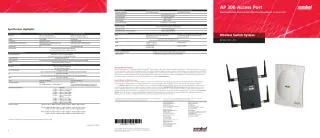
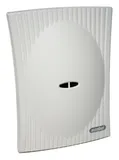
Symbol's brochure and spec sheet for the AP 300 Access Port, a dual-radio 802.11a and 802.11g access port that is configured and updated automatically by a Symbol Wireless Switch 2000 or 5000. It explains the thin access port design, multiple BSSIDs and ESSIDs for wireless VLANs, 802.3af Power over Ethernet and the mounting options for the internal and external antenna models, then lists the user environment, power, physical, antenna, regulatory, radio and data rate specifications with part numbers.
From the sheet
Key facts from this sheet
Each line names its page in the PDF.
Symbol spec sheet for the AP 300 Access Port, covering both the internal antenna and external antenna versions. It explains how the access port works with Symbol's wireless switches and lists radio, power, physical and regulatory specifications.
- What it is
- Thin access port for Symbol's Wireless Switch System, used with the Wireless Switch 5000 and Wireless Switch 2000 p. 2
- Radios
- Dual radio, 802.11a and 802.11g, serving 802.11a, 802.11b and 802.11g devices at up to 54 Mbps p. 2
- Frequency
- 802.11b/g: 2.412 GHz to 2.484 GHz; 802.11a: 4.9 GHz to 5.875 GHz p. 1
- Uplink
- Auto-sensing 10/100Base-T Ethernet p. 1
- Power
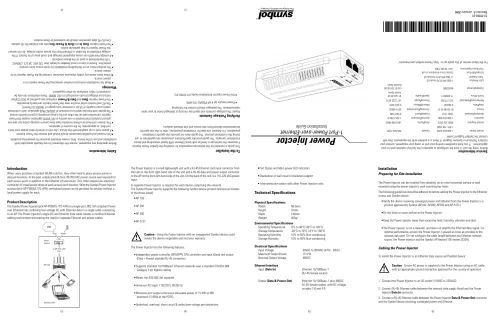
- IEEE 802.3af Power over Ethernet; 48 VDC @ 7W typical, 36 VDC to 57 VDC range p. 1
- Configuration
- None on the unit; the wireless switch discovers it and downloads all configuration and firmware p. 2
- Antennas
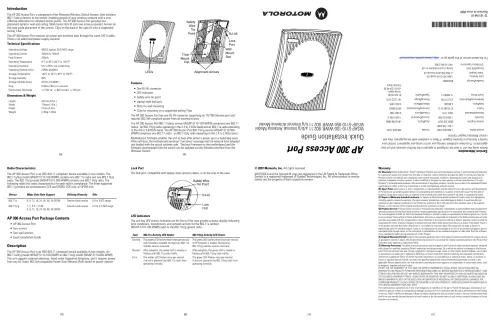
- Internal antenna version: integrated 2.4 GHz and 5.2 GHz dual elements with diversity; external antenna version: two RSMA and two RBNC connectors, antennas not included p. 1
- Part numbers
- Internal antenna version: WSAP-5110-100-WW; external antenna version: WSAP-5100-100-WW p. 1
- Operating temperature
- Internal antenna version: 0°C to 40°C (32°F to 104°F); external antenna version: -20°C to 50°C (-4°F to 122°F) p. 1
- Dimensions
- Internal antenna version: 9.5 x 7.0 x 2.0 in. (24.1 x 17.8 x 5.1 cm); external antenna version: 9.25 x 5.75 x 1.0 in. (23.5 x 14.6 x 2.54 cm) p. 1
- Weight
- Internal antenna version: 1.0 lbs/0.45kg; external antenna version: 1.6 lbs/0.73kg p. 1
- Data rates
- 802.11a: 6, 9, 12, 18, 24, 36, 48 and 54 Mbps; 802.11b/g: 1, 2, 5.5, 6, 9, 11, 12, 18, 24, 36, 48, 54 Mbps p. 1
- Wireless LANs
- Four BSSIDs and 16 ESSIDs per radio p. 2
- Security
- 802.11i (AES, TKIP, 802.1x-EAP), 802.1x supplicant for wired ports, 802.11h dynamic frequency selection p. 2
What this sheet walks you through
- Choosing between the internal antenna and external antenna versions p. 2
- Mounting options for each version: T-bar, above ceiling tile and wall p. 2
- Using multiple BSSIDs to create separate wireless VLANs p. 2
- Frequency ranges and operating channels by region p. 1
- Transmit power and receiver sensitivity at each data rate p. 1
Good to know
- Actual operating frequencies depend on regulatory rules and the certification agency. p. 1
- At printing, North American approval for 802.11a at 5.4-5.7 GHz was pending. p. 1
- Antennas for the external antenna version are not included. p. 1
Questions this sheet answers
What is the operating temperature of the AP 300?
The internal antenna version runs from 0°C to 40°C (32°F to 104°F); the external antenna version from -20°C to 50°C (-4°F to 122°F). p. 1
What is the part number of the AP 300 internal and external antenna versions?
The internal antenna version is WSAP-5110-100-WW and the external antenna version is WSAP-5100-100-WW. p. 1
How many SSIDs does the AP 300 support?
Each radio supports up to 16 WLANs (ESSIDs) and four BSSIDs. p. 2
Does the AP 300 need to be configured?
No. The wireless switch discovers the access port and downloads all its configuration parameters and firmware. p. 2
Which wireless switches does the AP 300 work with?
The spec sheet names Symbol's Wireless Switch 5000 and Wireless Switch 2000. p. 2
The whole text · 2 parts
Read the sheet here as text
Its text as extracted from the PDF, unedited, in parts; each page opens the PDF at that page.
The file