Manual · Socket
SDIO In-Hand Scan Card User's Guide
Manual46 pagesPDF 975 KB
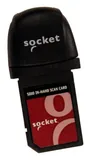
User's guide for the Socket SDIO In-Hand Scan Card bar code reader on Pocket PC 2003 and Palm devices with an SDIO slot.
Covers · 1 model
The models it covers
Summary
What is in it
The user's guide for the Socket SDIO In-Hand Scan Card, an SDIO card with an integrated linear CMOS bar code reader for Pocket PC 2003 and Palm devices. It gives step-by-step setup for each platform (removing other scanning software, installing SocketScan, inserting the card, assigning a trigger button and scanning into applications), optional symbology and prefix/suffix settings, and appendices on specifications, bar code labels, decode zone, scanning tips, troubleshooting and support.
Its parts
- Introduction
- Setup for Pocket PC 2003
- Setup for Palm
- Specifications
- Bar Code Label Specifications
- Enabling or Disabling Symbologies
- Decode Zone
- Tips for Better Scanning
- Troubleshooting
- Technical Support
From the manual
Key facts from this manual
Each line names its page in the PDF.
User's guide for the Socket SDIO In-Hand Scan Card, an SDIO card with a built-in linear CMOS bar code reader for Pocket PC 2003 and Palm handhelds with an SDIO slot. It walks through installing SocketScan, inserting the card, setting a trigger button, choosing symbologies and scanning, and gives the specifications, decode distances, scanning tips and troubleshooting.
- What it is
- SDIO card with an integrated linear CMOS bar code reader for Pocket PC 2003 and Palm devices with an SDIO slot p. 1
- Requirements
- Pocket PC 2003 with ARM processor, Windows Mobile 2003 or 2003 SE and SDIO Now! software from bSQUARE in System ROM; or Palm OS v4.1 or greater p. 5
- Symbologies
- Code 39, UPC/EAN, Code 128, I 2of5, D 2of5, Code 93, Codabar, MSI/Plessey, Code 11, Web Code p. 31
- Decode distance
- A 10 mil bar code reads from 1.25 to 7.5 inches; hold about 4 to 7 inches from retail UPC codes p. 36, 38
- Imager
- Captures images about 1 degree high by 40 degrees wide, about 20 to 40 per second; red light is an aiming beam only p. 38
- Power
- 3.3 V from the handheld: idle 0.4 mA (1.32 mW), typical 65 mA; no batteries or cables p. 5, 31
- Size and weight
- Card 32 x 24 x 2 mm; scanner 27.1 x 29.6 x 14.8 mm; approx. 22.7 g in total p. 31
- Software
- Installation utility, SocketScan keyboard emulation for Windows CE and Palm OS, SocketScan Trigger for Windows CE p. 31
- In the box
- Scan card, installation CD with software and user documentation, booklets p. 6
- Prefix and suffix
- Up to 128 printable ASCII characters; default suffix is a carriage return p. 16
- Default symbologies
- Nine of the most common symbologies enabled out of the box p. 15
- Certification
- The manual states FCC Part 15, Class B; CE EN55024:1998; C-TICK s.182 p. 31
What this manual walks you through
- Installing SocketScan on a Pocket PC through ActiveSync p. 9, 10
- Inserting and safely removing the card p. 11
- Assigning a hardware trigger button on a Pocket PC p. 12
- Using the on-screen SocketScan Trigger p. 18, 19
- Configuring SocketScan on a Palm device p. 24, 25, 26
- Enabling or disabling symbologies p. 15, 28, 33
- Running a scan test on a Palm device p. 29
- Bar code label print requirements p. 32
- Tips for better scanning with an imager p. 38, 39
- Troubleshooting card detection, failed reads and trigger buttons p. 40
Good to know
- Push the card in before pulling it out, or the connector can be damaged. p. 11
- Do not soft reset the Pocket PC while the card is inserted. p. 11
- Some Pocket PCs drain the main battery while any SD/SDIO card is inserted, even when off; remove the card when not in use. p. 11
- Trioptic Code 39 must be enabled for Code 128 to work correctly. p. 15
- Setting a symbology length to Any may lead to inaccurate decodes. p. 33
Questions this manual answers
Why does my Pocket PC show No Card Detected for the SDIO scan card?
The Pocket PC is not recognizing the card: make sure it is inserted properly, remove and reinsert it if needed, and tap Yes if asked about using battery power. p. 40
How far from the bar code should I hold the SDIO In-Hand Scan Card?
For normal sized codes such as retail UPC labels, about 4 to 7 inches (10 to 18 cm). p. 38
Which Pocket PCs work with the SDIO In-Hand Scan Card?
Pocket PC 2003 devices with an SDIO slot, an ARM processor, Windows Mobile 2003 or 2003 SE, and SDIO Now! software from bSQUARE in System ROM. p. 5
Why does the SDIO scan card struggle to read bar codes?
It is an imager, so hold it still, light the bar code well, try a greater distance and tilt it at least 15 degrees from perpendicular. p. 38, 39
Can I trigger the SDIO scan card without a hardware button?
Yes, SocketScan Trigger for Windows CE puts an icon on screen that you tap to trigger the scanner. p. 5
Contents
Chapters and sections
Each line opens the PDF at its page.
- Copyright Notice2
- 1 | Introduction5
- 2 | Setup for Pocket PC 20037
- 3 | Setup for Palm20
- Appendix A Specifications31
- Appendix B Bar Code Label Specifications32
- Appendix C Enabling or Disabling Symbologies33
- Appendix D Decode Zone36
- Appendix E Tips for Better Scanning38
- Appendix F Troubleshooting40
- Appendix G Technical Support41
- Limited Warranty43
- Limited Software Warranty44
The whole text · 7 parts
Read the manual here as text
Its text as extracted from the PDF, unedited, in parts; each page opens the PDF at that page.
The file