Spec sheet · Socket
Socket SDIO In Hand Scan Card Spec Sheet
Spec sheet2 pagesPDF 147 KB
Both pages are below, each with its text.
Covers · 1 model
The models it covers
From the sheet · read page by page
Key facts from this sheet
Each line names its page in the PDF.
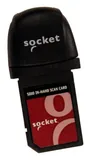
A two-page Socket spec sheet for the SDIO In-Hand Scan Card, an SDIO card with a built-in bar code scanner for Pocket PC 2003 and Palm Tungsten handhelds. It lists the supported systems, bar code types, decode range, power draw, size and the included SocketScan software.
- What it is
- SDIO card with an integrated bar code scanner for Pocket PC 2003 and Palm Tungsten p. 1
- Product number
- IS5300-464 p. 2
- Operating systems
- Windows CE v3.0 or greater with ARM processor and SDIO support; Palm OS v4.1 or greater p. 2
- Decode distance
- 1.5 to 24+ inches, depending on symbol size, symbology, label media, W-N ratio and scan angle p. 2
- Symbologies
- UPC/EAN, Code 128, Code 39, I 2of5, D2of5, Code 93, Codabar, MSI/Plessey, Code 11, Web Code p. 2
- Power
- Powered by the handheld at 3.3V: 8 mA (26.4 mW) idle, 56 mA scanning p. 1, 2
- Size and weight
- Card 32 x 24 x 2 mm; scanner 27.1 x 29.6 x 14.8 mm; approx. 7.3 g in total p. 2
- Interface
- SDIO p. 2
- Software
- Installation utility and SocketScan keyboard emulation for Windows CE or Palm OS; SocketScan SDK for developers p. 2
- Certification
- The spec sheet states FCC Part 15, Class B; CE EN55024:1998; C-TICK s.182 p. 2
What this sheet walks you through
- SocketScan software features: prefixes, suffixes, beep tones and symbology settings p. 2
Good to know
- The Pocket PC's SDIO slot must support I/O. p. 1
Questions this sheet answers
Which handhelds work with the Socket SDIO In-Hand Scan Card?
A Pocket PC 2003 whose SDIO slot supports I/O, or a Palm Tungsten; Windows CE v3.0 or greater (ARM) or Palm OS v4.1 or greater. p. 1, 2
Does the SDIO In-Hand Scan Card need its own battery?
No, it draws its power from the handheld. p. 1
What bar codes can the SDIO In-Hand Scan Card read?
UPC/EAN, Code 128, Code 39, I 2of5, D2of5, Code 93, Codabar, MSI/Plessey, Code 11 and Web Code. p. 2
What is the part number of the Socket SDIO Scan Card?
Product number IS5300-464. p. 2
The file
Size and text
Every page · 2
Read it here
Each page as it is printed, and its words beside it, so a phone can search and copy them.
Page1of 2
Open in the PDF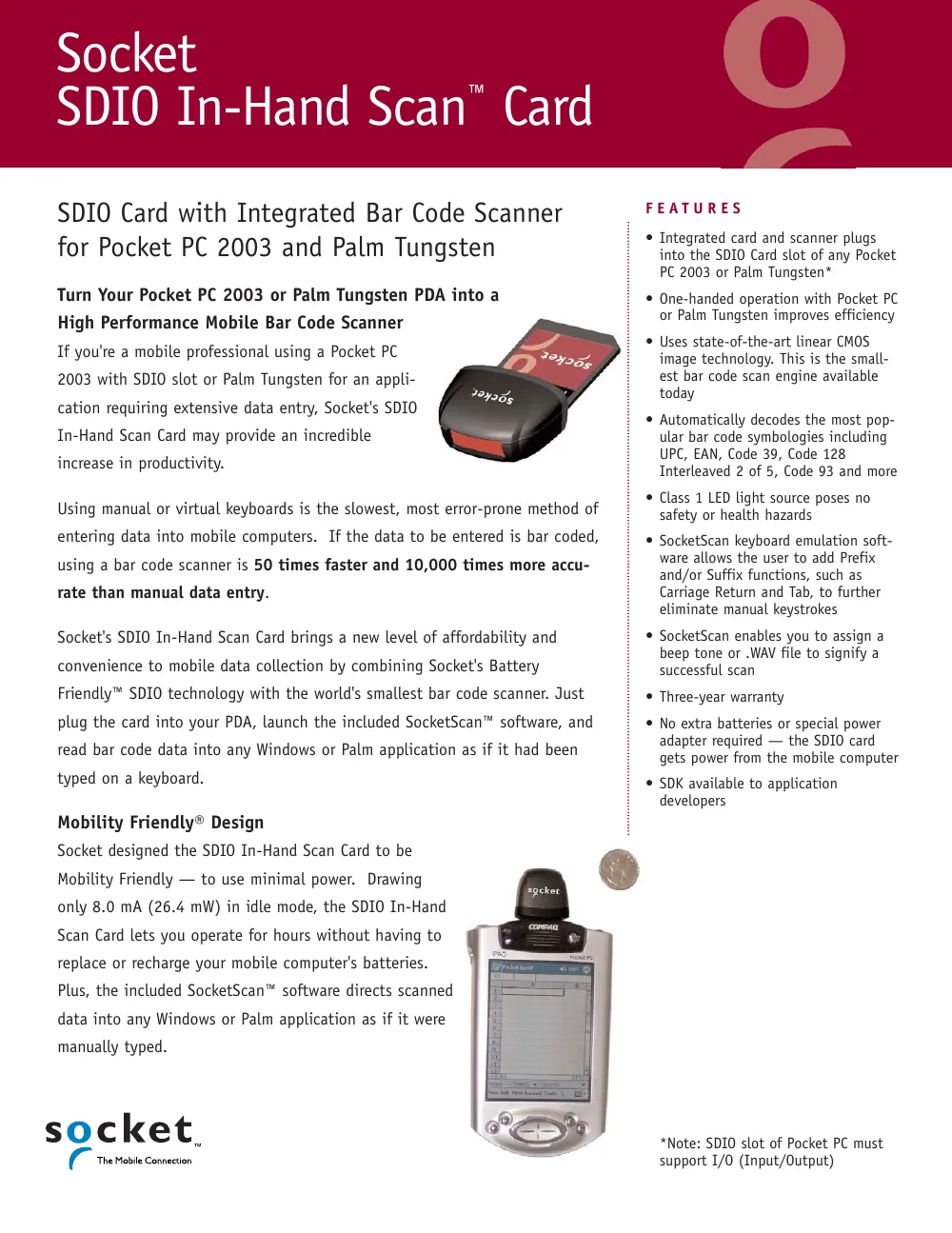
The text of page 1, from the PDF itself
Socket ™ SDIO In-Hand Scan Card SDIO Card with Integrated Bar Code Scanner for Pocket PC 2003 and Palm Tungsten
FEATURES
Turn Your Pocket PC 2003 or Palm Tungsten PDA into a High Performance Mobile Bar Code Scanner
- One-handed operation with Pocket PC or Palm Tungsten improves efficiency
If you're a mobile professional using a Pocket PC 2003 with SDIO slot or Palm Tungsten for an application requiring extensive data entry, Socket's SDIO
- Integrated card and scanner plugs into the SDIO Card slot of any Pocket PC 2003 or Palm Tungsten*
- Uses state-of-the-art linear CMOS image technology. This is the smallest bar code scan engine available today
increase in productivity.
- Automatically decodes the most popular bar code symbologies including UPC, EAN, Code 39, Code 128 Interleaved 2 of 5, Code 93 and more
Using manual or virtual keyboards is the slowest, most error-prone method of
- Class 1 LED light source poses no safety or health hazards
In-Hand Scan Card may provide an incredible
entering data into mobile computers. If the data to be entered is bar coded, using a bar code scanner is 50 times faster and 10,000 times more accurate than manual data entry.
- SocketScan keyboard emulation software allows the user to add Prefix and/or Suffix functions, such as Carriage Return and Tab, to further eliminate manual keystrokes
convenience to mobile data collection by combining Socket's Battery
- SocketScan enables you to assign a beep tone or .WAV file to signify a successful scan
Friendly™ SDIO technology with the world's smallest bar code scanner. Just
- Three-year warranty
plug the card into your PDA, launch the included SocketScan™ software, and
- No extra batteries or special power adapter required, the SDIO card gets power from the mobile computer
Socket's SDIO In-Hand Scan Card brings a new level of affordability and
read bar code data into any Windows or Palm application as if it had been typed on a keyboard.
- SDK available to application developers
Mobility Friendly® Design Socket designed the SDIO In-Hand Scan Card to be Mobility Friendly, to use minimal power. Drawing only 8.0 mA (26.4 mW) in idle mode, the SDIO In-Hand Scan Card lets you operate for hours without having to replace or recharge your mobile computer's batteries. Plus, the included SocketScan™ software directs scanned data into any Windows or Palm application as if it were manually typed.
*Note: SDIO slot of Pocket PC must support I/O (Input/Output)
Page2of 2
Open in the PDF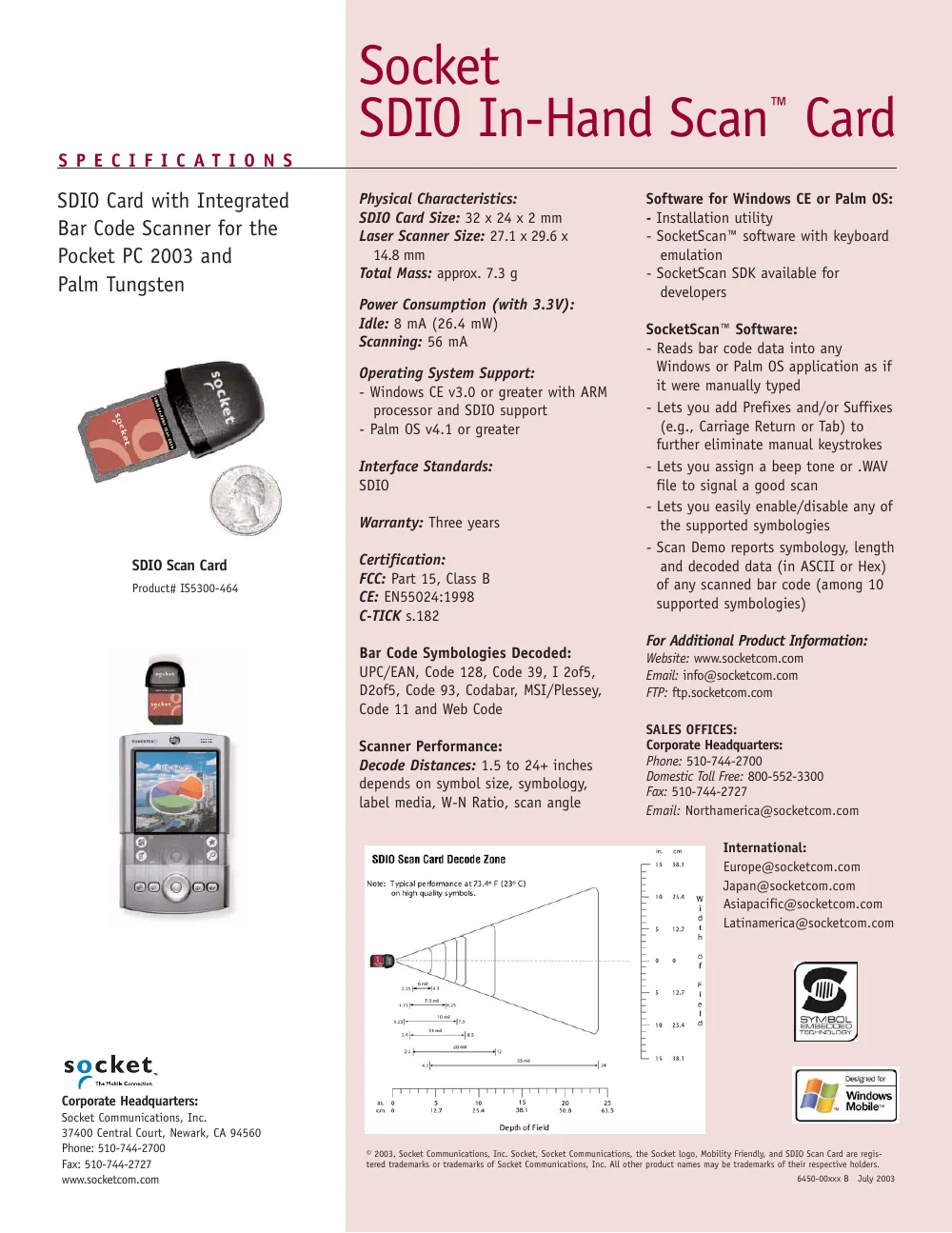
The text of page 2, from the PDF itself
Socket ™ SDIO In-Hand Scan Card S P E C I F I C AT I O N S
SDIO Card with Integrated Bar Code Scanner for the Pocket PC 2003 and Palm Tungsten
Physical Characteristics: SDIO Card Size: 32 x 24 x 2 mm Laser Scanner Size: 27.1 x 29.6 x 14.8 mm Total Mass: approx. 7.3 g Power Consumption (with 3.3V): Idle: 8 mA (26.4 mW) Scanning: 56 mA Operating System Support:
- Windows CE v3.0 or greater with ARM processor and SDIO support
- Palm OS v4.1 or greater Interface Standards: SDIO Warranty: Three years
SDIO Scan Card Product# IS5300-464
Certification: FCC: Part 15, Class B CE: EN55024:1998 C-TICK s.182
Software for Windows CE or Palm OS:
- Installation utility
- SocketScan™ software with keyboard emulation
- SocketScan SDK available for developers SocketScan™ Software:
- Reads bar code data into any Windows or Palm OS application as if it were manually typed
- Lets you add Prefixes and/or Suffixes (e.g., Carriage Return or Tab) to further eliminate manual keystrokes
- Lets you assign a beep tone or .WAV file to signal a good scan
- Lets you easily enable/disable any of the supported symbologies
- Scan Demo reports symbology, length and decoded data (in ASCII or Hex) of any scanned bar code (among 10 supported symbologies) For Additional Product Information:
Bar Code Symbologies Decoded: UPC/EAN, Code 128, Code 39, I 2of5, D2of5, Code 93, Codabar, MSI/Plessey, Code 11 and Web Code
Website: www.socketcom.com Email: info@socketcom.com FTP: ftp.socketcom.com
Scanner Performance: Decode Distances: 1.5 to 24+ inches depends on symbol size, symbology, label media, W-N Ratio, scan angle
SALES OFFICES: Corporate Headquarters: Phone: 510-744-2700 Domestic Toll Free: 800-552-3300 Fax: 510-744-2727 Email: Northamerica@socketcom.com International: Europe@socketcom.com Japan@socketcom.com Asiapacific@socketcom.com Latinamerica@socketcom.com
Corporate Headquarters: Socket Communications, Inc. 37400 Central Court, Newark, CA 94560 Phone: 510-744-2700 Fax: 510-744-2727 www.socketcom.com
© 2003, Socket Communications, Inc. Socket, Socket Communications, the Socket logo, Mobility Friendly, and SDIO Scan Card are registered trademarks or trademarks of Socket Communications, Inc. All other product names may be trademarks of their respective holders. 6450-00xxx B July 2003