


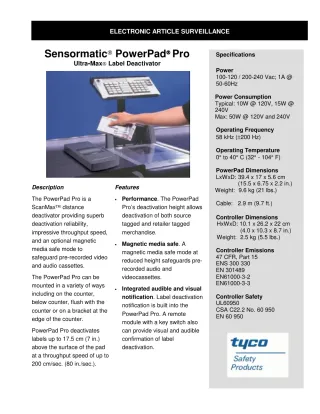
Spec sheet · Sensormatic
Sensormatic ZBSMPRO Spec Sheet
Spec sheet2 pagesPDF 146 KB
Both pages are below, each with its text.
Covers · 1 model
The models it covers
From the sheet · read page by page
Key facts from this sheet
Each line names its page in the PDF.
A two-page Sensormatic spec sheet for the PowerPad Pro, a ScanMax distance deactivator for anti-theft labels, and the ScanMax Pro Controller that drives it. The ZBSMPRO is the controller on its own. It gives specifications, features, mounting options and the product codes of the system, controller, pad and brackets.
- Device
- ScanMax Pro Controller only, which powers and runs the deactivator antenna p. 2
- Compatibility
- All ScanMax Pro deactivator antennas; detects antenna type and remote module automatically p. 2
- Ports
- Separate communications ports for POS and service p. 2
- Controller dimensions
- 10.1 x 26.2 x 22 cm (4.0 x 10.3 x 8.7 in.) HxWxD p. 1
- Controller weight
- 2.5 kg (5.5 lbs.) p. 1
- Controller mounting
- Table-top, vertical or under the counter; optional bracket for under-counter or sidewall p. 2
- Deactivation rate
- Up to two labels per second p. 2
- System power
- 100-120 / 200-240 Vac; 1A @ 50-60Hz; typical 10W @ 120V, 15W @ 240V; max 50W p. 1
- Operating frequency
- 58 kHz (±200 Hz) p. 1
- Operating temperature
- 0° to 40° C (32° - 104° F) p. 1
- Labels
- Ultra•Strip II and Ultra•Strip III p. 2
- Deactivation height
- PowerPad Pro: up to 17.5 cm (7 in.) above the pad at up to 200 cm/sec. (80 in./sec.) p. 1
- PowerPad pad
- 39.4 x 17 x 5.6 cm (15.5 x 6.75 x 2.2 in.); 9.6 kg (21 lbs.); 2.9 m (9.7 ft.) cable p. 1
- Product codes
- ZBSMP-PW system; ZESMPRO controller with cord; ZBSMPPP deactivator only; ZBSTP-PP-B1 to ZBSTP-PP-B4 trays and brackets p. 2
What this sheet walks you through
- Choosing how to mount the pad: on, below, flush with or at the edge of the counter p. 1
- Placing the remote module and its key switch at the checkstand p. 2
- Placing labels near the bar code for best deactivation p. 2
Good to know
- A magnetic media safe mode deactivates at reduced height to protect prerecorded audio and video cassettes. p. 1
- Further details are in the ScanMax Pro Deactivator Systems Planning Guide 8200-0054-02. p. 2
Questions this sheet answers
What is the Sensormatic ZBSMPRO?
It is the ScanMax Pro Controller on its own, without the deactivator pad or cord. ZESMPRO is the controller with cord. p. 2
Which deactivator antennas work with the ScanMax Pro Controller?
All ScanMax Pro deactivator antennas. It detects the antenna type and remote module automatically. p. 2
What labels does the PowerPad Pro deactivate?
Ultra•Strip II and Ultra•Strip III labels, at 58 kHz. p. 1, 2
How high above the PowerPad Pro does it deactivate labels?
Up to 17.5 cm (7 in.) above the pad surface, at up to 200 cm/sec. (80 in./sec.). p. 1
The file
Size and text
Every page · 2
Read it here
Each page as it is printed, and its words beside it, so a phone can search and copy them.
Page1of 2
Open in the PDF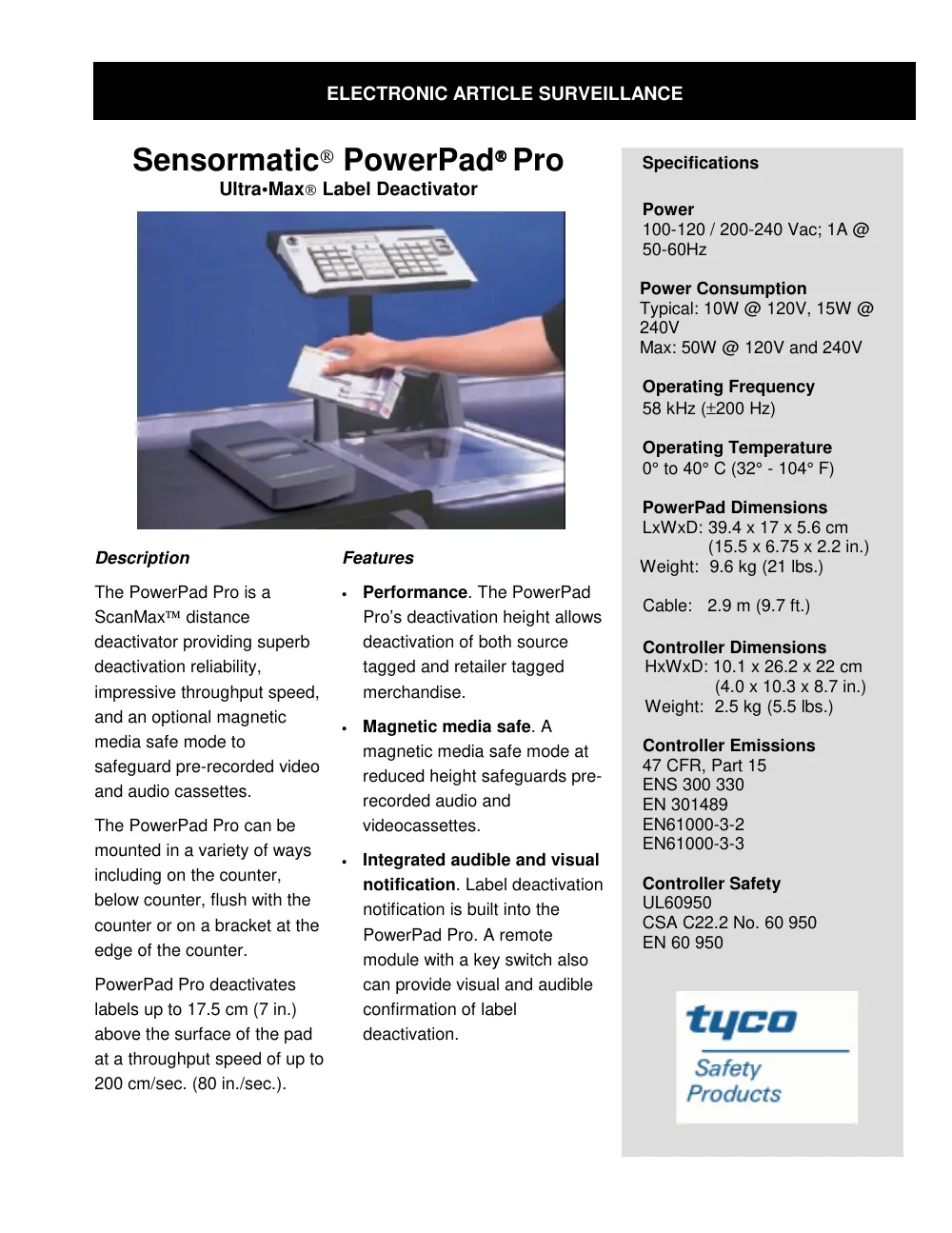
The text of page 1, from the PDF itself
ELECTRONIC ARTICLE SURVEILLANCE
Sensormatic PowerPad Pro
Specifications
Ultra•Max Label Deactivator Power 100-120 / 200-240 Vac; 1A @ 50-60Hz Power Consumption Typical: 10W @ 120V, 15W @ 240V Max: 50W @ 120V and 240V Operating Frequency 58 kHz (±200 Hz) Operating Temperature 0° to 40° C (32° - 104° F)
Description
Features
The PowerPad Pro is a ScanMax distance deactivator providing superb deactivation reliability, impressive throughput speed, and an optional magnetic media safe mode to safeguard pre-recorded video and audio cassettes.
The PowerPad Pro can be mounted in a variety of ways including on the counter, below counter, flush with the counter or on a bracket at the edge of the counter. PowerPad Pro deactivates labels up to 17.5 cm (7 in.) above the surface of the pad at a throughput speed of up to 200 cm/sec. (80 in./sec.).
Performance. The PowerPad Pro’s deactivation height allows deactivation of both source tagged and retailer tagged merchandise. Magnetic media safe. A magnetic media safe mode at reduced height safeguards prerecorded audio and videocassettes. Integrated audible and visual notification. Label deactivation notification is built into the PowerPad Pro. A remote module with a key switch also can provide visual and audible confirmation of label deactivation.
PowerPad Dimensions LxWxD: 39.4 x 17 x 5.6 cm (15.5 x 6.75 x 2.2 in.) Weight: 9.6 kg (21 lbs.) Cable: 2.9 m (9.7 ft.) Controller Dimensions HxWxD: 10.1 x 26.2 x 22 cm (4.0 x 10.3 x 8.7 in.) Weight: 2.5 kg (5.5 lbs.) Controller Emissions 47 CFR, Part 15 ENS 300 330 EN 301489 EN61000-3-2 EN61000-3-3 Controller Safety UL60950 CSA C22.2 No. 60 950 EN 60 950
Page2of 2
Open in the PDF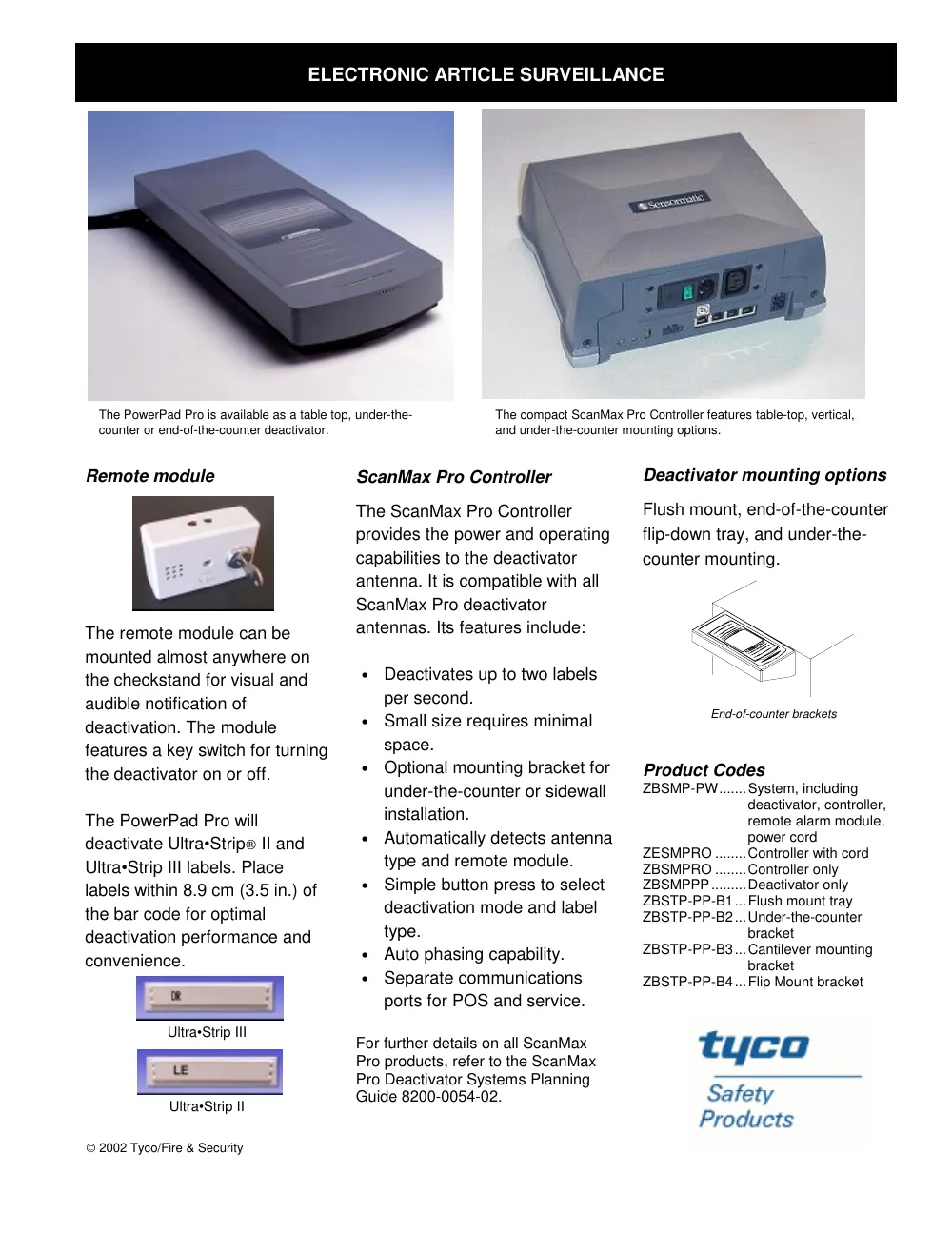
The text of page 2, from the PDF itself
ELECTRONIC ARTICLE SURVEILLANCE
The PowerPad Pro is available as a table top, under-thecounter or end-of-the-counter deactivator.
Remote module
The remote module can be mounted almost anywhere on the checkstand for visual and audible notification of deactivation. The module features a key switch for turning the deactivator on or off. The PowerPad Pro will deactivate Ultra•Strip II and Ultra•Strip III labels. Place labels within 8.9 cm (3.5 in.) of the bar code for optimal deactivation performance and convenience.
Ultra•Strip III
Ultra•Strip II 2002 Tyco/Fire & Security
The compact ScanMax Pro Controller features table-top, vertical, and under-the-counter mounting options.
ScanMax Pro Controller
Deactivator mounting options
The ScanMax Pro Controller provides the power and operating capabilities to the deactivator antenna. It is compatible with all ScanMax Pro deactivator antennas. Its features include:
Flush mount, end-of-the-counter flip-down tray, and under-thecounter mounting.
Deactivates up to two labels per second. Small size requires minimal space. Optional mounting bracket for under-the-counter or sidewall installation. Automatically detects antenna type and remote module. Simple button press to select deactivation mode and label type. Auto phasing capability. Separate communications ports for POS and service.
For further details on all ScanMax Pro products, refer to the ScanMax Pro Deactivator Systems Planning Guide 8200-0054-02.
End-of-counter brackets
Product Codes ZBSMP-PW....... System, including deactivator, controller, remote alarm module, power cord ZESMPRO ........ Controller with cord ZBSMPRO ........ Controller only ZBSMPPP ......... Deactivator only ZBSTP-PP-B1 ... Flush mount tray ZBSTP-PP-B2 ... Under-the-counter bracket ZBSTP-PP-B3 ... Cantilever mounting bracket ZBSTP-PP-B4 ... Flip Mount bracket