Manual · Schlumberger
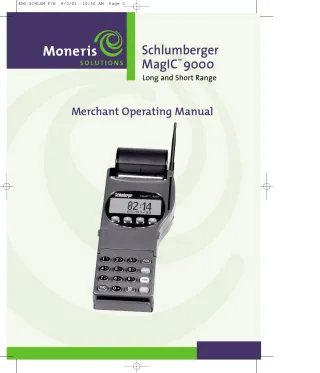
Schlumberger MagIC 9000 Long and Short Range Merchant Operating Manual
Manual93 pagesPDF 2.1 MB
Merchant operating manual for the Schlumberger MagIC 9000 wireless point of sale terminal: setup, credit and debit transactions and admin options.
Covers · 1 model
The models it covers
Summary
What is in it
A merchant operating manual, issued by Moneris Solutions, for the Schlumberger MagIC 9000, a stand-alone wireless point of sale terminal that reads magnetic stripe and smart cards. It covers unpacking, loading paper and charging the batteries, technical specifications, the main menu structure, operating features and procedures, processing credit card and debit card transactions (with back-up procedures), and administration options such as print contrast.
Its parts
- About Your Terminal
- Main Menu Structure
- Operating Features and Procedures
- Operating Your Terminal
- Processing Credit Card Transactions
- Processing Debit Card Transactions
- Administration Options
- Appendix and Index
From the manual
Key facts from this manual
Each line names its page in the PDF.
This is the Moneris merchant operating manual for the Schlumberger MagIC 9000 Long and Short Range wireless payment terminal. It covers unpacking, paper and battery charging, technical specifications, the keypad and menus, features such as tips and training mode, credit and debit card transactions, administration settings and short range base station setup. Read for this summary: the contents, the terminal section, the features and procedures pages and the short range appendix.
- Device
- Stand-alone programmable POS terminal that reads magnetic stripe (credit/debit) cards and Smart (IC) cards p. 10
- Wireless
- RF modem for the MOBITEX network; 900 MHz RF units link to a MagIC 9000 RF base station p. 11, 25
- Short range base
- Up to 3 terminals per base station, within 75 meters p. 89
- Card reader
- Bi-directional magnetic stripe reader, ISO 1 and ISO 2 tracks; smart card slot for future use p. 11, 13
- Display
- 4 line x 16 character LCD graphic display, backlit p. 13
- Keypad
- 20 backlit keys with audible tone and colour coding p. 11
- Printer
- Built-in thermal printer, 10 lines per second; 2 1/4" x 80' paper rolls p. 10, 13
- Battery
- NiCd batteries charged in a separate charger; 50 or more transactions per charge; 1-2 hour recharge p. 10
- Power adapter
- Input 120V, 60Hz 22W; output 12V DC 1A p. 11
- Operating environment
- 5° to 40° C, 5% to 90% RH with no condensation p. 11
- Stored transactions
- 500 approved credit and debit records, cleared at Close Batch p. 27
- Cards accepted
- VISA, MasterCard, American Express, Diners Club/enRoute and Interac Direct Payment debit cards p. 13
- In the box
- Terminal, 2 NiCd batteries, wall mount power adapter, two paper rolls, holster, manual and quick reference guide p. 10
What this manual walks you through
- Unpacking, loading paper and charging the batteries p. 10
- Caring for and cleaning the terminal p. 12
- Using the keypad, alpha entry and softkeys p. 15, 16
- Reading the signal strength and communication indicators p. 25
- Practicing transactions in training mode p. 26
- Setting up a short range terminal with its base station p. 89, 90
- Securing the terminal and calling for a Code 10 authorization p. 27
- Credit and debit card purchases, refunds, corrections and pre-authorizations p. 6, 7
Good to know
- Use only the AC power adapter supplied with the terminal; look-alike adapters can cause poor charging or damage. p. 10
- Give new batteries an initial charge of no more than 12 hours. p. 10
- Do not use isopropyl alcohol based cleaners or spray cleaner directly on the terminal. p. 12
- After 5 invalid password attempts in a row the terminal locks itself out of transactions. p. 25
- Wireless transactions work only inside the wireless network's coverage area. p. 11
Questions this manual answers
How long does the MagIC 9000 battery last?
After a full charge it is expected to handle 50 or more transactions; a normal recharge takes 1-2 hours. p. 10
How far can a MagIC 9000 short range terminal be from its base station?
No more than 75 meters, and up to 3 terminals can share one base station. p. 89
What paper does the MagIC 9000 use?
Thermal calculator roll paper, 2 1/4" x 80' with a 1 7/8 diameter roll. p. 10
Why is my MagIC 9000 printing slowly?
Slow printing usually means the battery is low; darker print contrast settings also drain the battery faster. p. 10
How many transactions does the MagIC 9000 store?
500 approved credit and debit records; they are cleared when a Close Batch is done. p. 27
The whole text · 10 parts
Read the manual here as text
Its text as extracted from the PDF, unedited, in parts; each page opens the PDF at that page.
The file