Manual · RVSI CiMatrix
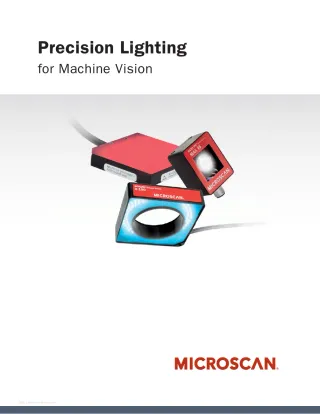
NERLITE Precision Lighting for Machine Vision
Manual6 pagesPDF 498 KB
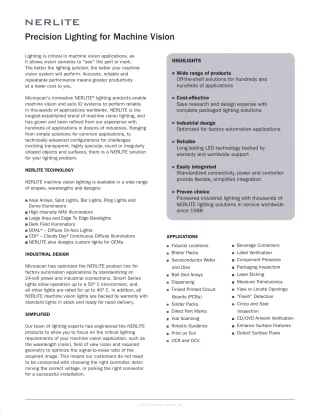
Microscan brochure for the NERLITE line of machine vision lights: MAX illuminators, DOAL, CDI, backlights, ring and bar lights and the NL-200 controller.
What this file really is
The old site listed this file as a manual for the RVSI CiMatrix 500301, 655003 and 7 more models. Filed as a Siemens 655003 product brochure, this is a 2015 Microscan brochure for the whole NERLITE machine vision lighting line; it does not name Siemens or the 655003.
Filed with · 9 models
Also filed with these models on the old site
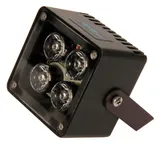 RVSI CiMatrix 655003Machine vision illuminator from$325.002 in stock
 RVSI CiMatrix DOAL 20-FO 202001Machine vision illuminator from$195.001 in stock
 RVSI CiMatrix DOAL NER 3519Machine vision illuminator from$195.001 in stock
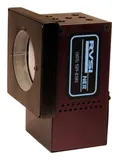 RVSI CiMatrix MAXlite-50Machine vision illuminator from$495.001 in stock RVSI CiMatrix 500301Power supply Call for availability Siemens 655003Machine vision illuminator Call for availability Siemens DOAL 20-FO 202001Machine vision illuminator Call for availability Siemens DOAL NER 3519Machine vision illuminator Call for availability Siemens MAXlite-50Machine vision illuminator Call for availability
Summary
What is in it
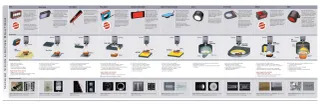
A product brochure from Microscan for its NERLITE machine vision lighting. It explains why lighting matters for vision cameras and lists typical applications, then describes each type of light: MAX high intensity illuminators, area arrays, bar lights, ring lights, large area and edge to edge backlights, dome and dark field illuminators, DOAL diffuse on-axis lights and CDI continuous diffuse illuminators, plus the NL-200 lighting controller, power supplies, mounts and cables.
From the manual · read page by page
Key facts from this manual
Some pages are scans or cannot be read; this says only what the readable text supports. Each line names its page in the PDF.
Product brochure (Microscan, 2015) for the NERLITE line of machine vision lights: area arrays, bar, ring and spot lights, domes, MAX illuminators, backlights, dark field, DOAL and CDI illuminators, the Smart Series Pharmalite and the NL-200 Series controller. It explains what each lighting type is for and how to pick a technique for a part feature. It does not name the specific part numbers the site files it under.
- Product line
- NERLITE machine vision lighting: area arrays, spot, bar and ring lights, dome illuminators, MAX illuminators, backlights, dark field, DOAL and CDI illuminators p. 2
- Power
- 24-volt power and industrial connections across the line p. 2
- Operating temperature
- Smart Series lights up to 50º C; all other lights up to 40º C p. 2
- DOAL
- Diffuse On-Axis Lights, for marked or embossed features on flat specular surfaces p. 2, 3
- Smart Series
- Built-in controller with continuous and strobe modes, integrated Pulse Width Modulation (PWM) p. 3
- MAX illuminators
- High intensity output over a large area, IP67 industrial sealing, built-in controller p. 3
- NL-200 controller
- Drives all non-Smart Series NERLITE lights in continuous, strobe or switched mode; optional Ethernet and web server p. 6
- Accessories
- DIN rail mount power supplies, direct camera mounts (GigE, HAWK and MINI cameras), cables and cordsets p. 6
- Ring light accessories
- Diffuser (included), Fresnel focusing lenses, camera lens attachment adapters p. 6
- Pharmalite compatibility
- QX Hawk and Vision HAWK (also C-Mount), Visionscape GigE cameras p. 6
- Backlights
- Models for continuous or strobe duty cycles p. 3
What this manual walks you through
- Choosing a lighting technique with the A T-E-S-T method p. 5
- Matching each light type to typical applications p. 3
- Choosing a light color to make a feature darker or lighter p. 5
- Controlling non-Smart Series lights with the NL-200 p. 6
Good to know
- Only Smart Series lights are rated to 50º C; the other NERLITE lights are rated to 40º C. p. 2
- Dome illuminators replace CDI illuminators only where no on-axis lighting component is needed. p. 3
Questions this manual answers
What voltage do NERLITE machine vision lights use?
The brochure says the NERLITE line is standardized on 24-volt power with industrial connections. p. 2
What does DOAL stand for on a NERLITE light?
Diffuse On-Axis Light. It gives the best contrast for features marked or embossed on a flat, shiny surface. p. 2, 3
Which controller runs NERLITE lights?
Smart Series lights have a built-in controller. The NL-200 Series controls all the other NERLITE lights in continuous, strobe or switched mode. p. 3, 6
What light color makes a red feature look darker to a vision camera?
A green light. The opposite light spectrum makes a feature appear darker and the same spectrum makes it lighter. p. 5
Contents
Chapters and sections
Each line opens the PDF at its page.
The whole text · 1 part
Read the manual here as text
Its text as extracted from the PDF, unedited, in parts; each page opens the PDF at that page.
The file