Manual · PSC
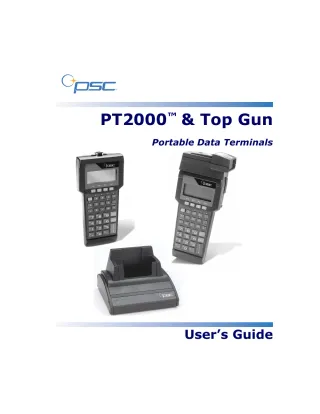
PT2000 & Top Gun Portable Data Terminals User's Guide
Manual168 pagesPDF 3.9 MB
User's guide for the PSC PT2000 portable data terminal and Top Gun laser module: setup, PALPRO, programming and data transfer.
Covers · 4 models
The models it covers
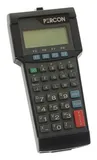 PSC PT-2000Portable batch data collection terminal from$445.00121 in stock
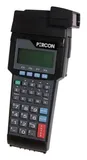 PSC TopGunPortable batch data collection terminal from$745.0035 in stock Datalogic PT-2000Portable batch data collection terminal Call for availability Datalogic TopGunPortable batch data collection terminal Call for availability
Summary
What is in it
The user's guide for the PSC PT2000 rugged handheld data-collection terminal and the Top Gun, a PT2000 with a laser scanner module. It explains the keypad, display and input devices, collecting data with the PALPRO applications or as a keyboard wedge, uploading data to a host, programming the terminal's settings with bar codes and utilities, and transferring files with the PSC utilities. Appendices cover programming parameters, the Top Gun module, the PT Dock, batteries, connector pinouts and programming bar codes.
Its parts
- About this Guide
- Introduction & Quick Start Guide
- About the PT2000 and Top Gun
- Using the PT2000 and Top Gun with PALPRO
- Programming the PT2000 and Top Gun
- Transferring Data With PSC Utilities
From the manual
Key facts from this manual
Each line names its page in the PDF.
The user's guide for the PSC PT2000 portable data terminal and the Top Gun, which is a PT2000 with a laser scanning module mounted on it. It explains the keypad and display, collecting data with the preloaded PALPRO programs, programming and transferring data, the PT Dock, the batteries and the connector pinouts.
- Device
- Rugged handheld data-collection terminal (PT2000); the Top Gun is a PT2000 with a laser module mounted on it p. 18, 19
- Display
- 4 lines of 16 characters, scrolling over a virtual display of 24 lines by 80 characters p. 23
- Keypad
- 26 data keys with normal and alpha modes, four function keys (F1 to F4, F5 to F8 in alpha mode), four action keys p. 21, 22
- Batteries
- Three alkaline batteries as shipped, or NiCd battery pack PSC part #00-862-00 (three rechargeable AA NiCd cells); lithium backup battery p. 13, 126, 127
- Charging
- NiCd pack charges in the unit through a cable and external 9-volt power adapter, or in the PT Dock; full charge about eight hours p. 129
- PT Dock
- Optional dock linking the unit to a PC as a serial device or keyboard wedge and recharging it; power adapter and cables sold separately p. 118, 120, 123
- PT2000 inputs
- PT2000: Top Gun module, wands, CCD scanners, 5-volt handheld laser scanners, ID badge readers, one-track magnetic stripe readers p. 18
- Top Gun scanning
- Top Gun: reads labels from one inch to two feet; two triggers; right- or left-handed use p. 19
- Top Gun laser
- Top Gun: 680-nm laser diode, 6.0 mils minimum element width, depth of field 2 to 24 inches (55-mil labels) p. 115
- Operating temperature
- Top Gun module: -4° to 109°F (-20° to 43°C) p. 115
- Interface connector
- 15 pins: transmit and receive data, hardware handshake, 485+ and 485-, wedge clock and data, +5V and +9V in p. 135
- Scanner connector
- 9-pin jack at the top for bar code and magnetic stripe readers, +5V on pin 9 p. 19, 134
- Symbologies
- PT2000: Codabar, Code 93, Interleaved 2 of 5, UPC-A, UPC-E, Code 128, Code 39, EAN-8, EAN-13, JAN-8, JAN-13, UPC/EAN/JAN extensions p. 18
- Software
- PALPRO preloaded: ASSETPRO, INVPRO and TRACKPRO p. 18, 19
What this manual walks you through
- Getting started quickly with PALPRO p. 14, 15
- Scrolling the display over the virtual display p. 23, 24
- Showing the system version and installed memory p. 25
- Setting the Auto-Off time p. 26
- Connecting the PT Dock to a computer as a serial device p. 120
- Using the PT Dock and recharging in it p. 123
- Replacing the alkaline batteries and setting the battery switches p. 126, 127
- Installing and recharging the NiCd battery pack p. 127, 128, 129
- Pinouts of the scanner, interface cable and PT Dock connectors p. 134, 135, 136
Good to know
- With alkaline batteries, Switch 2 must be in the ALK position so the unit does not try to charge them, which could make them leak and damage the unit. p. 127
- Do not connect the PT Dock to a PC with an off-the-shelf RS-232 cable; use a PSC cable made for the dock. p. 120
- Recharge only with a power adapter supplied by a PSC dealer; another adapter can damage the unit. p. 129
- The PT Dock runs without a power adapter, which is used only for recharging, but its LEDs then stay dark. p. 120
- Pin 4 of the interface cable connector must go to CTS or hardware handshake out on the computer. p. 135
Questions this manual answers
What batteries does the PT2000 or Top Gun use?
It ships with three alkaline batteries; the rechargeable option is the NiCd battery pack, PSC part #00-862-00, with three AA NiCd cells. p. 126, 127
How long does the PT2000 NiCd battery pack take to charge?
About eight hours, using a cable and a 9-volt power adapter or the PT Dock. p. 129
How far away can the Top Gun scan a bar code?
From one inch to two feet; the laser specifications give 2 to 24 inches for 55-mil labels. p. 19, 115
Can the PT2000 work as a keyboard wedge?
Yes, it has a built-in PC interface for use as a keyboard wedge. p. 18
What comes with the PT Dock?
An adapter for the base of the PT2000 or Top Gun with two screws, plus rubber pads and Velcro strips; the power adapter and cables are separate. p. 118
Contents
Chapters and sections
Each line opens the PDF at its page.
The whole text · 17 parts
Read the manual here as text
Its text as extracted from the PDF, unedited, in parts; each page opens the PDF at that page.
- Pages 1 to 101-10
- Pages 11 to 2011-20
- Pages 21 to 3021-30
- Pages 31 to 4031-40
- Pages 41 to 5041-50
- Pages 51 to 6051-60
- Pages 61 to 7061-70
- Pages 71 to 8071-80
- Pages 81 to 9081-90
- Pages 91 to 10091-100
- Pages 101 to 110101-110
- Pages 111 to 120111-120
- Pages 121 to 130121-130
- Pages 131 to 140131-140
- Pages 141 to 150141-150
- Pages 151 to 160151-160
- Pages 161 to 168161-168
The file