Manual · PSC
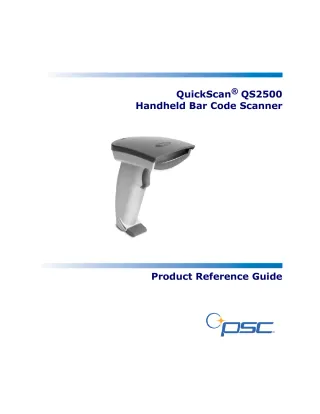
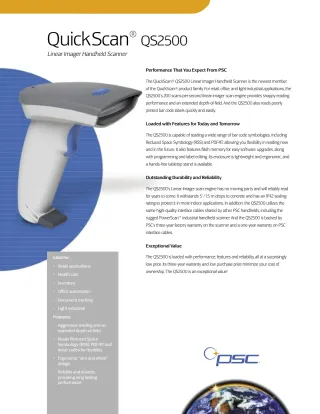
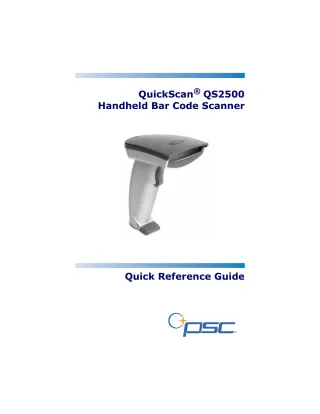
QuickScan QS2500 Handheld Bar Code Scanner Quick Reference Guide
Manual8 pagesPDF 777 KB
Quick reference guide for the PSC QuickScan QS2500 handheld linear imager bar code scanner: installation, how to scan and troubleshooting.
Covers · 2 models
The models it covers
Summary
What is in it
A short quick reference guide for the PSC QuickScan QS2500, a handheld linear imager bar code scanner. It shows how to connect the interface cable and power, how to hold the scanner at a slight angle so the scan line crosses the whole label, how to sweep PDF417 bar codes, and a troubleshooting checklist for power, cabling, label quality and interface type. It ends with compliance statements and the declaration of conformity.
Its parts
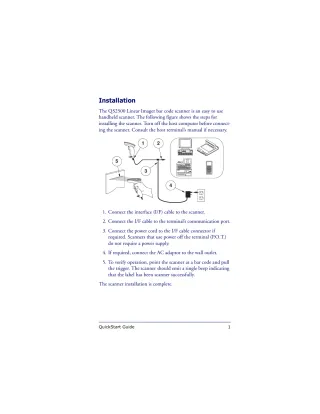
- Installation
- How to Scan
- Troubleshooting
From the manual · read page by page
Key facts from this manual
Some pages are scans or cannot be read; this says only what the readable text supports. Each line names its page in the PDF.
Short quick reference guide for the PSC QuickScan QS2500 handheld linear imager bar code scanner. It shows how to connect the scanner to a host terminal, how to aim it, how to read PDF417 codes and what to check when it will not work.
- Device
- Handheld linear imager bar code scanner with a trigger p. 3
- Power
- Power off the terminal (P.O.T.) or an external power supply with AC adaptor p. 3
- Connection
- Interface (I/F) cable from the scanner to the terminal's communication port p. 3
- Bar codes
- Reads PDF417 by sweeping the scan line down the code p. 4
- Good-read signal
- A single beep; for PDF417, a series of ticks and then a final beep p. 3, 4
- LED class
- Class 1 LED product, EN60825-1/All:1996 p. 6
- Document number
- R44-2399 (Rev. A), 04/03 p. 8
What this manual walks you through
- Connecting the scanner to a host terminal p. 3
- Holding the scanner at the right angle to the bar code p. 4
- Scanning PDF417 bar codes p. 4
- Troubleshooting a scanner that does not read p. 5, 6
Good to know
- Turn off the host computer before connecting the scanner. p. 3
- A scanner powered from the terminal will not work unless the host system is switched on. p. 5
- The scan beam must cross the whole label; wrinkled, smudged or torn labels may not read at all. p. 4, 5
- The interface type must match the host terminal; the guide points to the Product Reference Guide on the included CD. p. 6
Questions this manual answers
Does the QS2500 need a power supply?
Not always. A scanner that takes power off the terminal (P.O.T.) needs no power supply; others use an external supply with an AC adaptor. p. 3
How do I scan a PDF417 code with the QS2500?
Aim the scan line at the top of the code and pull it smoothly through the code; ticks sound until a final beep, and several sweeps may be needed. p. 4
Why won't my QS2500 scanner read?
Check the host power or external supply, both ends of the interface cable, label quality, and that the interface type matches the host. p. 5, 6
Why does the QS2500 not read when held straight at the label?
The guide says to point it at a slight angle so the reflected light can be seen by the scanner. p. 4
Contents
Chapters and sections
Each line opens the PDF at its page.
The whole text · 1 part
Read the manual here as text
Its text as extracted from the PDF, unedited, in parts; each page opens the PDF at that page.
The file