Manual · Datalogic
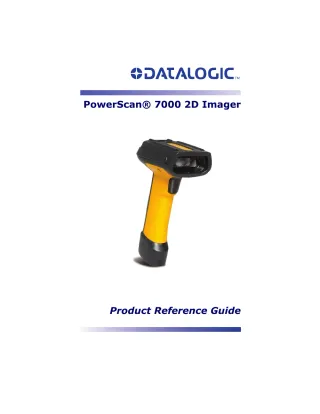
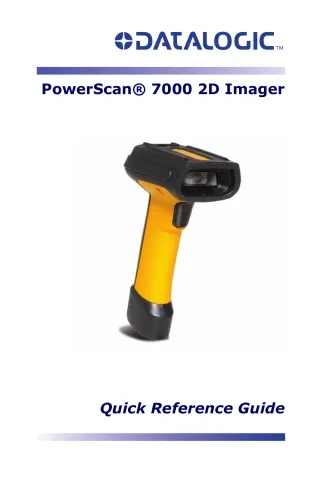
PowerScan 7000 2D Imager Quick Reference Guide
Manual28 pagesPDF 714 KB
Quick reference guide for the Datalogic PowerScan 7000 2D hand-held imager: reading, interface hookup, maintenance and troubleshooting.
Names · 2 models
The models it names
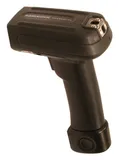 Datalogic 7000 (P70)Hand-held barcode scanner Call for availability
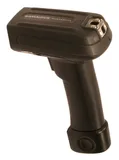 PSC 7000 (P70)Hand-held barcode scanner Call for availability
Filed with · 1 model
Also filed with these models on the old site
Summary
What is in it
Datalogic's quick reference guide for the PowerScan 7000 2D Imager, a hand-held imager that reads linear and 2D matrix bar codes. It covers unpacking, reading techniques with the green aiming beam, LED and beeper indications, Plug and Play setup bar codes for RS-232, USB (IBM SurePos, USB keyboard, USB HID, USB COM port emulation) and keyboard wedge hosts, configuring parameters, resetting defaults, cleaning, troubleshooting, technical support and the standard warranty.
Its parts
- Statement of Agency Compliance
- Software Product Policy
- Unpacking the Imager
- Reading Techniques
- LED and Beeper Indications
- Plug and Play
- Configuring Parameters
- Resetting the Standard Product Defaults
- Repairs
- Maintenance
- Troubleshooting
- Technical Support
- Standard Warranty
From the manual
Key facts from this manual
Each line names its page in the PDF.
The Quick Reference Guide (R44-2709) for the Datalogic PowerScan 7000 2D imager. It covers reading techniques, the LED and beeper signals, connecting by RS-232, USB or Universal Keyboard Wedge with plug and play bar codes, resetting defaults, cleaning and troubleshooting. It does not name the PBT7100.
- Device
- 2D imager with a bright green aiming beam; reads linear bar codes and 2D matrix codes p. 10
- Interfaces
- By model: RS-232, USB, or Universal Keyboard Wedge (UKBW, RS-232 or keyboard wedge by cable) p. 12, 13, 17
- Power supply
- Input 100 - 240 VAC; output 9 - 10 VDC, 2.0 A max, 20 W max p. 5
- RS-232 setup code
- 115,200 baud, no parity, 8 data bits, 1 stop bit, CR LF suffix p. 13
- USB modes
- IBM SurePos, USB PC Keyboard (terminal ID 124), USB Mac Keyboard (125), USB COM Port Emulation (130), USB HID (131) p. 14, 15, 16
- USB COM port emulation
- Windows needs a downloaded driver; Macintosh uses its USB CDC class driver p. 16
- Indicators
- Beeper plus one green and one yellow LED p. 11
- Sealing
- The manual states an IEC rating of IP65 p. 5
- Brand history
- PowerScan 7000 family: in EU service December 2005 under the PSC trademark, April 2007 under Datalogic p. 27
What this manual walks you through
- Unpacking the imager and its parts p. 9
- Aiming the imager and reading codes p. 10
- Reading the LED and beeper indications p. 11
- Connecting the imager to an RS-232 serial port p. 12, 13
- Connecting by USB and scanning a USB plug and play code p. 13, 14, 15, 16
- Connecting in Universal Keyboard Wedge mode with a Y cable p. 17, 18
- Resetting the standard product defaults p. 19
- Cleaning the window and inspecting cords and connectors p. 19, 20
- Troubleshooting reading and data entry problems p. 20, 21, 22
Good to know
- Repairs and upgrades are to be done only by an authorized service center. p. 19
- Do not submerge the imager, and never use abrasive wipes or solvents on the housing or window. p. 20
- Use a Listed class II or class III power supply with a Limited Power Source (LPS). p. 5
- With 220-230 VAC adapters the cord must face down, or it strains the socket outlet. p. 12
- Highly reflective codes may need to be tilted up 15° to 18°. p. 10
Questions this manual answers
How do I reset the PowerScan 7000 2D to factory settings?
Scan the Standard Product Default Settings bar code in the guide; default settings can vary with the interface type. p. 19
Why do I have to press Enter after each scan with the PowerScan 7000 2D?
A suffix needs to be programmed, so the imager sends the data plus the key you need, such as CR. p. 21
Why does the PowerScan 7000 2D send wrong characters to the host?
It may not be programmed for the right terminal interface; reprogram it with the correct Plug and Play or terminal selection bar code. p. 21
What power supply does the PowerScan 7000 2D use?
Input 100 - 240 VAC, output 9 - 10 VDC, with 2.0 A and 20 W maximum, from a Listed class II or class III Limited Power Source. p. 5
How do I use the PowerScan 7000 2D as a USB COM port?
Scan the USB COM Port Emulation code, which sets terminal ID 130; a Windows PC needs a driver from the maker's website. p. 16
Contents
Chapters and sections
Each line opens the PDF at its page.
- Statement of Agency Compliance5
- Software Product Policy8
- Unpacking the Imager9
- Reading Techniques10
- LED and Beeper Indications11
- Plug and Play12
- Configuring Parameters18
- Resetting the Standard Product Defaults19
- Repairs19
- Maintenance19
- Troubleshooting20
- Technical Support22
- Standard Warranty23
1 more line, from page 24 on
The whole text · 3 parts
Read the manual here as text
Its text as extracted from the PDF, unedited, in parts; each page opens the PDF at that page.
The file