Manual · Proxim
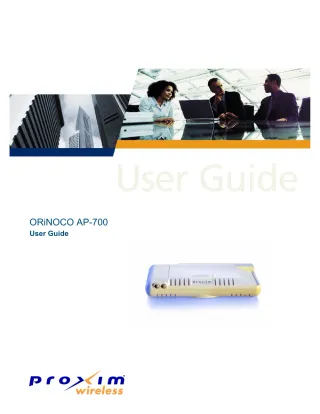
ORiNOCO AP-700 User Guide
Manual231 pagesPDF 4.6 MB
User guide for the Proxim ORiNOCO AP-700 802.11a/b/g wireless access point: installation, web and CLI configuration, security and troubleshooting.
Covers · 1 model
The models it covers
Summary
What is in it
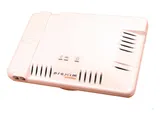
The user guide for the Proxim ORiNOCO AP-700, a tri-mode wireless access point with one 802.11a/b/g radio, for software version 3.4. It covers the hardware, LEDs, Power-over-Ethernet and antennas, wall and ceiling mounting, first setup with ScanTool and the Setup Wizard, then every advanced configuration page (network, interfaces, management, filtering, alarms, bridge, QoS, RADIUS, SSID/VLAN/security), monitoring, firmware updates, troubleshooting, the command line interface and hardware specifications.
Its parts
- Introduction
- Installation and Initialization
- System Status
- Advanced Configuration
- Monitoring
- Commands
- Troubleshooting
From the manual
Key facts from this manual
Each line names its page in the PDF.
This is the November 2006 user guide (software v3.4) for the Proxim ORiNOCO AP-700, a tri-mode 802.11a/b/g access point. It covers installing and powering the unit, configuring it through the web interface or command line, and monitoring, updating and troubleshooting it.
- What it is
- Tri-mode access point for 802.11b, 802.11g or 802.11a clients p. 13
- Radio modes
- One embedded 802.11a/b/g radio: 802.11a only, 802.11b only, 802.11g only, 802.11b/g or 802.11g-wifi p. 13
- Ports
- Power jack, 10/100 Base-T auto-sensing RJ45 Ethernet, RS-232 serial with DB-9 female connector p. 13, 224
- Power
- 802.3af PoE (~48 VDC over Category 5 cable) or power supply on 100 to 240 VAC +/- 10% (50-60 Hz); under 9 Watts p. 14, 224
- Antennas
- Two internal diversity antennas (vertical and horizontal polarization) plus two external antenna connectors p. 14, 15
- Dimensions
- 1 x 4.75 x 7.1 in (25 x 121 x 180 mm), H x W x L p. 224
- Weight
- Unit .65 lb (.295 kg); power supply .45 lbs (.20 kg) p. 224
- Operating temperature
- 0°C to 55°C (32°F to 131°F); humidity 5 to 95%, non-condensing p. 224
- Clients
- Up to 63 stations per BSS (up to 27 with WPA) p. 221
- VLANs
- 16 VLAN/SSID pairs, each with its own security profile p. 149
- Management
- Web interface, Telnet and serial CLI, SNMP agent, SSH, RADIUS-based management access p. 221
- Serial settings
- 9600 baud, 8 data bits, 1 stop bit, no parity, no flow control; straight-through 9-pin cable p. 147
- Default IP
- DHCP; 169.254.128.132 when no DHCP server answers p. 146
- In the box
- AP-700 unit, power cord, security cover, ceiling/wall mount plate, quick installation guide p. 17
What this manual walks you through
- Gathering network information before installing p. 16
- Powering the access point over Ethernet p. 14
- Attaching cables, fitting the security cover, mounting and powering on p. 18
- Using external antennas p. 15
- Fixing power, serial and Ethernet connection problems p. 147
- Finding or correcting the access point's IP address p. 147, 148
- Checking VLAN operation p. 149
- Troubleshooting Power-over-Ethernet links p. 150
- Resetting to factory defaults and reloading the software p. 151
- Available channels by model number and country p. 225, 226, 227
Good to know
- Units using external antennas must be installed by a trained professional installer. p. 15
- Where 802.11a (5 GHz) is not allowed, the AP-700 supports only 802.11b and 802.11g. p. 13
- The cable from the PoE hub to the access point should not exceed 100 meters (about 325 feet). p. 14
- Holding the Reload button longer than 20 seconds can erase the embedded software, which must then be reloaded from a TFTP server. p. 151
- Several uninitialized units on one network share the same default IP address and cannot be reached. p. 147
Questions this manual answers
What is the default IP address of the Proxim AP-700?
It uses DHCP by default. If no DHCP server is available while it boots, it uses 169.254.128.132. p. 148
What serial port settings does the AP-700 use?
9600 baud, 8 data bits, 1 stop bit, no parity and no flow control, over a standard straight-through 9-pin serial cable. p. 147
Can the ORiNOCO AP-700 be powered over Ethernet?
Yes. Its 802.3af PoE module takes about 48 VDC over Category 5 cable from a PoE hub, with a cable run of no more than 100 meters. p. 14
How many clients can one AP-700 handle?
Up to 63 stations per BSS, or up to 27 when WPA is used. p. 221
My AP-700 shows no LEDs and will not boot. What should I check?
Check the power source and the cables; with PoE, make sure the cable is Category 5 foiled twisted pair. p. 147
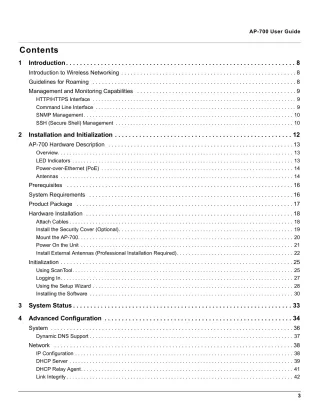
Contents
Chapters and sections
Each line opens the PDF at its page.
The whole text · 26 parts
Read the manual here as text
Its text as extracted from the PDF, unedited, in parts; each page opens the PDF at that page.
- Pages 1 to 71-7
- Introduction8-11
- Installation and Initialization, pages 12 to 1812-18
- Installation and Initialization, pages 19 to 2519-25
- Installation and Initialization, pages 26 to 3226-32
- Pages 33 to 4233-42
- Pages 43 to 5243-52
- Pages 53 to 6253-62
- Pages 63 to 7263-72
- Pages 73 to 8273-82
- Pages 83 to 9283-92
- Pages 93 to 10293-102
- Pages 103 to 112103-112
- Pages 113 to 121113-121
- Monitoring122-134
- Commands135-145
- Troubleshooting146-156
- Command Line Interface (CLI), pages 157 to 165157-165
- Command Line Interface (CLI), pages 166 to 174166-174
- Command Line Interface (CLI), pages 175 to 183175-183
- Command Line Interface (CLI), pages 184 to 192184-192
- Command Line Interface (CLI), pages 193 to 201193-201
- Command Line Interface (CLI), pages 202 to 210202-210
- Command Line Interface (CLI), pages 211 to 219211-219
- Pages 220 to 227220-227
- Pages 228 to 231228-231
The file