Manual · Proxim
RangeLAN2 Ethernet Adapter Models 7920 and 7921 User's Guide
Manual76 pagesPDF 599 KB
User's guide for the Proxim RangeLAN2 792x Ethernet Adapter, models 7920 and 7921: installation, wireless topologies and configuration.
Covers · 2 models
The models it covers
Summary
What is in it
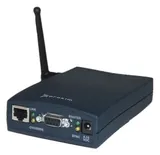
The user's guide for the RangeLAN2 792x Ethernet Adapter (models 7920 and 7921), which lets Ethernet-ready devices join a RangeLAN2 wireless network. It lists the package contents and system requirements, gives quick installation steps, explains ad hoc, infrastructure, workgroup concentrator and repeating topologies, describes the rotary switches, LEDs, 10BASE-T and serial ports, antenna and mounting options, and walks through the radio and advanced configuration menus, statistics, performance hints and troubleshooting. Appendices cover the menu structure, parameters and software downloads.
Its parts
- Introduction
- Quick Installation
- Wireless Topologies
- Understanding the Hardware
- Software Configuration
- Radio Configuration Menu
- Advanced Configuration Menu
- Display Parameter Values
- View Statistics
- Performance Hints
- Troubleshooting
From the manual
Key facts from this manual
Some pages are scans or cannot be read; this says only what the readable text supports. Each line names its page in the PDF.
User's guide for the Proxim RangeLAN2 Ethernet Adapter, models 7920 and 7921, a frequency-hopping wireless adapter that links an Ethernet-ready device to a RangeLAN2 network. It walks through installation, the rotary switches and LEDs, connector pinouts, the serial configuration menu, software downloads, troubleshooting and the specifications.
- Device
- RangeLAN2 wireless Ethernet adapter that gives an Ethernet-ready device wireless access to a RangeLAN2 network p. 7
- Network interface
- Ethernet 10BaseT (twisted pair) p. 72
- Data rate
- 1.6 Mbps radio (RangeLAN2), 10 Mbps Ethernet p. 72
- Frequency band
- 2.4-2.483 GHz in the U.S., spread spectrum frequency hopping, 15 independent channels p. 72
- Output power
- 100 mW or 500mW depending on the country p. 72
- Operating temperature
- -20°C to +60°C p. 72
- Power
- 12 Volt, 1 Amp adapter supplied; a replacement must be a UL listed Class 2 supply rated min. 1A between 6 and 15VDC p. 9, 72
- Serial port
- Nine-pin port wired as a DCE device; 9600 bps, 8 data bits, 1 stop bit, no parity p. 29, 67
- Package contents
- Adapter, 1 dBi omnidirectional antenna, 12 Volt 1 Amp power adapter, RS-232 serial cable, switch setting tool, two plastic switch plugs, user's guide p. 9
- Rotary switches
- Station/Master switch and Domain switch (Domain 0 to 9; 10 to 15 only through the software menu) p. 23
- LEDs
- Top: Status, Radio, Ethernet; back: Master, Sync, Link, Override p. 24, 25, 26
- Ethernet cabling
- No 10BASE-T segment over 100 meters; a cross-over cable is needed to plug into a hub p. 28
- Mounting
- Four #6-32 tapped holes, 0.175" deep, on the underside p. 31
- Software upgrade
- Downloaded over the serial port with the XMODEM protocol p. 67
What this manual walks you through
- Quick installation on an existing RangeLAN2 network p. 11, 12, 13, 14
- Setting the Station/Master and Domain rotary switches p. 23
- Reading the top and back panel LEDs p. 24, 25, 26
- Wiring a 10BASE-T cross-over cable p. 28
- Serial port pinout p. 29
- Mounting the adapter on a surface p. 31
- Turning off Fixed Node Filtering on each RangeLAN2 Access Point model p. 55, 56, 57
- Reading the red LED error blink codes p. 58
- Answers to common support questions p. 59, 60
- Downloading new adapter software p. 67
Good to know
- The antenna uses a custom connector; the guide warns against non-certified Proxim antennas, which may damage the connector and adapter. p. 11
- The antenna must be kept at least 15 cm (6 inches) from any person. p. 72
- RangeLAN2 Access Points ship with Filter Fixed Nodes on; unless an Ethernet Access Point 7510, 7520 or 7521 has flash revision 1.4 or greater, it must be set to Not Filtering. p. 14
- The Link LED can blink now and then even with no proper 10BASE-T cable connected. p. 26
Questions this manual answers
What power supply does the RangeLAN2 7920 Ethernet Adapter need?
It ships with a 12 Volt, 1 Amp adapter. A replacement must be a UL listed Class 2 supply rated at least 1A between 6 and 15VDC. p. 9, 72
What do the red blinking status LED codes mean?
1 blink: Ethernet interface could not initialize; 2: memory check failed; 3: software error; 4: radio failed to initialize; 5: memory full; 6: Ethernet interface error; 7: miscellaneous error. Reset first, and call Proxim support if it persists. p. 58
How do I connect the Ethernet Adapter to a hub?
Use a 10BASE-T cross-over cable, with pins 1 and 3 and pins 2 and 6 crossed. p. 28
What terminal settings open the configuration menu?
Connect an RS-232 cable to the serial port, set 9600 bps, 8 data bits, 1 stop bit, no parity, and press Enter in the terminal when the unit is powered up. p. 67
How do I update the adapter's software?
Choose Download New Software Version from the Main Menu and send the file with XMODEM; the adapter reboots with the new software when the download succeeds. p. 67
Contents
Chapters and sections
Each line opens the PDF at its page.
The whole text · 8 parts
Read the manual here as text
Its text as extracted from the PDF, unedited, in parts; each page opens the PDF at that page.
The file