


Spec sheet · Proxim
Proxim 4920 Spec Sheet
Spec sheet4 pagesPDF 296 KB
All 4 pages are below, each with its text.
Covers · 1 model
The models it covers
From the sheet · read page by page
Key facts from this sheet
Each line names its page in the PDF.
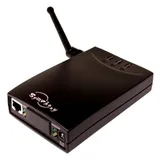
Proxim's 1999 data sheet for the Symphony Cordless Ethernet Bridge, Model 4920-05, followed by a second sheet for the Symphony Cordless Modem, Model 4500-05. The bridge connects Symphony cordless PCs to a wired Ethernet LAN or to an ISDN router, DSL or cable modem so they can share one Internet account. The sheets give radio specifications, system requirements, box contents and ordering details.
- Device
- Symphony Cordless Ethernet Bridge: links Symphony cordless computers to an Ethernet network or Internet access device p. 2
- Radio
- 2.4 GHz frequency hopping spread spectrum, 1.6 Mbps radio data rate p. 2
- Range
- Up to 150 feet through walls, ceilings, floors p. 2
- Network size
- Up to 10 computers per network p. 2
- Model and UPC
- Model 4920-05, UPC 7 43199 49205 7 p. 2
- Dimensions and weight
- 10.6"W x 8.1"H x 3.8"D; 4 pounds (as given under ordering information) p. 2
- System requirements
- At least one Symphony-equipped PC; ISDN router, DSL modem or cable modem; Ethernet hub (optional); AC power p. 2
- Box contents
- Bridge with antenna, Quick Start Guide, User's Manual, software CD-ROM, AC power supply p. 2
- Software
- Composer installation wizard, Conductor modem sharing software, Maestro configuration tool p. 2
- Client adapters
- Symphony Cordless ISA Card, PCI Card, and PC Card (Type II slot) p. 2
- Cordless Modem
- Cordless Modem: Model 4500-05, stand-alone 56K modem with telephone line, telephone set and AC power connectors p. 2, 4
What this sheet walks you through
- Adding wireless clients to an existing Ethernet network p. 1
- Sharing one ISP account through an ISDN router, cable or DSL modem p. 1
- Setting up the network with the Composer installation wizard p. 1
- Ordering the bridge and Symphony adapters p. 2
Good to know
- Actual throughput is lower than the 1.6 Mbps radio rate because of protocol overhead. p. 2
- Sharing one Internet account among several PCs is subject to the ISP's terms. p. 2
- Specifications are subject to change without notice. p. 2
- Cordless Modem: FCC rules at the time limited the 56 Kbps modem to 53 Kbps. p. 4
Questions this sheet answers
What is the range of the Proxim Symphony Ethernet Bridge?
Up to 150 feet through walls, ceilings and floors. p. 2
How many computers can a Symphony network have?
Up to 10 computers per network. p. 2
What frequency and speed does the Proxim 4920 use?
2.4 GHz frequency hopping spread spectrum at a 1.6 Mbps radio data rate; real throughput is lower. p. 2
What do I need to use the Symphony Cordless Ethernet Bridge?
At least one PC fitted with a Symphony cordless adapter, an ISDN router, DSL or cable modem, AC power and optionally an Ethernet hub. p. 2
The file
Size and text
Every page · 4
Read it here
Each page as it is printed, and its words beside it, so a phone can search and copy them.
Page1of 4
Open in the PDF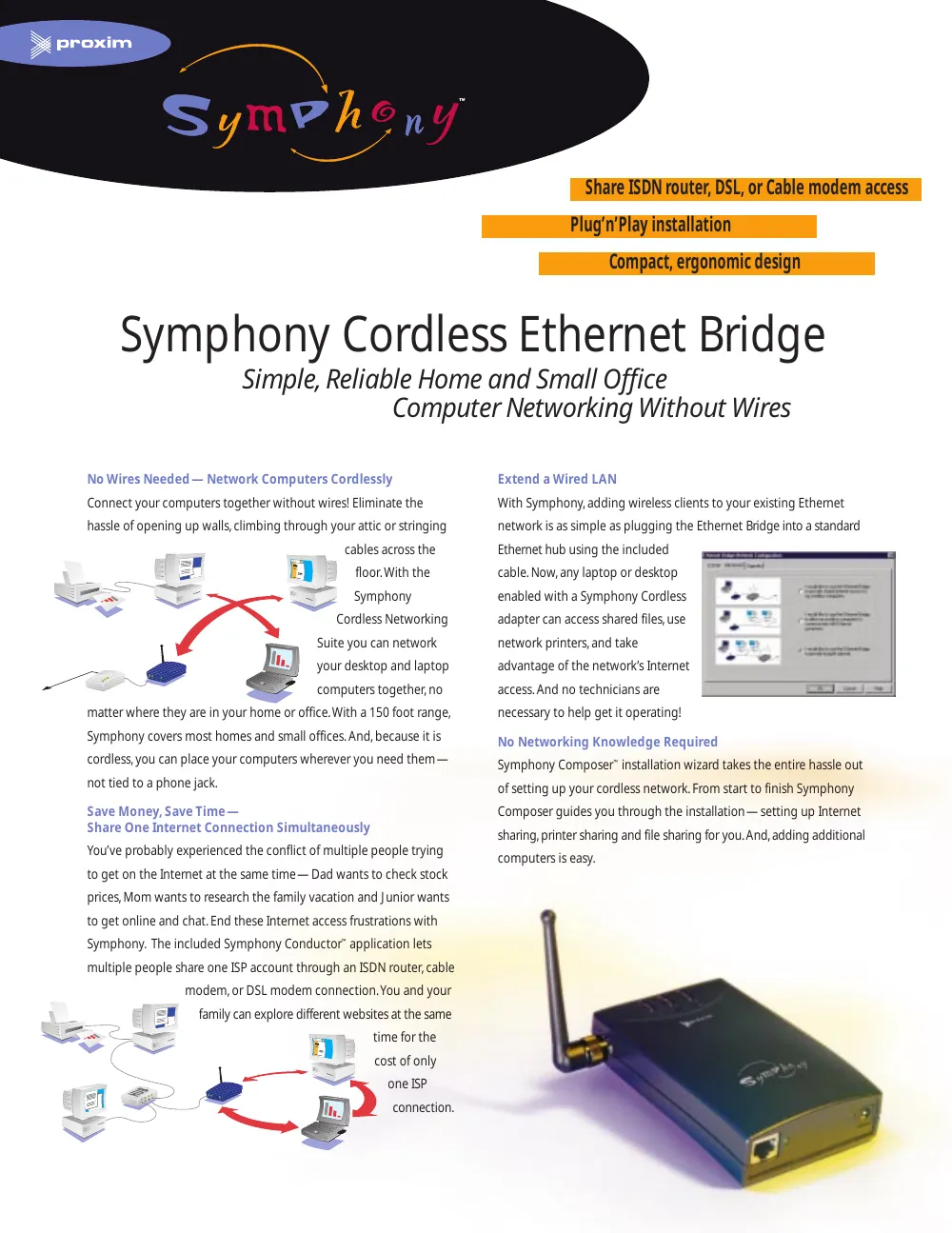
The text of page 1, from the PDF itself
Share ISDN router, DSL, or Cable modem access Plug’n’Play installation Compact, ergonomic design
Symphony Cordless Ethernet Bridge Simple, Reliable Home and Small Office Computer Networking Without Wires No Wires Needed, Network Computers Cordlessly
Extend a Wired LAN
Connect your computers together without wires! Eliminate the
With Symphony, adding wireless clients to your existing Ethernet
hassle of opening up walls, climbing through your attic or stringing
network is as simple as plugging the Ethernet Bridge into a standard
cables across the
Ethernet hub using the included
floor. With the
cable. Now, any laptop or desktop
Symphony
enabled with a Symphony Cordless
Cordless Networking
adapter can access shared files, use
Suite you can network
network printers, and take
your desktop and laptop
advantage of the network’s Internet
computers together, no
access. And no technicians are
matter where they are in your home or office. With a 150 foot range,
necessary to help get it operating!
Symphony covers most homes and small offices. And, because it is
No Networking Knowledge Required
cordless, you can place your computers wherever you need them - Symphony Composer™ installation wizard takes the entire hassle out
not tied to a phone jack.
of setting up your cordless network. From start to finish Symphony
Save Money, Save Time, Share One Internet Connection Simultaneously
Composer guides you through the installation - setting up Internet sharing, printer sharing and file sharing for you. And, adding additional
You’ve probably experienced the conflict of multiple people trying to get on the Internet at the same time - Dad wants to check stock prices, Mom wants to research the family vacation and Junior wants to get online and chat. End these Internet access frustrations with Symphony. The included Symphony Conductor™ application lets multiple people share one ISP account through an ISDN router, cable modem, or DSL modem connection. You and your family can explore different websites at the same time for the cost of only one ISP connection.
computers is easy.
Page2of 4
Open in the PDF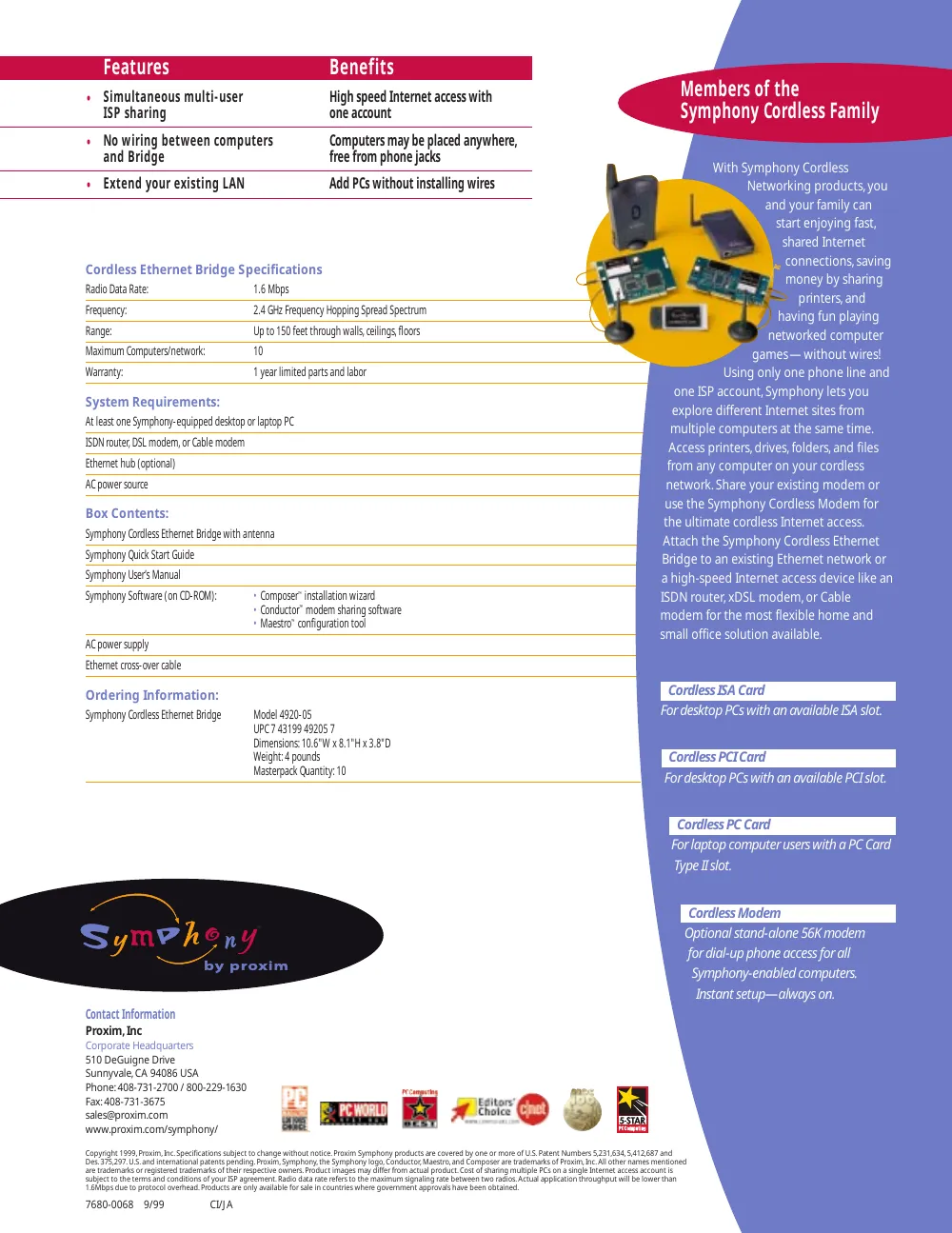
The text of page 2, from the PDF itself
Features
Benefits
- Simultaneous multi-user ISP sharing
High speed Internet access with one account
- No wiring between computers and Bridge
Computers may be placed anywhere, free from phone jacks
- Extend your existing LAN
Add PCs without installing wires
Cordless Ethernet Bridge Specifications Radio Data Rate:
1.6 Mbps
- Frequency
- 2.4 GHz Frequency Hopping Spread Spectrum
- Range
- Up to 150 feet through walls, ceilings, floors
- Maximum Computers/network
- 10
- Warranty
- 1 year limited parts and labor
System Requirements: At least one Symphony-equipped desktop or laptop PC ISDN router, DSL modem, or Cable modem Ethernet hub (optional) AC power source
Box Contents: Symphony Cordless Ethernet Bridge with antenna Symphony Quick Start Guide Symphony User’s Manual Symphony Software (on CD-ROM):
- Composer™ installation wizard
- Conductor™ modem sharing software
- Maestro™ configuration tool
AC power supply
Members of the Symphony Cordless Family With Symphony Cordless Networking products, you and your family can start enjoying fast, shared Internet connections, saving money by sharing printers, and having fun playing networked computer games - without wires! Using only one phone line and one ISP account, Symphony lets you explore different Internet sites from multiple computers at the same time. Access printers, drives, folders, and files from any computer on your cordless network. Share your existing modem or use the Symphony Cordless Modem for the ultimate cordless Internet access. Attach the Symphony Cordless Ethernet Bridge to an existing Ethernet network or a high-speed Internet access device like an ISDN router, xDSL modem, or Cable modem for the most flexible home and small office solution available.
Ethernet cross-over cable
Ordering Information: Symphony Cordless Ethernet Bridge
Model 4920-05 UPC 7 43199 49205 7 Dimensions: 10.6"W x 8.1"H x 3.8"D Weight: 4 pounds Masterpack Quantity: 10
Cordless ISA Card For desktop PCs with an available ISA slot. Cordless PCI Card For desktop PCs with an available PCI slot. Cordless PC Card For laptop computer users with a PC Card Type II slot. Cordless Modem Optional stand-alone 56K modem for dial-up phone access for all Symphony-enabled computers. Instant setup - always on.
Contact Information Proxim, Inc Corporate Headquarters 510 DeGuigne Drive Sunnyvale, CA 94086 USA Phone: 408-731-2700 / 800-229-1630 Fax: 408-731-3675 sales@proxim.com www.proxim.com/symphony/ Copyright 1999, Proxim, Inc. Specifications subject to change without notice. Proxim Symphony products are covered by one or more of U.S. Patent Numbers 5,231,634, 5,412,687 and Des. 375,297. U.S. and international patents pending. Proxim, Symphony, the Symphony logo, Conductor, Maestro, and Composer are trademarks of Proxim, Inc. All other names mentioned are trademarks or registered trademarks of their respective owners. Product images may differ from actual product. Cost of sharing multiple PCs on a single Internet access account is subject to the terms and conditions of your ISP agreement. Radio data rate refers to the maximum signaling rate between two radios. Actual application throughput will be lower than 1.6Mbps due to protocol overhead. Products are only available for sale in countries where government approvals have been obtained.
7680-0068 9/99
CI/JA
Page3of 4
Open in the PDF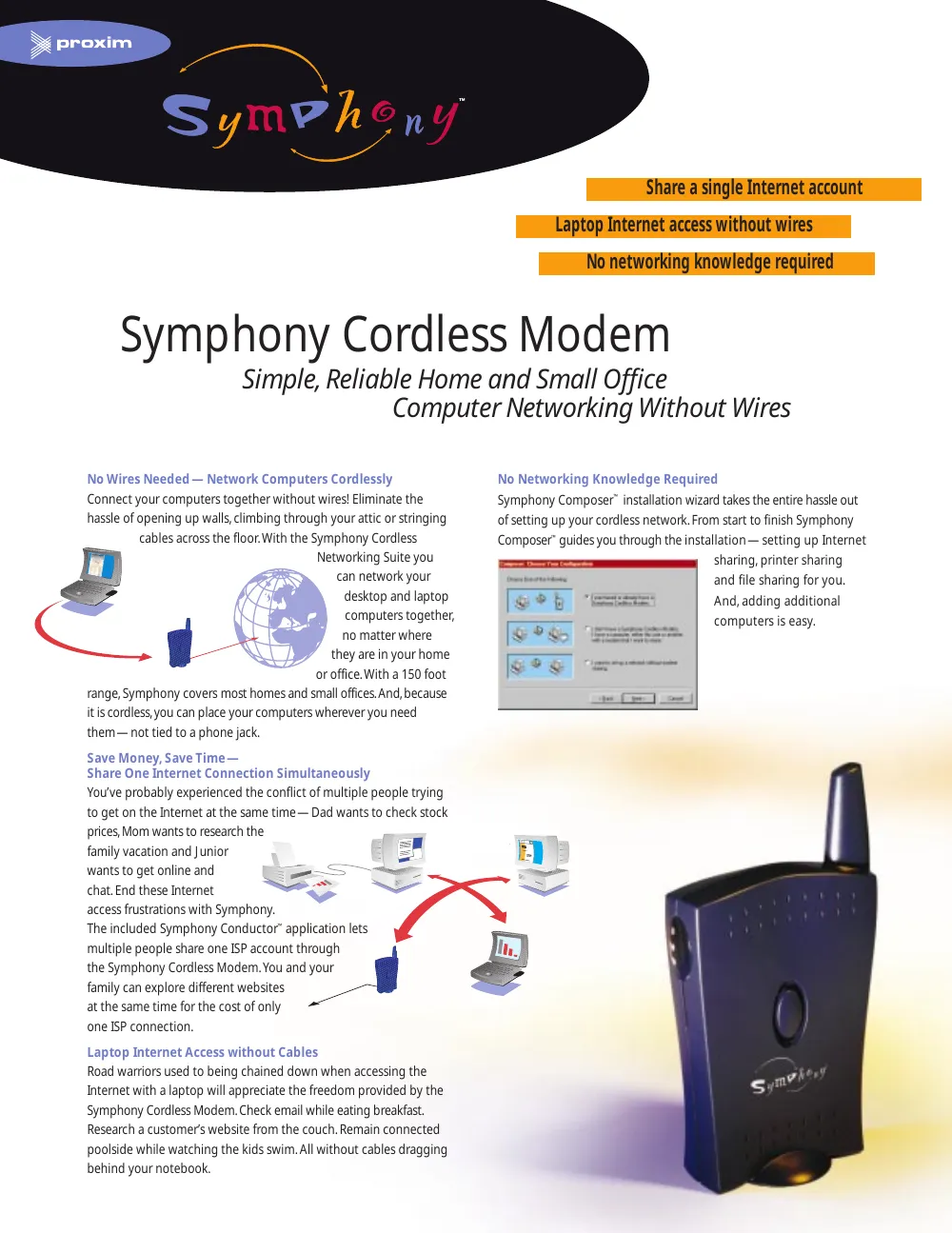
The text of page 3, from the PDF itself
Share a single Internet account Laptop Internet access without wires No networking knowledge required
Symphony Cordless Modem Simple, Reliable Home and Small Office Computer Networking Without Wires No Wires Needed, Network Computers Cordlessly Connect your computers together without wires! Eliminate the hassle of opening up walls, climbing through your attic or stringing cables across the floor. With the Symphony Cordless Networking Suite you can network your desktop and laptop computers together, no matter where they are in your home or office. With a 150 foot range, Symphony covers most homes and small offices. And, because it is cordless, you can place your computers wherever you need them - not tied to a phone jack. Save Money, Save Time, Share One Internet Connection Simultaneously You’ve probably experienced the conflict of multiple people trying to get on the Internet at the same time - Dad wants to check stock prices, Mom wants to research the family vacation and Junior wants to get online and chat. End these Internet access frustrations with Symphony. The included Symphony Conductor™ application lets multiple people share one ISP account through the Symphony Cordless Modem. You and your family can explore different websites at the same time for the cost of only one ISP connection. Laptop Internet Access without Cables Road warriors used to being chained down when accessing the Internet with a laptop will appreciate the freedom provided by the Symphony Cordless Modem. Check email while eating breakfast. Research a customer’s website from the couch. Remain connected poolside while watching the kids swim. All without cables dragging behind your notebook.
No Networking Knowledge Required Symphony Composer™ installation wizard takes the entire hassle out of setting up your cordless network. From start to finish Symphony Composer™ guides you through the installation, setting up Internet sharing, printer sharing and file sharing for you. And, adding additional computers is easy.
Page4of 4
Open in the PDF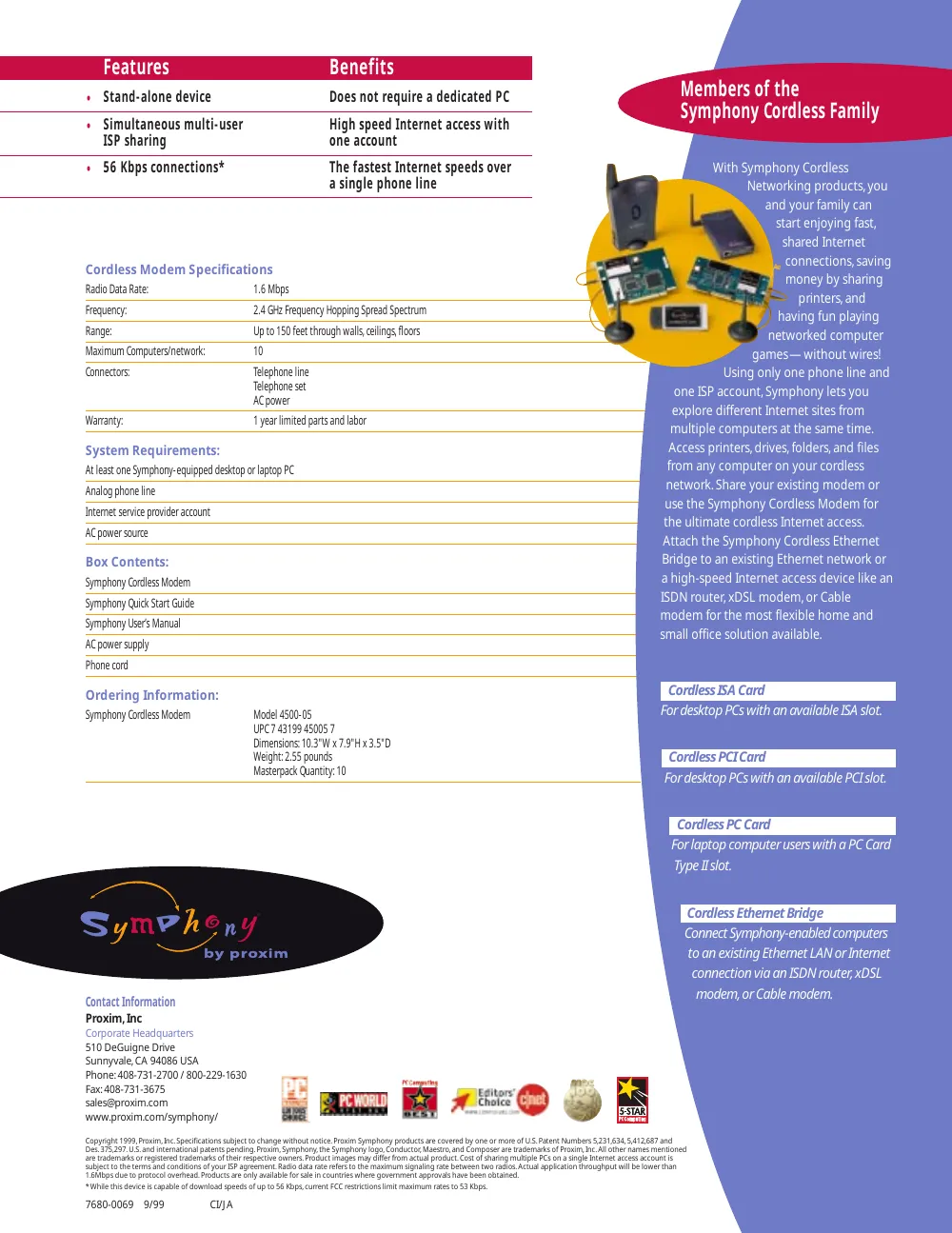
The text of page 4, from the PDF itself
FeaturesBenefits• Stand-alone device
Does not require a dedicated PC
- Simultaneous multi-user ISP sharing
High speed Internet access with one account
- 56 Kbps connections*
The fastest Internet speeds over a single phone line
Cordless Modem Specifications Radio Data Rate:
1.6 Mbps
- Frequency
- 2.4 GHz Frequency Hopping Spread Spectrum
- Range
- Up to 150 feet through walls, ceilings, floors
- Maximum Computers/network
- 10
- Connectors
- Telephone line Telephone set AC power
- Warranty
- 1 year limited parts and labor
System Requirements: At least one Symphony-equipped desktop or laptop PC Analog phone line Internet service provider account AC power source
Box Contents: Symphony Cordless Modem Symphony Quick Start Guide Symphony User’s Manual AC power supply
Members of the Symphony Cordless Family With Symphony Cordless Networking products, you and your family can start enjoying fast, shared Internet connections, saving money by sharing printers, and having fun playing networked computer games - without wires! Using only one phone line and one ISP account, Symphony lets you explore different Internet sites from multiple computers at the same time. Access printers, drives, folders, and files from any computer on your cordless network. Share your existing modem or use the Symphony Cordless Modem for the ultimate cordless Internet access. Attach the Symphony Cordless Ethernet Bridge to an existing Ethernet network or a high-speed Internet access device like an ISDN router, xDSL modem, or Cable modem for the most flexible home and small office solution available.
Phone cord
Ordering Information: Symphony Cordless Modem
Model 4500-05 UPC 7 43199 45005 7 Dimensions: 10.3"W x 7.9"H x 3.5"D Weight: 2.55 pounds Masterpack Quantity: 10
Cordless ISA Card For desktop PCs with an available ISA slot. Cordless PCI Card For desktop PCs with an available PCI slot. Cordless PC Card For laptop computer users with a PC Card Type II slot. Cordless Ethernet Bridge Connect Symphony-enabled computers to an existing Ethernet LAN or Internet connection via an ISDN router, xDSL modem, or Cable modem.
Contact Information Proxim, Inc Corporate Headquarters 510 DeGuigne Drive Sunnyvale, CA 94086 USA Phone: 408-731-2700 / 800-229-1630 Fax: 408-731-3675 sales@proxim.com www.proxim.com/symphony/
Copyright 1999, Proxim, Inc. Specifications subject to change without notice. Proxim Symphony products are covered by one or more of U.S. Patent Numbers 5,231,634, 5,412,687 and Des. 375,297. U.S. and international patents pending. Proxim, Symphony, the Symphony logo, Conductor, Maestro, and Composer are trademarks of Proxim, Inc. All other names mentioned are trademarks or registered trademarks of their respective owners. Product images may differ from actual product. Cost of sharing multiple PCs on a single Internet access account is subject to the terms and conditions of your ISP agreement. Radio data rate refers to the maximum signaling rate between two radios. Actual application throughput will be lower than 1.6Mbps due to protocol overhead. Products are only available for sale in countries where government approvals have been obtained.
- While this device is capable of download speeds of up to 56 Kbps, current FCC restrictions limit maximum rates to 53 Kbps.
7680-0069 9/99
CI/JA